Adding placeholder for dropdown using templates.html | Community
Skip to main content
JakeCham
New Participant
December 17, 2021
Solved

Adding placeholder for dropdown using templates.html

  • December 17, 2021
  • 1 reply
  • 968 views

Hi Team,

I have a component folder structure like below.
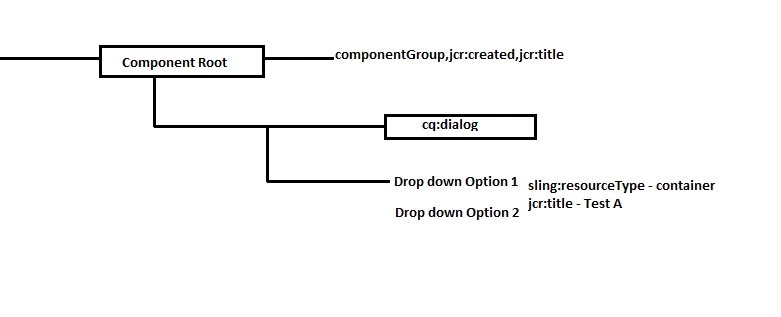
There is a drop down inside component and I want to get the dropdowns title as Test A as shown in the picture. I was able to get the component name as a place holder. But is this possible ?

This post is no longer active and is closed to new replies. Need help? Start a new post to ask your question.
Best answer by Kishore_Kumar_

Hi @jakecham ,


For dropdown placeholders, you can use emptyText property in granite/ui/components/coral/foundation/form/select node.


https://www.adobe.io/experience-manager/reference-materials/6-4/granite-ui/api/jcr_root/libs/granite/ui/components/coral/foundation/form/select/index.html 


I don't think templates.html can be used for it since dropdown is a part of cq:dialog. If you need any dynamic placeholders for dropdown try using JS.

1 reply

Kishore_Kumar_
Kishore_Kumar_Accepted solution
New Participant
December 18, 2021

Hi @jakecham ,


For dropdown placeholders, you can use emptyText property in granite/ui/components/coral/foundation/form/select node.


https://www.adobe.io/experience-manager/reference-materials/6-4/granite-ui/api/jcr_root/libs/granite/ui/components/coral/foundation/form/select/index.html 


I don't think templates.html can be used for it since dropdown is a part of cq:dialog. If you need any dynamic placeholders for dropdown try using JS.