AEM 6.3 Classic UI issue in overlay functionality error “TypeError: CQ.security.data is undefined” | Community
Skip to main content
vijaym76986902
New Participant
August 12, 2017
Solved

AEM 6.3 Classic UI issue in overlay functionality error “TypeError: CQ.security.data is undefined”

  • August 12, 2017
  • 3 replies
  • 2192 views

In AEM 6.3 classic UI, When i am trying to overlay

/libs/cq/security/widgets/source/widgets/security/data/AclStore.js to

/apps/cq/security/widgets/source/widgets/security/data/AclStore.js

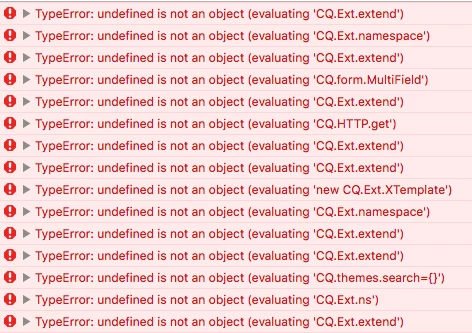
the following error is coming TypeError: CQ.security.data is undefined CQ.security.data.UserAclStore = CQ.Ext.extend(CQ.security.data.AclStore,{

Like this we are getting error for all the overlay js has issue in AEM 6.3.
This post is no longer active and is closed to new replies. Need help? Start a new post to ask your question.
Best answer by vijaym76986902

I have resolved the issue using the below logic. Clientlibs js file creation logic is differed in AEM 6.3.

In AEM 6.1 Clientlibs js creation is binding the overlaid files from /apps/cq/security/widgets/source/widgets/js.txt and non overlaid files from /libs/cq/security/widgets/source/widgets/js.txt

In AEM 6.3 Clientlibs js creation is binding files from /apps/cq/security/widgets/source/widgets/js.txt only.

Because of this non overlaid files (CQ.security.js) are not binding into clientlibs js(widgets.js) and its gives the below error

TypeError: CQ.security.data is undefined CQ.security.data.UserAclStore = CQ.Ext.extend(CQ.security.data.AclStore,{

So i have merged the js.txt of /libs/cq/security/widgets/source/widgets/js.txt into /apps/cq/security/widgets/source/widgets/js.txt and it's resolved the issue.

Please provide your answer if there is any other way to resolve this issue.

3 replies

vijaym76986902
New Participant
September 11, 2017

Yes. I have tried the above approach to resolve the issue.

vijaym76986902
vijaym76986902AuthorAccepted solution
New Participant
August 19, 2017

I have resolved the issue using the below logic. Clientlibs js file creation logic is differed in AEM 6.3.

In AEM 6.1 Clientlibs js creation is binding the overlaid files from /apps/cq/security/widgets/source/widgets/js.txt and non overlaid files from /libs/cq/security/widgets/source/widgets/js.txt

In AEM 6.3 Clientlibs js creation is binding files from /apps/cq/security/widgets/source/widgets/js.txt only.

Because of this non overlaid files (CQ.security.js) are not binding into clientlibs js(widgets.js) and its gives the below error

TypeError: CQ.security.data is undefined CQ.security.data.UserAclStore = CQ.Ext.extend(CQ.security.data.AclStore,{

So i have merged the js.txt of /libs/cq/security/widgets/source/widgets/js.txt into /apps/cq/security/widgets/source/widgets/js.txt and it's resolved the issue.

Please provide your answer if there is any other way to resolve this issue.

rwinkle
New Participant
August 14, 2017

So are you saying everything works fine in Classic when it's not overlaid, but you are getting the error when overlaying /apps/cq/security/widgets/source/widgets/security/data/AclStore.js without any modifications?