AEM 6.3 - Datepicker in dialog does not prepopulate previously saved value | Community
Skip to main content
New Participant
November 2, 2017
Solved

AEM 6.3 - Datepicker in dialog does not prepopulate previously saved value

  • November 2, 2017
  • 14 replies
  • 11396 views

Hello Everyone,

I am using resource type 'granite/ui/components/coral/foundation/form/datepicker'

Following is the snippet from dialog xml file:

<multi class="full-width" jcr:primaryType="nt:unstructured"
      sling:resourceType="granite/ui/components/foundation/form/multifield"
      fieldDescription="Click 'Add Field' for new event info"
      fieldLabel="Manual Event Info">

     <field jcr:primaryType="nt:unstructured" name="./lsaManualEvents"
         acs-commons-nested="JSON_STORE"
         sling:resourceType="granite/ui/components/foundation/form/fieldset">

         <layout jcr:primaryType="nt:unstructured" method="absolute" sling:resourceType="granite/ui/components/foundation/layouts/fixedcolumns"/>

         <items jcr:primaryType="nt:unstructured">

             <column jcr:primaryType="nt:unstructured" sling:resourceType="granite/ui/components/foundation/container">

                  <items jcr:primaryType="nt:unstructured">

                           <title fieldLabel="Event Title" jcr:primaryType="nt:unstructured" name="./event_title"          

                                                                                sling:resourceType="granite/ui/components/foundation/form/textfield"/>

                          <subtitle fieldLabel="Event Subtitle" jcr:primaryType="nt:unstructured" name="./event_subtitle"                                                                                 sling:resourceType="granite/ui/components/foundation/form/textfield"/>

                            <building_name fieldLabel="Building" jcr:primaryType="nt:unstructured" name="./building_name"                                                                                 sling:resourceType="granite/ui/components/foundation/form/textfield"/>

                            <room fieldLabel="Room" jcr:primaryType="nt:unstructured" name="./room"                                                                            sling:resourceType="granite/ui/components/foundation/form/textfield"/>


                           <date fieldLabel="Event Date"
                                           jcr:primaryType="nt:unstructured" name="./datetime_start"
                                           sling:resourceType="granite/ui/components/coral/foundation/form/datepicker"
                                           emptyText="MM/DD/YYYY HH:mm" required="{Boolean}false" type="datetime" displayedFormat="MM/DD/YYYY HH:mm"                                              valueFormat="MM/DD/YYYY HH:mm"/>


                            <link fieldLabel="Full URL" jcr:primaryType="nt:unstructured" name="./website"                                                        sling:resourceType="granite/ui/components/foundation/form/textfield"/>

                  </items>

             </column>

           </items>

      </field>

   </multi>

When I open the dialog, the previously stores date time value is not pre populated. Following is the snapshot:
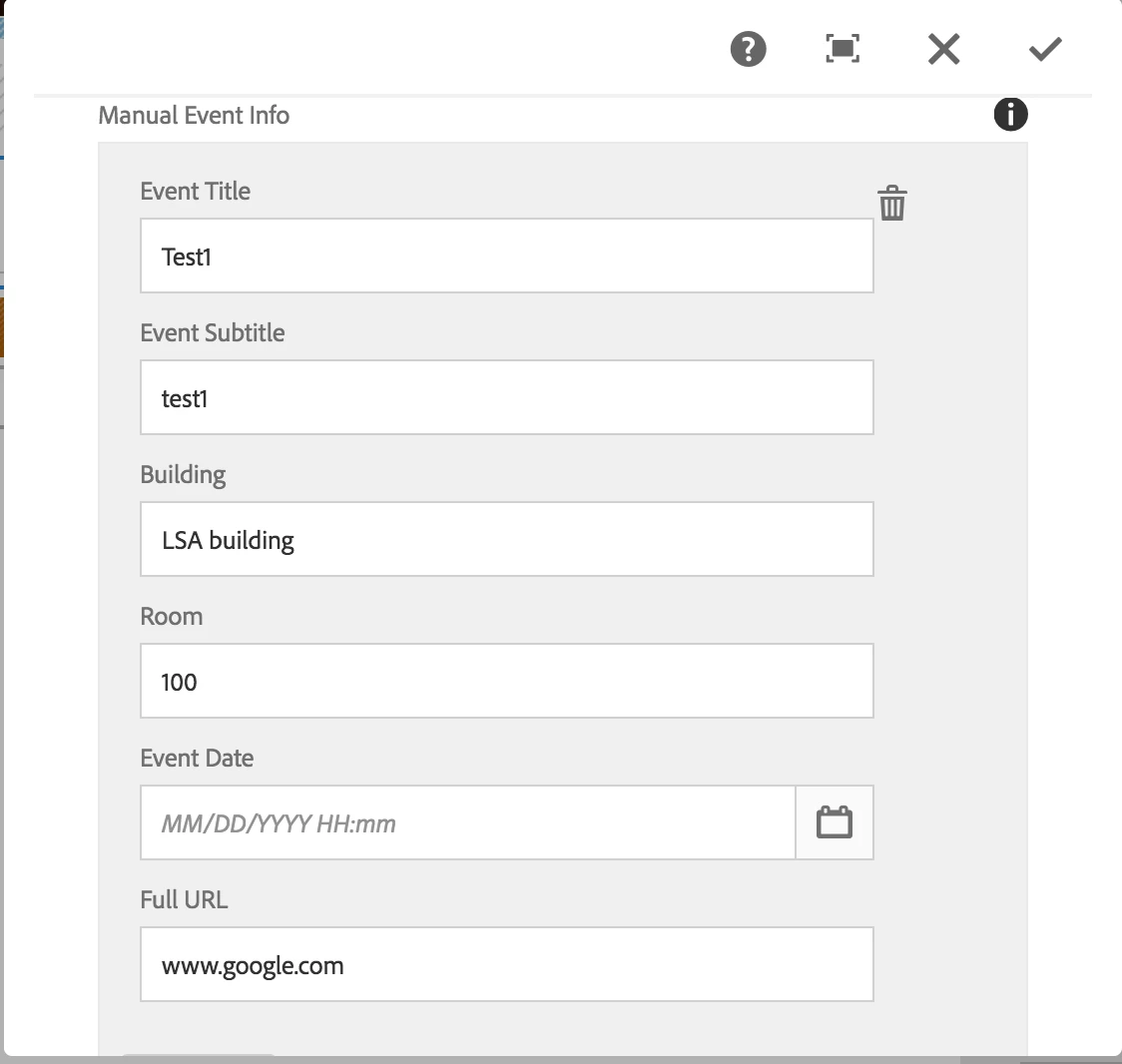
When I inspect the "Event Date" field, following is the HTML snippet:

<coral-datepicker class="coral-Form-field coral-InputGroup" type="datetime" name="./datetime_start" displayformat="MM/DD/YYYY HH:mm" valueformat="MM/DD/YYYY HH:mm" headerformat="MMMM YYYY" value="" placeholder="MM/DD/YYYY HH:mm" data-foundation-validation="" data-validation="" role="datepicker" aria-disabled="false" aria-invalid="false" aria-readonly="false" aria-required="false" aria-haspopup="true" aria-expanded="false" aria-owns="coral-id-617"><input type="hidden" handle="hiddenInput" value="2017-11-23T13:25:00.000-05:00" name="./datetime_start">

<input is="coral-textfield" class="coral-Textfield coral-InputGroup-input" type="text" handle="input" role="textbox" placeholder="MM/DD/YYYY HH:mm" aria-invalid="false">

<div class=" coral-InputGroup-button" handle="toggleButtonContainer">

  <button is="coral-button" class="coral-Button coral-Button--secondary" size="M" variant="secondary" type="button" icon="calendar" iconsize="S" handle="toggle" aria-haspopup="true" aria-label="Calendar" title="Calendar"><coral-icon class="coral-Icon coral-Icon--sizeS coral-Icon--calendar" icon="calendar" size="S" role="img" aria-label="calendar"></coral-icon><coral-button-label></coral-button-label></button>

</div>

<coral-popover class="coral3-Popover" aria-hidden="true" tabindex="0" closable="off" role="dialog" aria-live="assertive" handle="popover" id="coral-id-617" alignmy="right top" alignat="right bottom" collision="fit" style="display: none;"><div coral-tabcapture="top" tabindex="0"></div><div class="coral-Dialog-header coral-Popover-header" hidden="">

<coral-icon class="coral-Icon coral-Dialog-typeIcon coral-Icon--sizeS" icon="" size="S" handle="icon"></coral-icon>

<div handle="headerContent" class=" coral-Dialog-title coral-Heading coral-Heading--2"><coral-popover-header></coral-popover-header></div>

<button is="coral-button" class="coral-Button coral-Dialog-closeButton coral-Button--minimal" size="M" variant="minimal" handle="closeButton" type="button" icon="close" iconsize="XS" aria-label="Close" title="Close" coral-close="" style="display: none;"><coral-icon class="coral-Icon coral-Icon--close coral-Icon--sizeXS" icon="close" size="XS" role="img" aria-label="close"></coral-icon><coral-button-label></coral-button-label></button></div><div class="coral3-Popover-content"><coral-popover-content></coral-popover-content></div><div coral-tabcapture="intermediate" tabindex="0"></div><div coral-tabcapture="bottom" tabindex="0"></div></coral-popover></coral-datepicker>

Could someone please help me here?

Thank you for your time.

Best Regards,

Ananta
This post is no longer active and is closed to new replies. Need help? Start a new post to ask your question.
Best answer by manoj_devapath

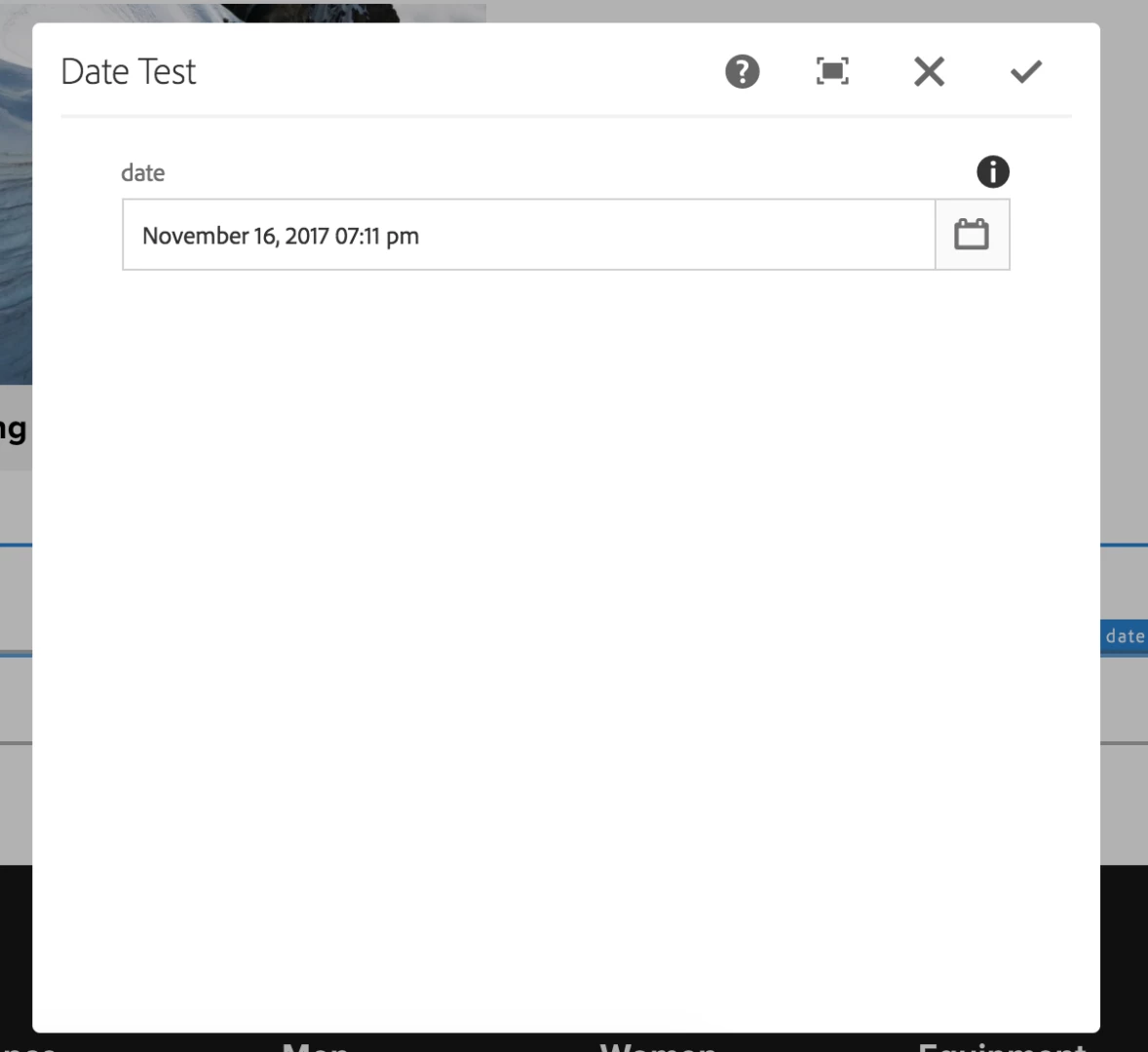
tested "granite/ui/components/coral/foundation/form/datepicker"  worked perfectly in AEM 6.3

               <date

                        jcr:primaryType="nt:unstructured"

                        sling:resourceType="granite/ui/components/coral/foundation/form/datepicker"

                        displayedFormat="MMMM DD, YYYY hh:mm a"

                        displayTimezoneMessage="{Boolean}true"

                        fieldDescription="Date Test."

                        fieldLabel="date"

                        name="./isReadOnlyonTime"

                        renderReadOnly="{Boolean}false"

                        type="datetime"/>

14 replies

Sady_Rifat
New Participant
October 14, 2020

Hi there, I also faced this similar issue.
Then I used 

sling:resourceType="granite/ui/components/foundation/form/datepicker"

instead of 

sling:resourceType="granite/ui/components/coral/foundation/form/datepicker"

 And this is able to prepopulate the previous value.

ananta99Author
New Participant
November 6, 2017

smacdonald2008kautuksahnimjb54261515

After investigating further, I got it working as follows:

<multi class="full-width" jcr:primaryType="nt:unstructured"

    sling:resourceType="granite/ui/components/coral/foundation/form/multifield"

    fieldDescription="Click 'Add Field' for new event info" composite="{Boolean}true"

    fieldLabel="Manual Event Info">

        <field jcr:primaryType="nt:unstructured" name="./lsaManualEvents"

        sling:resourceType="granite/ui/components/coral/foundation/container">

            <items jcr:primaryType="nt:unstructured">

                <column jcr:primaryType="nt:unstructured" sling:resourceType="granite/ui/components/foundation/container">

                    <items jcr:primaryType="nt:unstructured">

                        <title fieldLabel="Event Title" jcr:primaryType="nt:unstructured" name="./event_title"                  sling:resourceType="granite/ui/components/foundation/form/textfield"/>

                        <subtitle fieldLabel="Event Subtitle" jcr:primaryType="nt:unstructured" name="./event_subtitle" sling:resourceType="granite/ui/components/foundation/form/textfield"/>

                        <building_name fieldLabel="Building" jcr:primaryType="nt:unstructured" name="./building_name" sling:resourceType="granite/ui/components/foundation/form/textfield"/>

                        <room fieldLabel="Room" jcr:primaryType="nt:unstructured" name="./room" sling:resourceType="granite/ui/components/foundation/form/textfield"/>

                        <date fieldLabel="Event Date"

                            jcr:primaryType="nt:unstructured" name="./datetime_start"

                            sling:resourceType="granite/ui/components/coral/foundation/form/datepicker" type="datetime" displayedFormat="YYYY-MM-DD HH:mm" required="{Boolean}true" valueFormat="YYYY-MM-DD[T]HH:mm:ss.000Z"/>

                        <link fieldLabel="Full URL" jcr:primaryType="nt:unstructured" name="./website"                     sling:resourceType="granite/ui/components/foundation/form/textfield"/>

                    </items>

                </column>

            </items>

        </field>

</multi>

smacdonald2008
New Participant
November 3, 2017

It should work the same way. If not - its a bug - in which case - the recommend way to proceed is to log a ticket so this can be fixed.

ananta99Author
New Participant
November 3, 2017

Thanks mjb54261515​, kautuksahni​ and smacdonald2008​ for your inputs. If you refer to my initial post, I am using the datepicker inside a multifield and that is when the datepicker does not populate the previous saved value. Could you please give your advice in this scenario?

Best Regards,

Ananta

manoj_devapath
New Participant
November 3, 2017

kautuksahni​ no problem

smacdonald2008​ thanks

smacdonald2008
New Participant
November 3, 2017

Yes, we can fold into Movie HTL 6.3 example

kautuk_sahni
Employee
November 3, 2017

smacdonald2008 I guess we should make helpx out of this.

mjb54261515​  Thanks a lot.

Kautuk Sahni
smacdonald2008
New Participant
November 3, 2017

Great communiy input

manoj_devapath
New Participant
November 3, 2017

Please find following link with Date Component

Date Time Field.zip - Google Drive

smacdonald2008
New Participant
November 3, 2017

mj babu   - can you please post a small AEM package with a component in it that uses a dialog so the community member can test.