
AEM 6.3 - RTE and Numberfield compatibility error in 6.3
Hello,
The site I work on was recently upgraded from 6.2 to 6.3. We have several components that utilize a RTE in a dialog, and after the upgrade, one component dialog in particular was throwing a JS error upon being opened, and we were unable to switch between tabs/use the RTE. The error is:
Uncaught TypeError: Cannot read property 'sourceEditMode' of undefined
at Object.validate (all.js:2663)
at HTMLValidation.<anonymous> (foundation.js:1495)
at everyReverse (foundation.js:206)
at HTMLValidation.checkValidity (foundation.js:1488)
at foundation.js:1883
at Array.every (<anonymous>)
at Object.isValid (foundation.js:1876)
at enable (foundation.js:1030)
at HTMLDivElement.<anonymous> (foundation.js:1038)
at HTMLDocument.dispatch (jquery.js:5226)
However, other components using the same RTE in a dialog were not throwing this error. I narrowed this down to a compatibility issue with the RTE and this version of the numberfield widget:
granite/ui/components/foundation/form/numberfield
Removing the numberfield with this sling:resourceType allows the component dialog to work, or, leaving the numberfield and deleting the RTE allows the dialog to work as well.
I tested this out in a fresh 6.3 instance in the We.Retail site. I installed this text component, which has the RTE in the dialog as well, from the adobe article:
https://helpx.adobe.com/experience-manager/using/touchUI_RTE_configure.html
and included the numberfield with the sling:resourceType in question, which breaks the dialog and throws the same JS error I saw in my site:
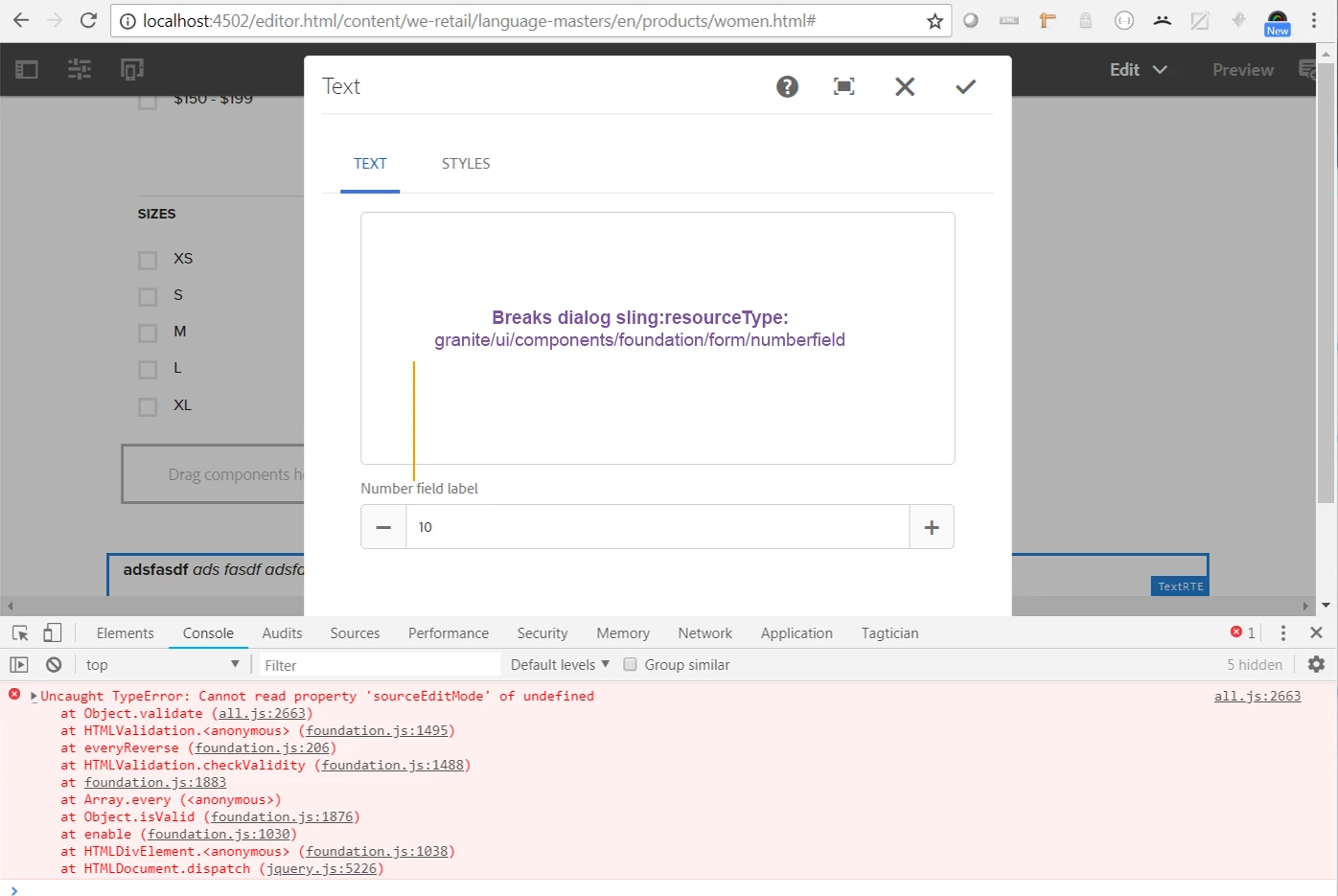
I noticed a different numberfield in various We.Retail components, so tried updating the sling:resourceType of the numberfield in my broken component, and this actually works:
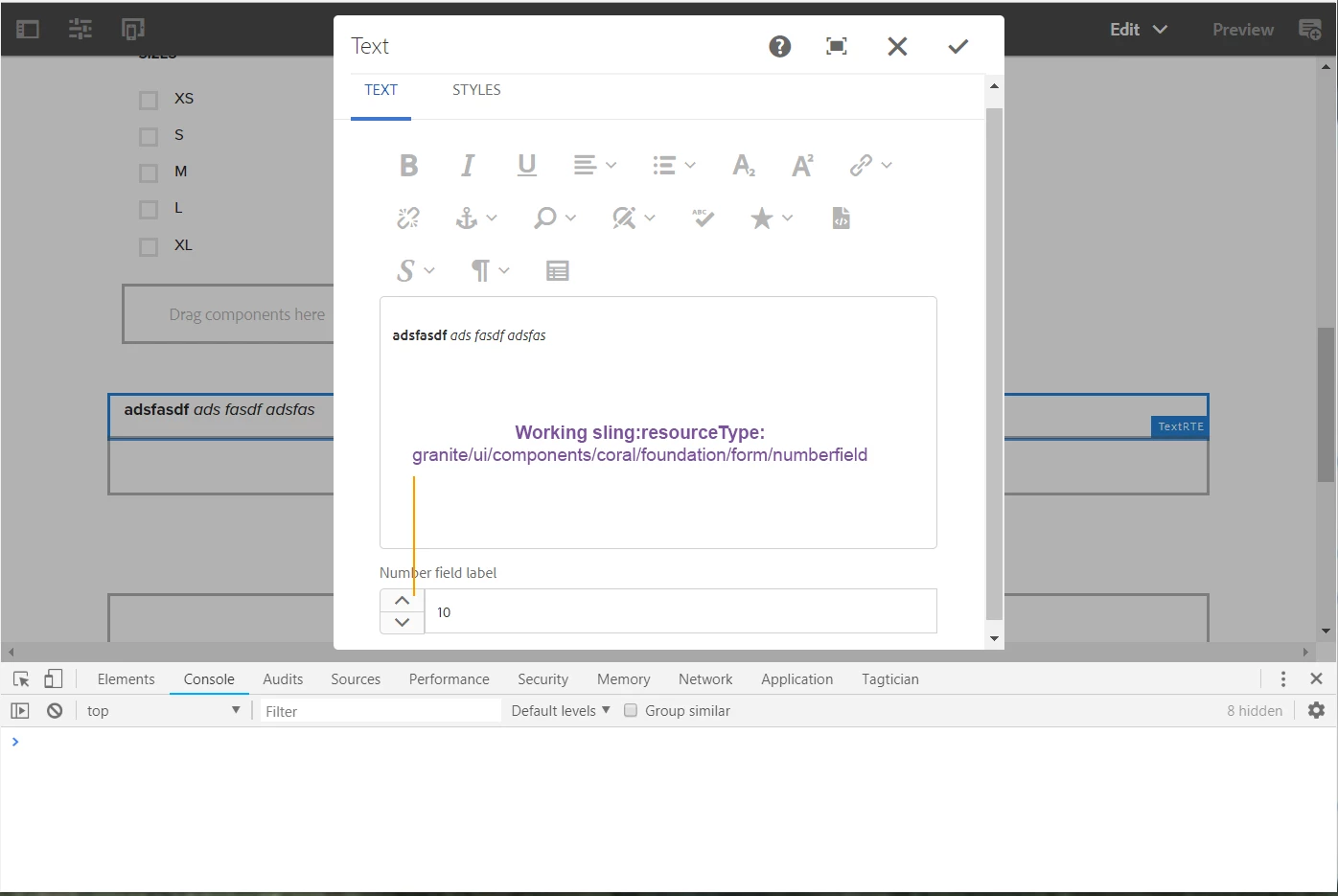
The working numberfield has a sling:resourceType of granite/ui/components/coral/foundation/form/numberfield.
So I'm wondering if anyone else can re-create this, or explain why there is a compatibility issue? We have a mixture of widgets in our dialogs, that utilize both granite/ui/components/coral/foundation/form and granite/ui/components/foundation/form widgets, that don't have errors.
Sarah
