AEM 6.3 touch ui dam search with wildcard* in page for authoring | Community
Skip to main content
srinivas_chann1
Level 7
Nov 6, 2019 3:33 AM UTC
Solved

AEM 6.3 touch ui dam search with wildcard* in page for authoring

Hi,

I have few questions below on dam assets how we could find on pages in touch ui

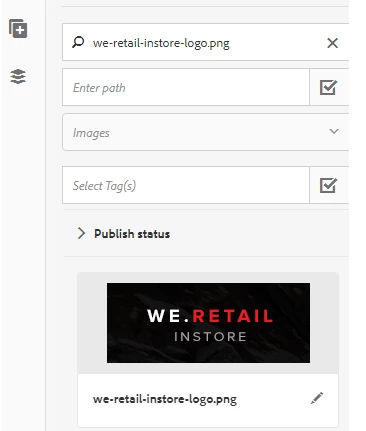
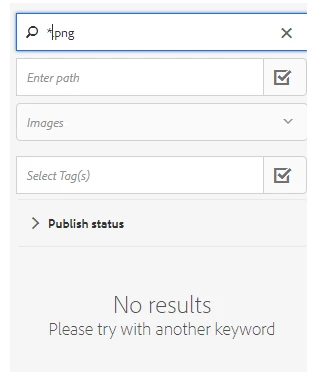
1. I see an image like below when i mention full name of the image it appears but when i give *.png it does not show .What should we do show all png in the list

2. How to get the latest upload the images at the top of the list .So that authors can pick them easily

Thanks

This post is no longer active and is closed to new replies. Need help? Start a new post to ask your question.
Theo_Pendle
Theo_PendleAccepted solution
Level 8
Nov 9, 2019 5:11 PM UTC

Hi srinivas,

1. The search criteria is a "contains" criteria, not a regex, so to find all the assets containing ".png", you should simply put .png in the field. Here is an example of me searching for all JPGs in my assets:
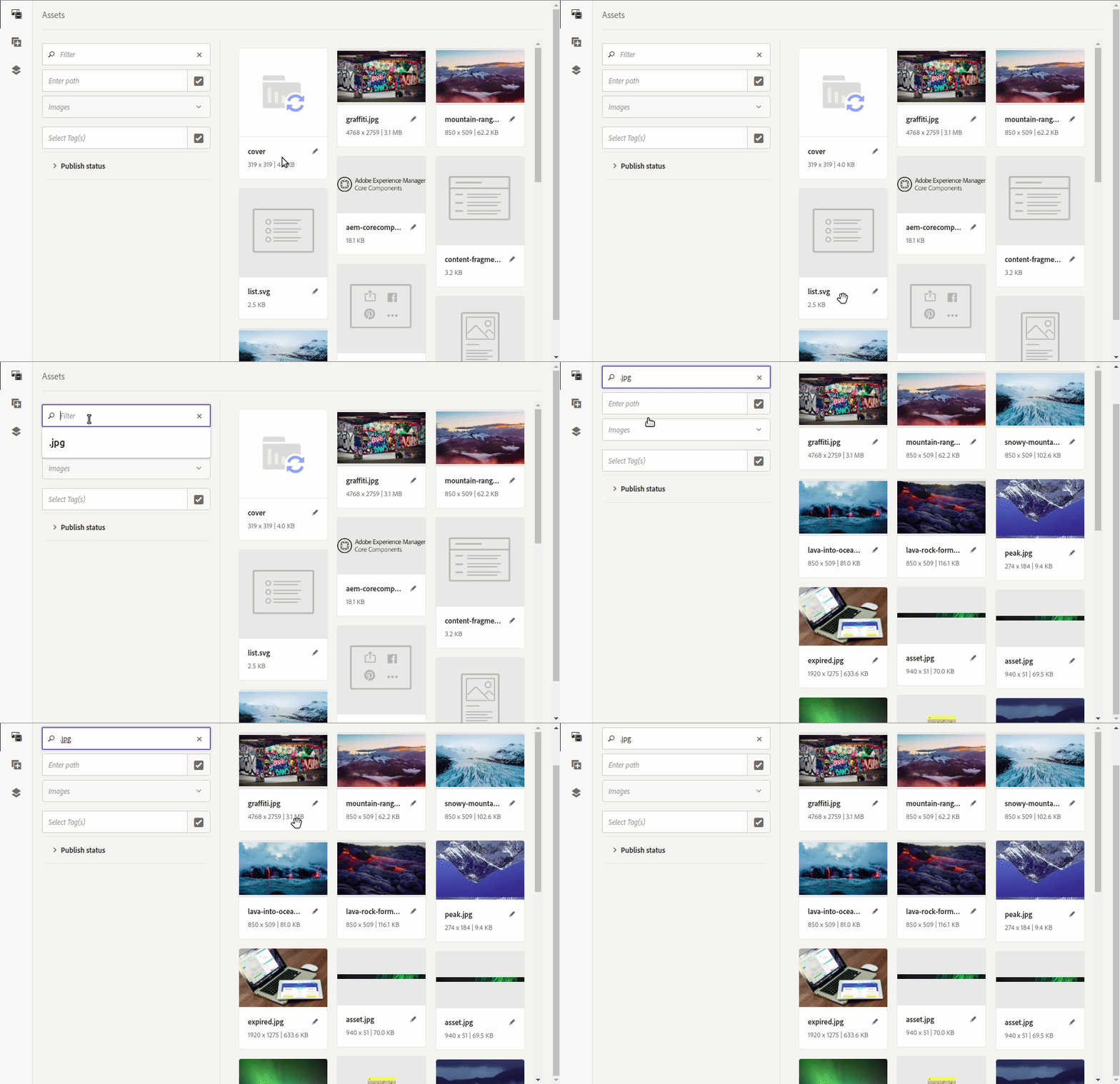
2. As JaideepBrar​ says, the latest assets should appear at the top of the list already. Here is the explanation:

Following the example above, the request that is sent to filter the results is the following:

/bin/wcm/contentfinder/asset/view.html?_dc=1573241514397&query=.jpg+order%3A%22-jcr%3Acontent%2Fjcr%3AlastModified%22+&mimeType=image%2Capplication%2Fx-ImageSet%2Capplication%2Fx-SpinSet%2Capplication%2Fx-MixedMediaSet%2Capplication%2Fx-CarouselSet&itemResourceType=cq%2Fgui%2Fcomponents%2Fauthoring%2Fassetfinder%2Fasset&limit=0..20&_charset_=utf-8&_=1573240635933

The green part above when decoded is the following: order:"-jcr:content/jcr:lastModified". As you can see, the last modified assets should be at the top

5 replies

srinivas_chann1
Level 7
Nov 11, 2019 2:46 AM UTC

Thanks

Translate
Theo_Pendle
Level 8
Nov 10, 2019 11:00 AM UTC

Hi Srinivas,

That is just the default responsive behavior of the side panel. I Recorded the GIF on a reduced window size so it would be more visible.

Here is what I mean:

Translate
srinivas_chann1
Level 7
Nov 10, 2019 6:40 AM UTC

Hi ,

i noticed that in your video the images are coming to right.How to achieve that .In the screen i showed the images come just down of the filer and very difficult to find.

The screen you showed has the images to right and has good look and view

Thanks

Translate
Theo_Pendle
Theo_PendleAccepted solution
Level 8
Nov 9, 2019 5:11 PM UTC

Hi srinivas,

1. The search criteria is a "contains" criteria, not a regex, so to find all the assets containing ".png", you should simply put .png in the field. Here is an example of me searching for all JPGs in my assets:

2. As JaideepBrar​ says, the latest assets should appear at the top of the list already. Here is the explanation:

Following the example above, the request that is sent to filter the results is the following:

/bin/wcm/contentfinder/asset/view.html?_dc=1573241514397&query=.jpg+order%3A%22-jcr%3Acontent%2Fjcr%3AlastModified%22+&mimeType=image%2Capplication%2Fx-ImageSet%2Capplication%2Fx-SpinSet%2Capplication%2Fx-MixedMediaSet%2Capplication%2Fx-CarouselSet&itemResourceType=cq%2Fgui%2Fcomponents%2Fauthoring%2Fassetfinder%2Fasset&limit=0..20&_charset_=utf-8&_=1573240635933

The green part above when decoded is the following: order:"-jcr:content/jcr:lastModified". As you can see, the last modified assets should be at the top

Translate
Employee
Nov 7, 2019 2:11 PM UTC

Latest upload always shows up at the top with the "New" tag in the top right corner. Try uploading some assets and test. It shows up on my side.

Translate