AEM 6.3 - using parsys in htl files | Community
Skip to main content
brendanf9753525
New Participant
July 12, 2017
Solved

AEM 6.3 - using parsys in htl files

  • July 12, 2017
  • 25 replies
  • 23189 views

[Thread Edited By Adobe]

/*Don’t forget to meet and greet your fellow peers virtually by telling them about yourself here

Go ahead and to it now: https://adobe.ly/3eDnB4v */


Actual Post:

Hi All,


I am working with a HTL template and wanted to add some parsys components so we can make changes from the front end interface. Adding images, specifically.


My question is in regards to parsys resources. I have these tags in my html.

   <div class="logo" style="height:100px;">

           <sly data-sly-resource="${ @ resourceType='wcm/foundation/components/parsys'}"></sly>

   </div>


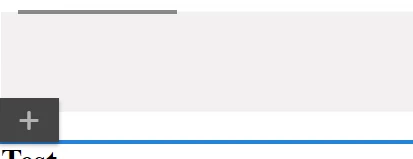
The problem is that from the front end editor these show as very tiny lines, and its impossible to click them. And if I click them and add an image to them, I have to refresh my browser because the changes aren't reflected in my current session. I don't see any errors in the console log.



Is there something I need to do to make these bigger? Viewing the source shows them having a class as container is-disabled. Could that be my issue? I can add a new component to the ones I can click, but clicking them is the hard part. If you also have any ideas for why I may have to refresh the browser for any changes to show up. (I.E, I add a new image but the option to configure it does not show up until I refresh the page)


<div data-type="Editable" data-path="/content/vhhomecare/Home/jcr:content/left-par" tabindex="0" draggable="false" class="cq-Overlay cq-Overlay--component cq-Overlay--container is-disabled" title="Paragraph System - HTL [Root]" style="top: 224px; left: 8px; width: 1887px; height: 37px;"><span title="Paragraph System - HTL [Root]" class="cq-Overlay--component-name">Paragraph System - HTL [Root]</span><div data-type="Editable" data-path="/content/vhhomecare/Home/jcr:content/left-par/*" tabindex="0" draggable="false" data-text="Drag components here" title="Paragraph System - HTL [Root]" class="cq-Overlay cq-Overlay--component cq-droptarget cq-Overlay--placeholder is-selected is-active" style="top: 0px; left: 0px; width: 1887px; height: 0px;"></div>


Let me know what you guys think or if I'm even doing this the right way, thanks for your help.


-Brendan



This post is no longer active and is closed to new replies. Need help? Start a new post to ask your question.
Best answer by brendanf9753525

Hi Zeeshank,

Thanks for your responses, I was able to figure out my problem! I needed to add an image as one of the allowed components in the design tab before I could click them in the edit tab. It had no allowed components so it wasn't clickable.

They are still very small and every time I add a component to a parsys, I need to refresh the browser to get it to update. Any ideas why this would be happening?

Not the worst, but at least I can add things again!

Thanks

Brendan

25 replies

brendanf9753525
brendanf9753525AuthorAccepted solution
New Participant
July 12, 2017

Hi Zeeshank,

Thanks for your responses, I was able to figure out my problem! I needed to add an image as one of the allowed components in the design tab before I could click them in the edit tab. It had no allowed components so it wasn't clickable.

They are still very small and every time I add a component to a parsys, I need to refresh the browser to get it to update. Any ideas why this would be happening?

Not the worst, but at least I can add things again!

Thanks

Brendan

brendanf9753525
New Participant
July 12, 2017

Hi Zeeshank,

I tried your suggestion and made my htl file look like this to make sure that nothing would be overwriting my styles.

<div data-sly-resource="${'log' @ resourceType='foundation/components/parsys'}"></div>

<h1>test</h1>

This rendered this page

The design tab can see my parsys, but the edit tab cannot

There must be something weird going on in my back end styling. That style where the height was 0 px, was from the html itself. Maybe the styling being off is also the reason that things do not update in real time.

Brendan

zeeshanKhan0786
New Participant
July 12, 2017

can you try without using this div,class and height.

  <div class="logo" style="height:100px;">


   </div>

because this problem seems to be css problem that is overriding the height.

brendanf9753525
New Participant
July 12, 2017

Hey zeeshank,

Thanks for the response. I tried your syntax and got the same issue. The parsys itself is just super tiny and unclickable.

If I remove the height:0px in the styling by using the f12 developer tools, it looks like this. The problem is I still cant do anything with it once it looks like that.

Brendan

zeeshanKhan0786
New Participant
July 12, 2017

hi

use the below syntax to add the parsys

<div data-sly-resource="${'log' @ resourceType='foundation/components/parsys'}"></div>