AEM 6.4 Connect java file with HTML File | Community
Skip to main content
Karl515
New Participant
January 30, 2019
Solved

AEM 6.4 Connect java file with HTML File

  • January 30, 2019
  • 13 replies
  • 6718 views

I've been reading quiet a few but still am not able to get it done.

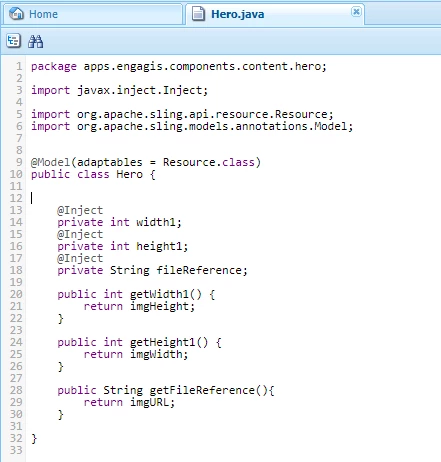
Current Java code:
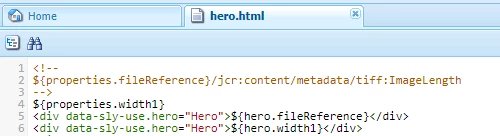
html code
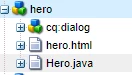
Folder Structure:
I'm trying to read metadata (specifically) size of image in java and load it back to html.

     - I get my image via ${properties.fileReference}

     - I prefer Local, but By bundle is alright as long as explained.

------------------------------ WORKFLOW: ---------------------------------

     - Add image via
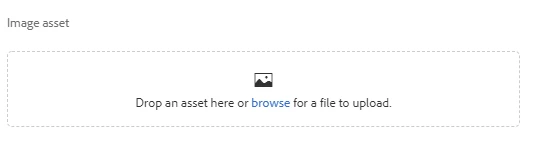
     - get file via ${properties.fileReference}

     - process in Java (local) (both sounds good too)

     - return width and height to .html. (ex. <div> ${javaClass.width} - ${javaClass.height} </div>

This post is no longer active and is closed to new replies. Need help? Start a new post to ask your question.
Best answer by smacdonald2008

See this document - we cover Granite Resource types and cover concepts like HTL/Sling Models:

Building Experience Manager Components using Granite/Coral Resource Types

I recommend that you go through the whole document too as it explains a lot of AEM Component concepts.

Also - I recommend placing your Java into a bundle - not a file in CRXDE lite.

13 replies

Feike_Visser1
Employee
January 30, 2019

to me this only works if the java-class is part of a bundle

Karl515
Karl515Author
New Participant
January 30, 2019

Can you please provide a working example that I can base on, base on my problem above? Thanks!

Gaurav-Behl
New Participant
January 30, 2019

Did you use  data-sly-use.<object_name>="com.adobe.cq.wcm.core.components.models.<SlingModelClass>" ?

check any core component and validate your code against it.