AEM 6.4 - DAM Search result columns customization | Community
Skip to main content
Level 2
Jul 7, 2018 3:30 AM UTC
Solved

AEM 6.4 - DAM Search result columns customization

We have a requirement to customize the search filters and result columns. Adding new filters was straight forward but can someone share how to add/delete columns in search results header? PFA screen shot.
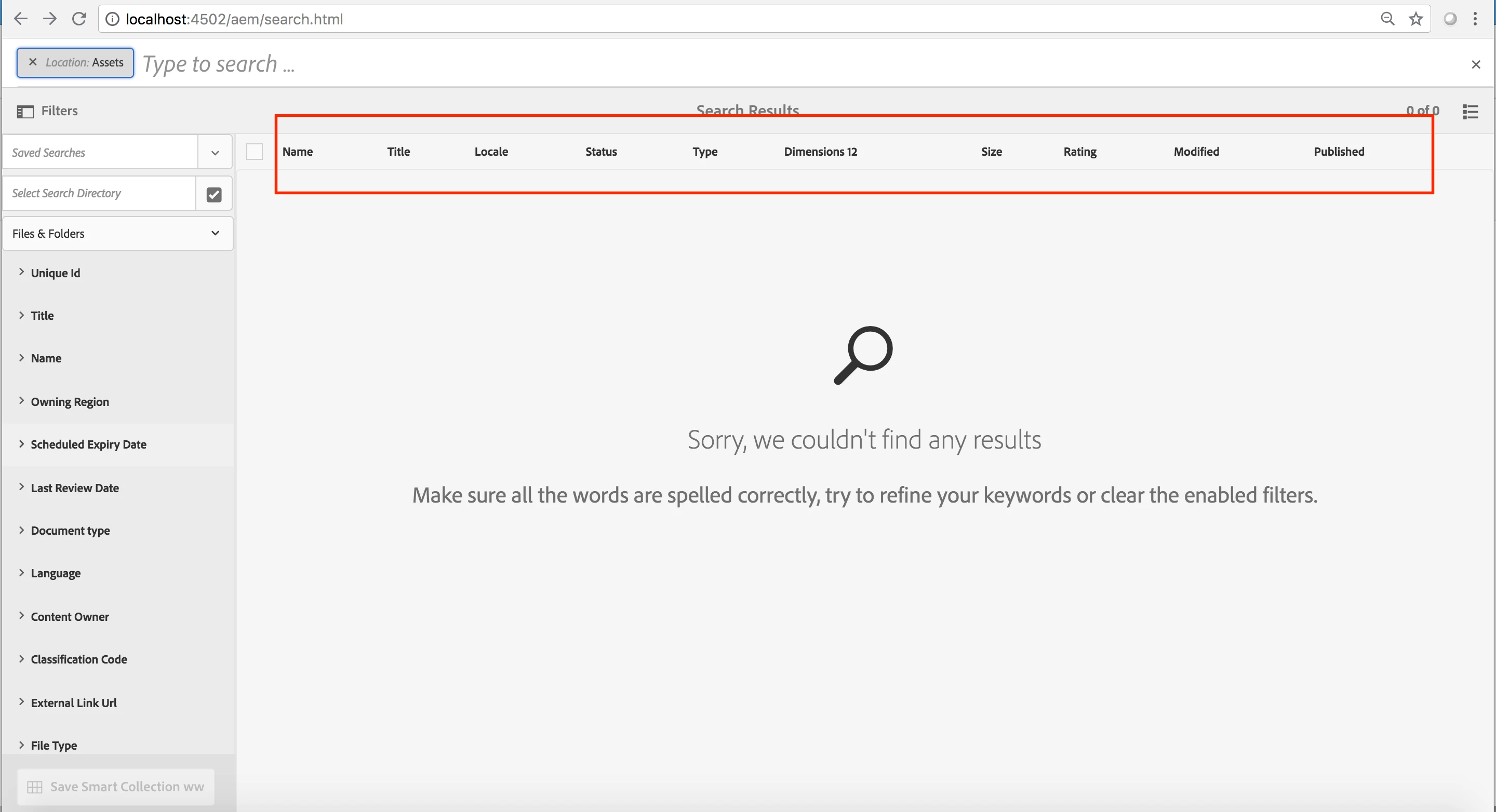

This post is no longer active and is closed to new replies. Need help? Start a new post to ask your question.
arunpatidar
arunpatidarAccepted solution
New Participant
Jul 15, 2018 12:19 PM UTC

Hi,

Not sure but you can check

/libs/dam/gui/coral/components/admin/contentrenderer/row/assetomnisearch/assetomnisearch.jsp

/libs/settings/dam/search/facets/assets/jcr:content/items

Experiencing Adobe Experience Manager - Day CQ: AEM 62 - Touch UI Add Custom Columns to Assets Omni Search List View

Arun Patidar

6 replies

Level 2
Jul 15, 2018 6:07 PM UTC

Thanks Arun for sharing this.

Not happy to see these small-2 features missing in the top enterprise level CMS product. . One can add search filters using drag drop components in search form, but for result columns code change will be required. Not sounds good.

Translate
arunpatidar
arunpatidarAccepted solution
New Participant
Jul 15, 2018 12:19 PM UTC

Hi,

Not sure but you can check

/libs/dam/gui/coral/components/admin/contentrenderer/row/assetomnisearch/assetomnisearch.jsp

/libs/settings/dam/search/facets/assets/jcr:content/items

Experiencing Adobe Experience Manager - Day CQ: AEM 62 - Touch UI Add Custom Columns to Assets Omni Search List View

Translate
Arun Patidar
Level 2
Jul 15, 2018 1:23 AM UTC

Thanks Arun, How CustCol will be mapped to custom dam property jcr:content/metadata/custom_ns:CustCol?

Translate
arunpatidar
New Participant
Jul 14, 2018 10:54 PM UTC

Hi,

All the column options are available at /libs/dam/gui/content/commons/availablecolumns which is configured through search result configuration dialog /libs/dam/gui/content/commons/configurecolumnsdialog

you can override /libs/dam/gui/content/commons/availablecolumns and add/remove nodes inorder to customise search result.

E.g.

Thanks

Arun

Translate
Arun Patidar
Level 2
Jul 13, 2018 6:24 AM UTC

My question is related to customization.

I know we can add/remove predefined columns. Here are the predefined columns that we get on click of View settings but we want to add our own custom columns. How that can be done?

Translate
Employee
Jul 9, 2018 3:43 PM UTC

You can use the "View Settings" tab to add/remove columns from the view.

Translate