AEM 6.4 rich text editor-- not able to change list type when a list type has already been applied to text | Community
Skip to main content
Level 2
Jan 7, 2019 1:36 PM UTC
Solved

AEM 6.4 rich text editor-- not able to change list type when a list type has already been applied to text

Hi,

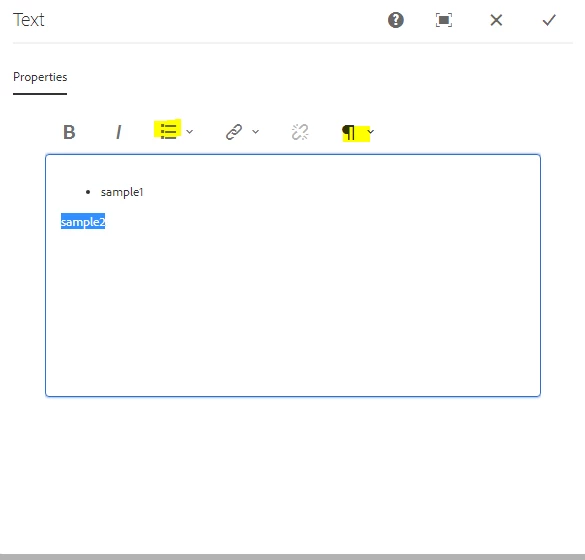
I am not able to change the list type when it is applied already for selected text.

EX: we retail site text component
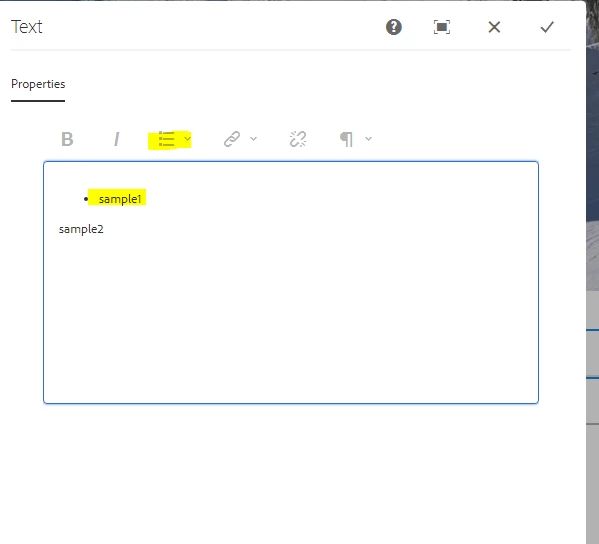
When the bullet list has given to text sample1 we are not able to change to numbered list and paragraph formatting options has also been disabled.

Whereas both works fine for normal text.
Thanks in advance!!!

This post is no longer active and is closed to new replies. Need help? Start a new post to ask your question.
smacdonald2008
smacdonald2008Accepted solution
Level 10
Jan 10, 2019 3:16 AM UTC

I would log a bug for this so it can be fixed.

12 replies

smacdonald2008
smacdonald2008Accepted solution
Level 10
Jan 10, 2019 3:16 AM UTC

I would log a bug for this so it can be fixed.

Translate
Level 2
Jan 9, 2019 2:46 PM UTC

Hi,

Yes, we are facing issues in default plugin.

We are able to see the below plugins:

Thanks,
Sundari

Translate
arunpatidar
New Participant
Jan 9, 2019 2:37 PM UTC

Hi,

How many plugins you can see when you did not added rtePlugin node(default plugins)?

When you did not add uiSettings and retPlugins nodes, default plugins will be added.

Translate
Arun Patidar
Level 2
Jan 9, 2019 2:30 PM UTC

Hi arunpatidar26​/ smacdonald2008​,

Thanks for the update..

This has fixed the issue..

However, when i add in dialog field with a sling:resourceType=cq/gui/components/authoring/dialog/richtext  

with no rteplugin as child nodes the list functionality is not working.

It works fine in 6.1 not in 6.4.

When i use this component in page:

Once i give the list type i am not able to change it.

However if i add rteplugin from /apps/core/wcm/components/text/v2/text/cq:dialog/content/items/tabs/items/properties/items/columns/items/column/items/text/rtePlugins it works fine.

Any idea on this?

Translate
smacdonald2008
Level 10
Jan 8, 2019 3:22 PM UTC

Excellent reply and use of video here!

Translate
arunpatidar
New Participant
Jan 8, 2019 3:21 PM UTC

Hi,

I tried for weretail/components/content/text

Translate
Arun Patidar
Level 2
Jan 8, 2019 9:24 AM UTC

Hi,

The issue exists for both /libs/foundation/components/text & weretail/components/content/text.

And there is no error in console related to this.

Translate
arunpatidar
New Participant
Jan 8, 2019 7:36 AM UTC

Can you please let me know which component are you using? Is there an error in browser console?

Translate
Arun Patidar
Level 2
Jan 8, 2019 6:05 AM UTC

Hi Arun,

Thanks for the reply..

If i try i full mode also i have similar issue.

For ex: if i open the OOTB text component dialog in full mode and type a text "sample1" and when i select the text andclick on numbered or bullet icon nothing happens.

Translate
Ratna_Kumar
Level 10
Jan 7, 2019 3:23 PM UTC

Yes. I agree with Arun. It works in full mode of the dialog.

Thanks,

Ratna Kumar

Translate