AEM 6.5. Authoring - 'New Tab' behavior | Community
Skip to main content
Level 2
Oct 23, 2020 8:03 AM UTC
Solved

AEM 6.5. Authoring - 'New Tab' behavior

Hi everybody,


Is there any way to prevent the following behavior in AEM (AEM 6.5):

1) login and go to Sites console

2) select some page and click on Page Properties button. Page Properties form is loaded in the current browser tab

3) click on Cancel button inside Page Properties form

Actual behavior: Sites Console is opened in a new browser tab, and in the current browser tab Page Properties form is still present

Expected behavior: Sites Console should be opened in the current browser tab


The same behavior is present in Create Page wizard. By clicking Cancel button in the first step, Sites Console is opened in the new browser tab instead of the current one.

 

This post is no longer active and is closed to new replies. Need help? Start a new post to ask your question.
Anudeep_Garnepudi
Anudeep_GarnepudiAccepted solution
New Participant
Oct 26, 2020 9:07 AM UTC

Hi @dbasic 

AEM will not add _target=blank attribute. Check the following

  1. granite/ui/components/shell/propertiespage/propertiespage.jsp anchor tag attributes
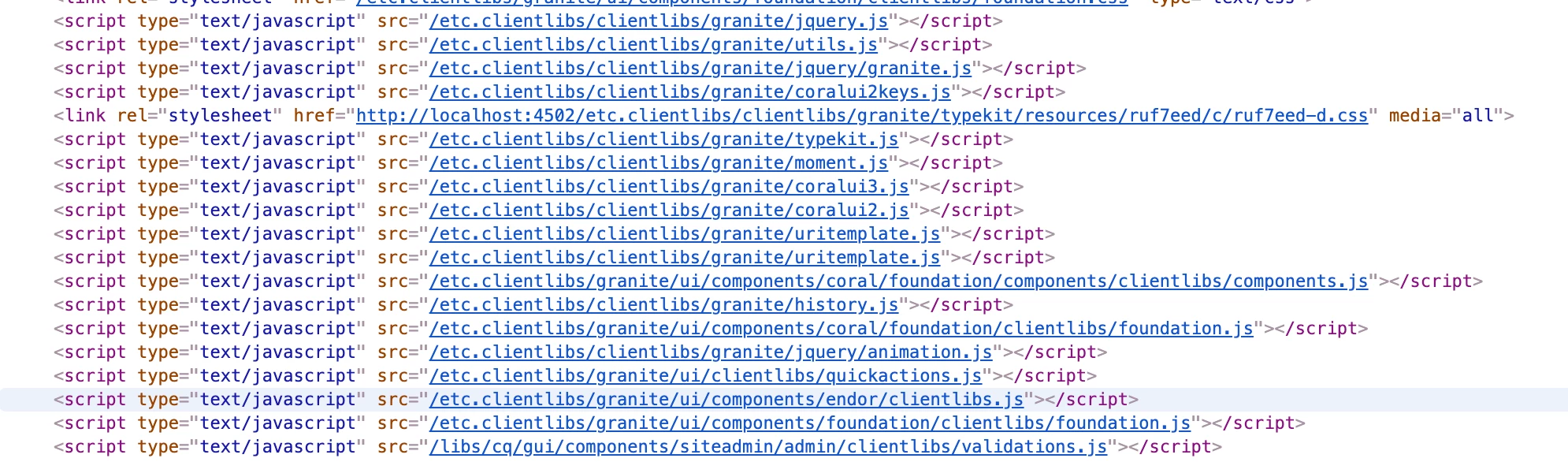
  2. Check the java script files loading on page, as @arunpatidar said verify if there are any non OOTB scripts are loading on page 

As cancel button is the only anchor tag on those two pages, might need to do debug deep.

-AG

11 replies

SwonVIP
Level 2
Oct 26, 2020 12:51 PM UTC

Hello there!

Default OOTB behavior on a fresh 6.5 instance should actually be the way like you have described it. Never had any issues with it. Maybe you got some browser extensions for that? Have you also tried it with another user in the Incognito browser tab?


In general my advice would be to never customize functions like this since it might lead to a lot of issues also in conjunction with product updates. You should stay as close as possible to the OOTB behavior AEM-wise at least.

Greetings!

Translate
kautuk_sahni
Employee
Oct 27, 2020 6:44 AM UTC
Great reply.
Translate
Kautuk Sahni
Anudeep_Garnepudi
Anudeep_GarnepudiAccepted solution
New Participant
Oct 26, 2020 9:07 AM UTC

Hi @dbasic 

AEM will not add _target=blank attribute. Check the following

  1. granite/ui/components/shell/propertiespage/propertiespage.jsp anchor tag attributes
  2. Check the java script files loading on page, as @arunpatidar said verify if there are any non OOTB scripts are loading on page 

As cancel button is the only anchor tag on those two pages, might need to do debug deep.

-AG

Translate
arunpatidar
New Participant
Oct 25, 2020 7:23 PM UTC

Is there javascrip or jquery which converting all the links and adding target=_blank attribute?

Can you try in another browser?

Translate
Arun Patidar
dbasicAuthor
Level 2
Oct 26, 2020 7:51 AM UTC
Hi Arun, no there's no custom JS code. On one of our TEST env everything works as expected and the codebase it the same as on my local box. Yes, I've also tried with another browser but nothing is different.
Translate
Level 4
Oct 23, 2020 8:50 AM UTC

Hi @dbasic ,


I am also using AEM 6.5.

I am not facing anything what you explained in your query. For me Sites Console is opening  in the current browser tab after clicking on cancel button  in both the cases.. Please check if you are clicking cancel button with ctrl.


Thanks,

Sandeep.

Translate
dbasicAuthor
Level 2
Oct 23, 2020 8:59 AM UTC
Hi Sandeep, thank you for the reply. No, I do not hold Ctrl button. What I've observed is that Cancel button is rendered as anchor with target=_blank attribute. That's the reason.
Translate