AEM as a Cloud Service + CIF Addon - /api/graphql not working on author SDK | Community
Skip to main content
New Participant
December 3, 2022
Solved

AEM as a Cloud Service + CIF Addon - /api/graphql not working on author SDK

  • December 3, 2022
  • 1 reply
  • 1658 views

Hi All,

I had completely setup the AEM SDK with the Venia store front, the products are coming on the page but i could observe that , I am encountering one issue.

The /api/graphql is throwing 403 errors which means no frontend commerce operation is happening on the storefront.

I tried adding the /api/graphql to the CSRF filter's exclude list and even removed the POST method from there.

I am I missing some setting?
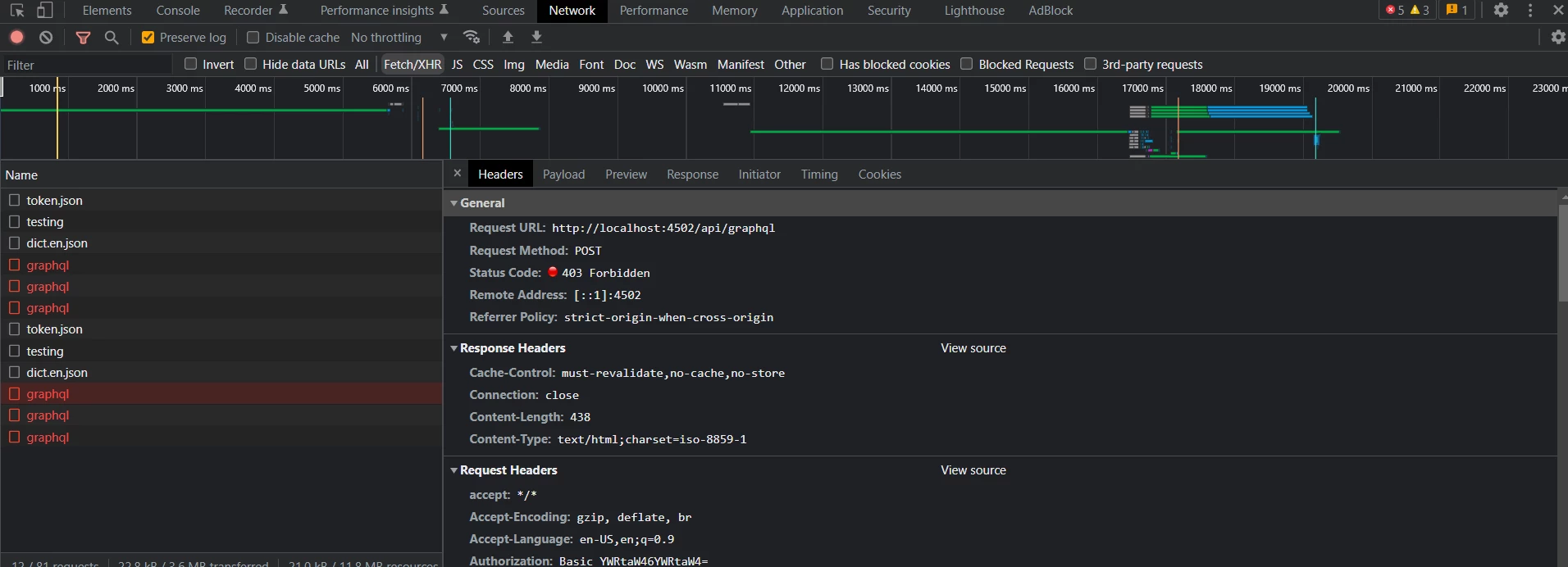
Note: on the sling servlet resolver config, I have added the /api/graphql but there is no change.

also the latest cif addon[both 2022.09.20.00 and 2022.09.30.00] were not able to install through pkg manager so i created an install folder under crx quickstart and put the author far file there. Only after that i was able to see the commerce addon in the aem. i confirgured the graphql endpoints and establish the connection between magento and aem cloud sdk but i am not able to add anything into the cart or do any front end functions. Any help is appreciated.


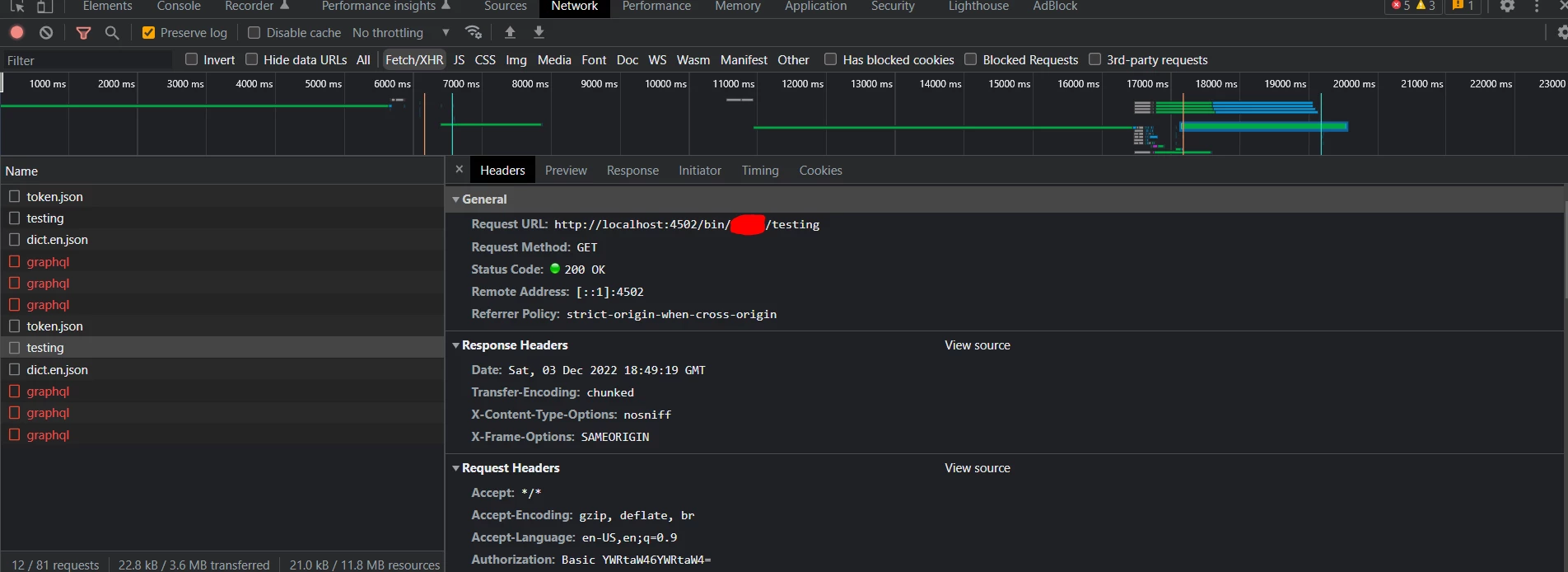
lastly, I am able to get response in the frontend when i hit the Magento APIs through the serlvet I created.
 

This post is no longer active and is closed to new replies. Need help? Start a new post to ask your question.
Best answer by varunpSingh

HI All,
I got the solution for this, hope this helps others too.
I basically created a proxy server as aem was not allowed to send the request to the magento server.
i used this command [windows]:
npx local-cors-proxy --proxyUrl <name of the magento graphql server> --port <port number> --origin <localhost origin>

so the example command looks like:

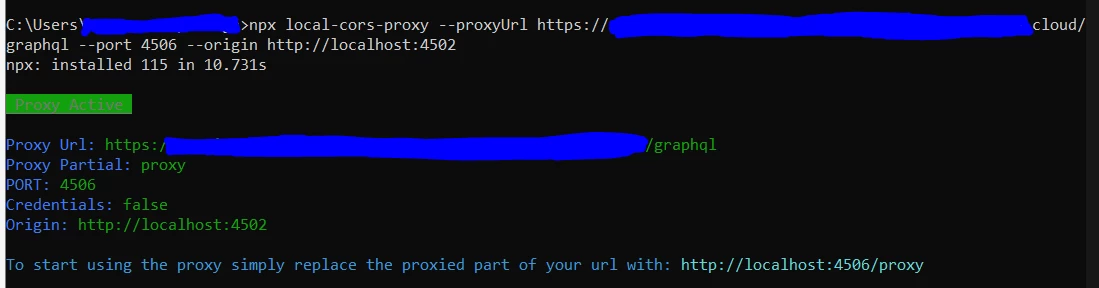
npx local-cors-proxy --proxyUrl https://magentohostserver.cloud/graphql --port 4506 --origin http://localhost:4502

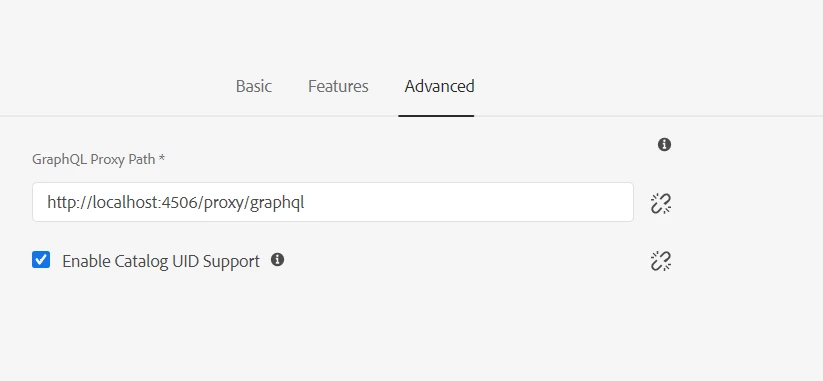
when you run the command the proxy server is up. now set  http://localhost:4506/proxy [according to my screenshot] under advance setting for cif confiuration , like below.

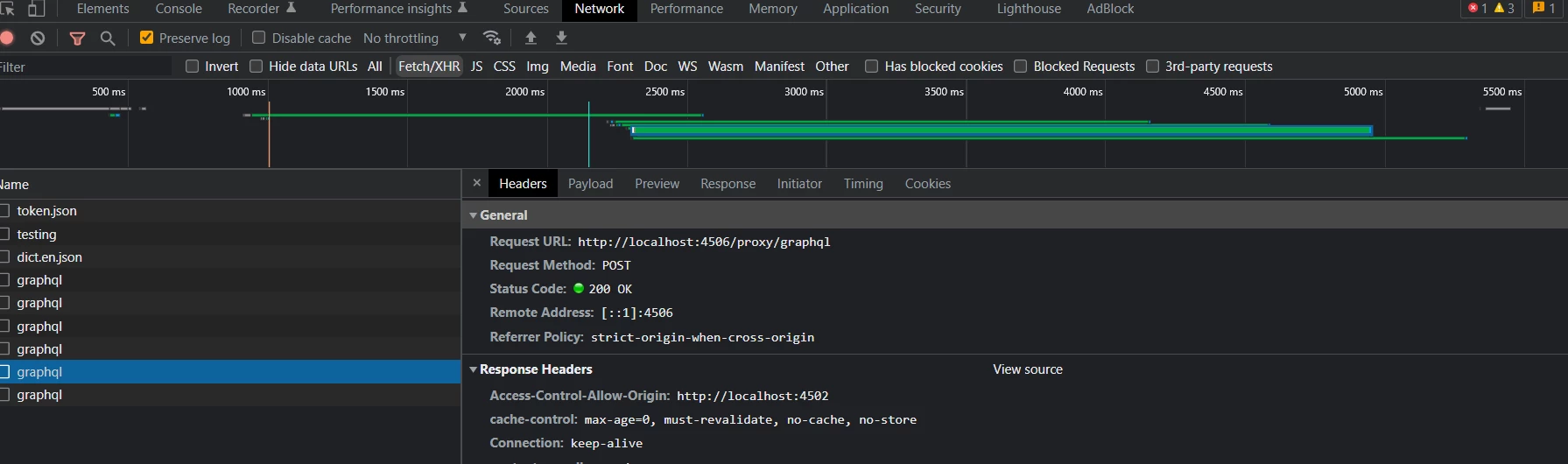
now my requests are passing.


1 reply

varunpSinghAuthorAccepted solution
New Participant
December 3, 2022

HI All,
I got the solution for this, hope this helps others too.
I basically created a proxy server as aem was not allowed to send the request to the magento server.
i used this command [windows]:
npx local-cors-proxy --proxyUrl <name of the magento graphql server> --port <port number> --origin <localhost origin>

so the example command looks like:

npx local-cors-proxy --proxyUrl https://magentohostserver.cloud/graphql --port 4506 --origin http://localhost:4502

when you run the command the proxy server is up. now set  http://localhost:4506/proxy [according to my screenshot] under advance setting for cif confiuration , like below.

now my requests are passing.