AEM Page Editor error : Handler of component is invalid -> TypeError: Cannot read property 'flow' of undefined | Community
Skip to main content
Level 4
May 9, 2020 10:06 AM UTC
Solved

AEM Page Editor error : Handler of component is invalid -> TypeError: Cannot read property 'flow' of undefined

Hi,


When i open my page in edit mode, i am getting the issue as in screenshot. Please provide solution to resolve this issue.

This post is no longer active and is closed to new replies. Need help? Start a new post to ask your question.
VeenaVikraman
VeenaVikramanAccepted solution
New Participant
Dec 21, 2021 9:48 AM UTC

Hi All 


   To anyone who will face this issue in the future, please find below the details how this was fixed in my local. 


Root Cause : 

If you click on the last line where the error is occurring from the error trace , it will take you to a JS in the libs. Please check the below screenshots
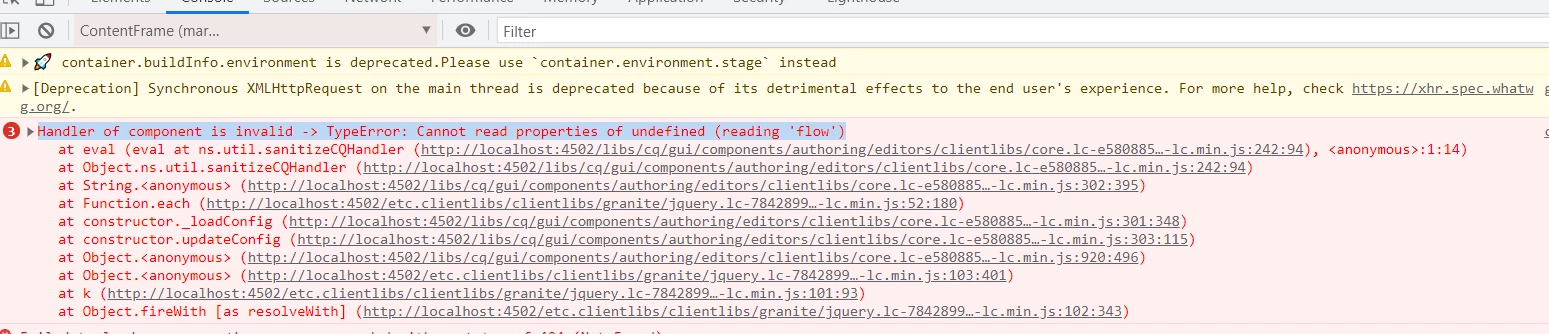
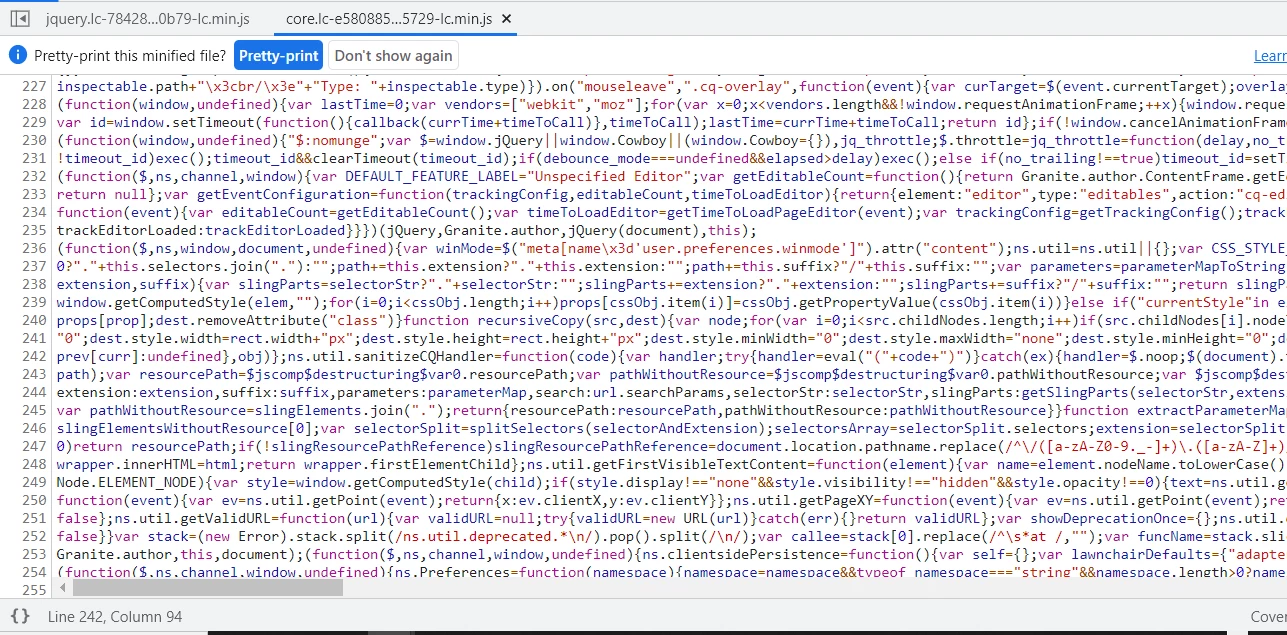


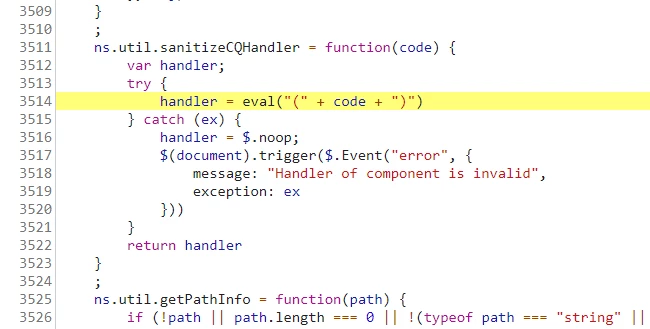
Click on Pretty Print and it will highlight the error lines 
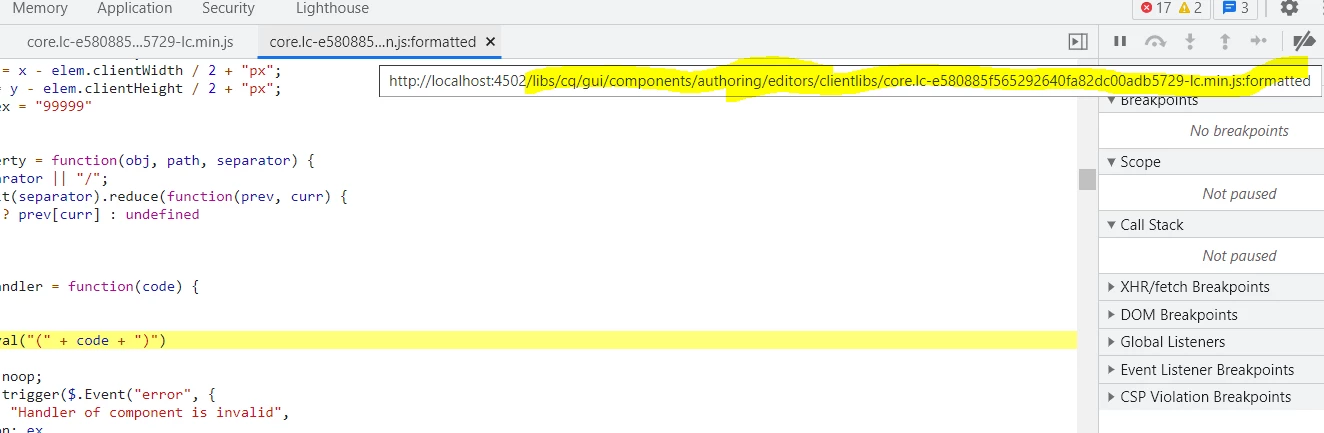
If you hover on the clientlibs it will give you the path of the clientlibrary , which is at /libs/cq/gui/components/authoring/editors/clientlibs/core  . I pulled the files under this path and did a search to find the JS which was causing issue and it took me to /libs/cq/gui/components/authoring/editors/clientlibs/core/js/util/util.js 


The error is happening at line number 254 of the file , where the argument code , passed to this method is actually passing as undefined.


To fix this , we can add an if condition as below
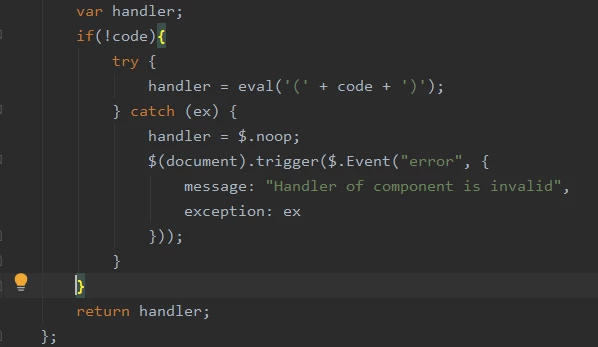
or you can replace the below line of code in your file from 254 - around 268 


ns.util.sanitizeCQHandler = function (code) {
var handler;
if(!code){
try {
handler = eval('(' + code + ')');
} catch (ex) {
handler = $.noop;
$(document).trigger($.Event("error", {
message: "Handler of component is invalid",
exception: ex
}));
}
}
return handler;
};


This should ideally fix the issue. Hope this helps.


Thanks

Veena



11 replies

New Participant
Jan 18, 2023 10:04 AM UTC

Hi,


I found a great solution which works for me. Solution described here

https://experienceleaguecommunities.adobe.com/t5/adobe-experience-manager/authoring-cq-flow-and-cq-workflow-flow-step-undefined-after-6-5/td-p/445662


In short: clear the localStorage.


Best Regards,
Ilya

Translate
Level 2
Oct 7, 2022 9:16 PM UTC

Did some one knows why this happens ?
It is happening for me on specific component which is superResourceType to core component.

I do not want to change anything under /libs.

Translate
VeenaVikraman
VeenaVikramanAccepted solution
New Participant
Dec 21, 2021 9:48 AM UTC

Hi All 


   To anyone who will face this issue in the future, please find below the details how this was fixed in my local. 


Root Cause : 

If you click on the last line where the error is occurring from the error trace , it will take you to a JS in the libs. Please check the below screenshots


Click on Pretty Print and it will highlight the error lines 

If you hover on the clientlibs it will give you the path of the clientlibrary , which is at /libs/cq/gui/components/authoring/editors/clientlibs/core  . I pulled the files under this path and did a search to find the JS which was causing issue and it took me to /libs/cq/gui/components/authoring/editors/clientlibs/core/js/util/util.js 


The error is happening at line number 254 of the file , where the argument code , passed to this method is actually passing as undefined.


To fix this , we can add an if condition as below

or you can replace the below line of code in your file from 254 - around 268 


ns.util.sanitizeCQHandler = function (code) {
var handler;
if(!code){
try {
handler = eval('(' + code + ')');
} catch (ex) {
handler = $.noop;
$(document).trigger($.Event("error", {
message: "Handler of component is invalid",
exception: ex
}));
}
}
return handler;
};


This should ideally fix the issue. Hope this helps.


Thanks

Veena



Translate
New Participant
Jun 26, 2021 4:55 AM UTC

@santhoshsrg : Hi Santhosh,I too have the same issue,is it resolved for you?

Translate
New Participant
Nov 27, 2020 6:16 AM UTC
I'm facing same issue. This used to occur only in Chrome and worked well in Firefox. But now, I'm getting different errors in different browsers. Chrome show this error and FIrefox shows: Handler of component is invalid -> @http://localhost:4502/libs/cq/gui/components/authoring/editors/clientlibs/core.js line 272 > eval:1:2 tried rebuilding clientlibs but doesn't works... I'm on AEM 6.5.6 with project archetype 24
Translate
New Participant
Nov 27, 2020 6:15 AM UTC
I'm facing same issue. This used to occur only in Chrome and worked well in Firefox. But now, I'm getting different errors in different browsers. Chrome show this error and FIrefox shows: Handler of component is invalid -> @http://localhost:4502/libs/cq/gui/components/authoring/editors/clientlibs/core.js line 272 > eval:1:2 tried rebuilding clientlibs but doesn't works...
Translate
Level 4
May 10, 2020 2:15 PM UTC

Thanks @nirmaljosehere and @nidhip010816 


I am using AEM 6.5

This issue occurs when i build my project.


I tried to Invalidate and rebuild clientlibs but this doesn't solve the issue

Translate
nidhip010816
Employee
May 9, 2020 7:39 PM UTC

Hi Santosh,


Please try to rebuild the clientlibs by going to the URL[1]

  • First click on Invalidate Cache


  • Then click on rebuild clientlibs

Warm Regards,

Nidz


[1] http://<host>:<port>/libs/granite/ui/content/dumplibs.rebuild.html?rebuild=true

Translate
Level 4
May 10, 2020 2:13 PM UTC
Thanks @nirmal_jose I am using AEM 6.5 This issue occurs when i build my project. I tried to Invalidate and rebuild clientlibs but this doesn't solve the issue
Translate
Nirmal_Jose
Employee
May 9, 2020 3:04 PM UTC

Hi,


Can you add some more details.


1. Which AEM version ?

2. Did this error happened after any particular action.


Core js is the fundamental JS which powers most of the authoring actions. Best options you can try if it just happened is to Invalidate and rebuild your clientlibs from [1]


[1] http://localhost:4502/libs/granite/ui/content/dumplibs.rebuild.html

Translate
Level 4
May 10, 2020 9:58 AM UTC

Thanks @nirmal_jose 


I am using AEM 6.5

This issue occurs when i build my project.


I tried to Invalidate and rebuild clientlibs but this doesn't solve the issue

Translate