AEM Service Pack 6.5.8 doesn't seem to install correctly | Community
Skip to main content
New Participant
September 15, 2021
Solved

AEM Service Pack 6.5.8 doesn't seem to install correctly

  • September 15, 2021
  • 3 replies
  • 1730 views

Hello All,


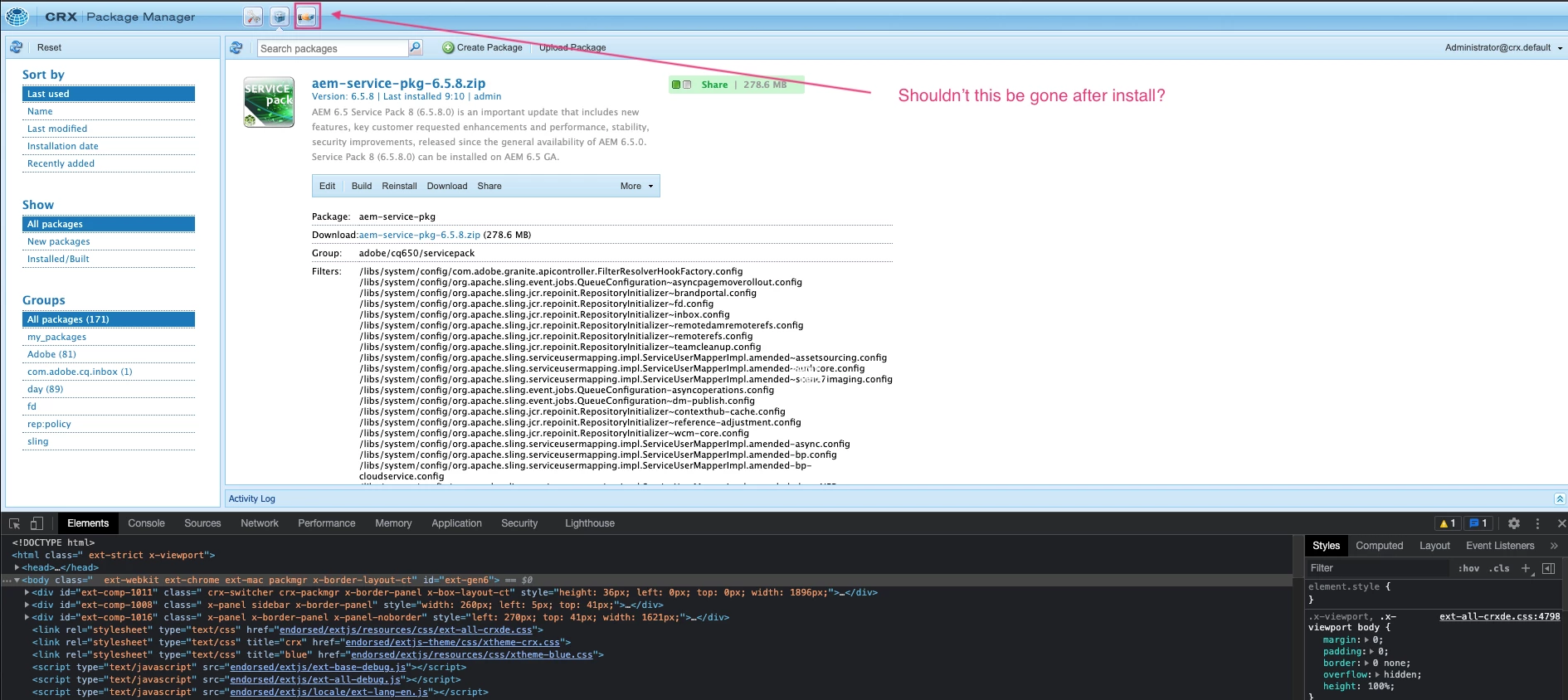
I'm running into an issue with my setup where when I try to install Service Pack 6.5.8 and it does not remove the Package Share Icon. I've tried several steps to see if I could rectify the situation on my own:

  1. Deleted and rebuilt crx-quickstart folder then uploaded service pack 6.5.8 for each step below
    1. Turned off all my extensions in chrome
    2. Chrome - Activated Development Inspector for service pack install 
    3. Switched to Incognito Mode in Chrome
    4. Tried Firefox Browser
  2. When I installed Service Pack 6.5.8 I also clicked the build button (after I installed it) thinking that might have something to do with it

Screen shot of my CRX Package Manager after step #2:


This post is no longer active and is closed to new replies. Need help? Start a new post to ask your question.
Best answer by ShawnKo

Hi @asutosh_jena_ 

Thank you for the reply. I reinstalled in Chrome in an Incognito Window and then checked the console and for some reason it worked this time?


Thanks for your help!

3 replies

Kishore_Kumar_
New Participant
September 15, 2021

hi @shawnko ,


It is working as expected to me. Package share is removed. 


ShawnKoAuthor
New Participant
September 15, 2021

Thanks @kishore_kumar_ I managed to get it working this time within a Chrome Incognito window. As I stated above, I'd already tried that route, but, for some reason it worked this time? Finicky system AEM is.


Thank you!

Anny0505
New Participant
September 15, 2021

@shawnko ,


Yes, it should be removed after installation of SP 6.5.8.

Please recheck the package again and try to forcly install package.

The icon should be removed from crx/de.


I tried in my local instance and I do not see Icon after I install the latest SP.


Thanks!!


ShawnKoAuthor
New Participant
September 15, 2021

Hi @anny0505 

Thank you for your reply. I followed your instructions opened a Chrome Incognito window and forced my upload/install and then checked my system console to see if it installed and it did.


I appreciate you taking the time and assistance to move me along.

Asutosh_Jena_
New Participant
September 15, 2021

Hi @shawnko 


Yes, it should be removed if you have successfully upgraded to 6.5.8.0


Please access the below URL and you can check which version of AEM you are currently running:

http://localhost:4502/system/console/productinfo


Thanks!

ShawnKoAuthorAccepted solution
New Participant
September 15, 2021

Hi @asutosh_jena_ 

Thank you for the reply. I reinstalled in Chrome in an Incognito Window and then checked the console and for some reason it worked this time?


Thanks for your help!