aem-service-pkg-6.5.19 edit button style bug | Community
Skip to main content
New Participant
February 2, 2024

aem-service-pkg-6.5.19 edit button style bug

  • February 2, 2024
  • 3 replies
  • 1153 views

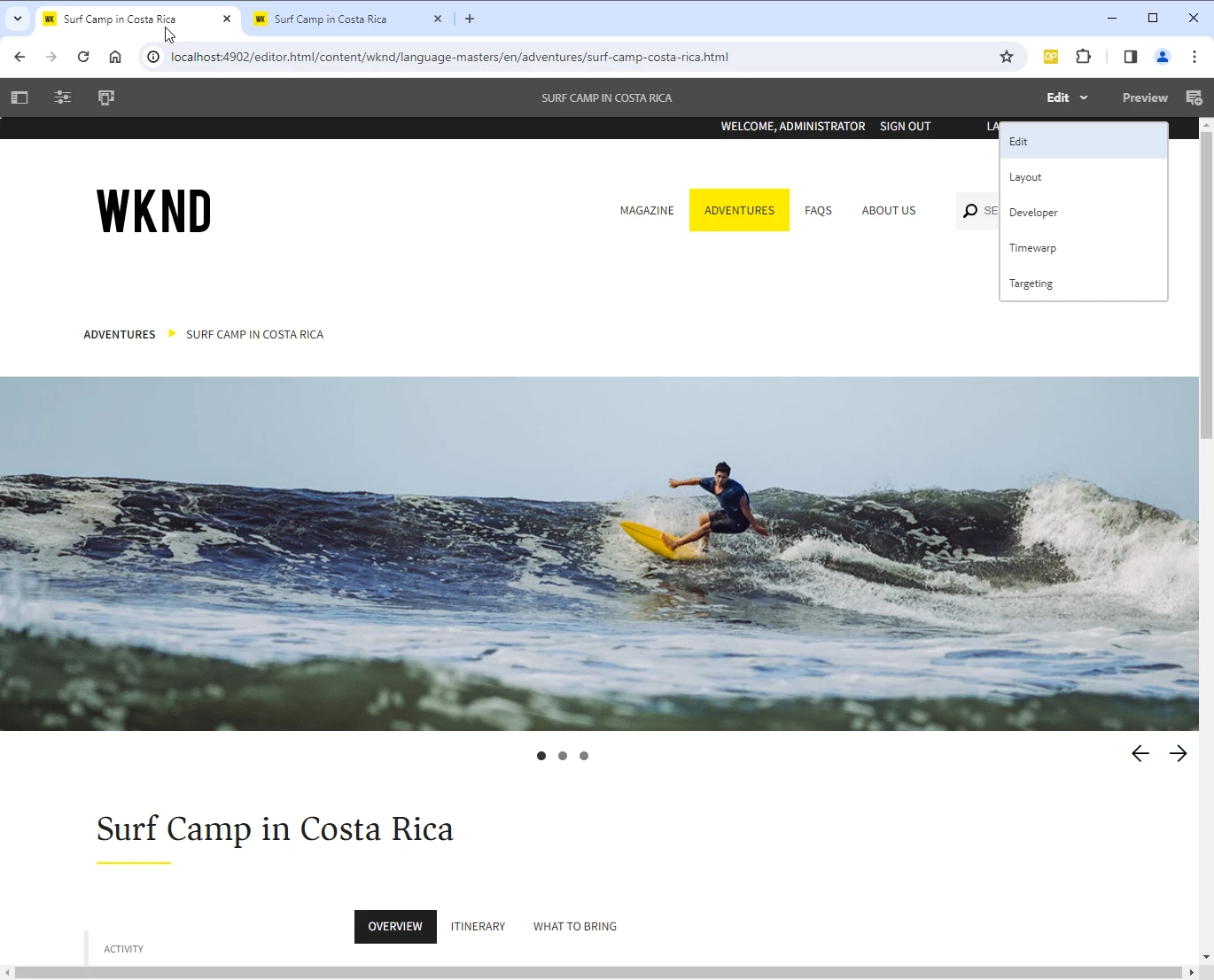
aem-service-pkg-6.5.19 vs aem-service-pkg-6.5.17

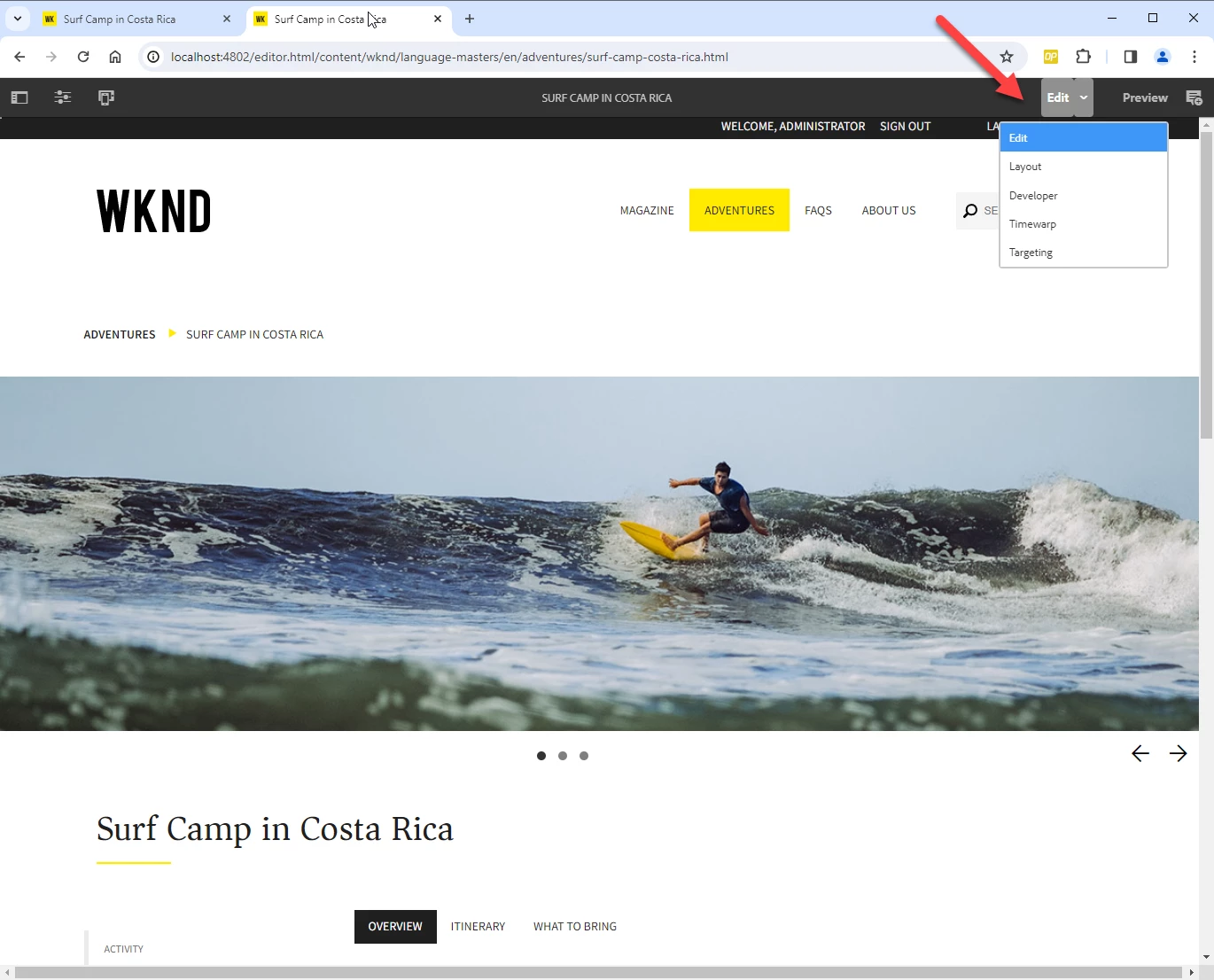
The Edit Button in SP19 does not look correct.
Styling and Background are not optimal.

Can you fix this with next SP?

Tested with fresh installation and optional aem-guides-wknd.all-3.2.0-classic

SP19
 

SP17
 

This post is no longer active and is closed to new replies. Need help? Start a new post to ask your question.

3 replies

aanchal-sikka
New Participant
February 2, 2024

@thomassp3 


Is the UI issue reproducible OOTB (6.5 + SP 19 with no code)?

Also, please assure that you are testing via incognito mode.


Sometimes when we use 2 different AEM versions on same browser, unexpected UI issues come up.


If it still occurs, please raise an Adobe ticket as suggested by others.

Aanchal Sikka
ThomasSp3Author
New Participant
February 2, 2024

- Happens without any custom Code installation.

- Happens also in private icognito mode

- Happens In any Browser, Edge or Chrome

- Happens not only on my Computer. Seen on multiple Computers.

CSS Code is different.

aanchal-sikka
New Participant
February 2, 2024

Thanks for confirming @thomassp3 .

Requesting you to please raise an Adobe ticket.


Regards,

Aanchal Sikka
kautuk_sahni
Employee
February 2, 2024

@thomassp3 I would recommend creating a support ticket for this. 

Kautuk Sahni
arunpatidar
New Participant
February 2, 2024

@kautuk_sahni could you please raise this with Adobe internal team?

Arun Patidar