[AEMaaCS] Unlock page automatically after workflow termination | Community
Skip to main content
New Participant
September 25, 2024
Solved

[AEMaaCS] Unlock page automatically after workflow termination

  • September 25, 2024
  • 2 replies
  • 786 views

Hello guys ,


How can we unlock a page automatically just after its workflow is terminated manually ? 


thanks , 

Rahul Kumar

This post is no longer active and is closed to new replies. Need help? Start a new post to ask your question.
Best answer by arunpatidar

Hi Both,

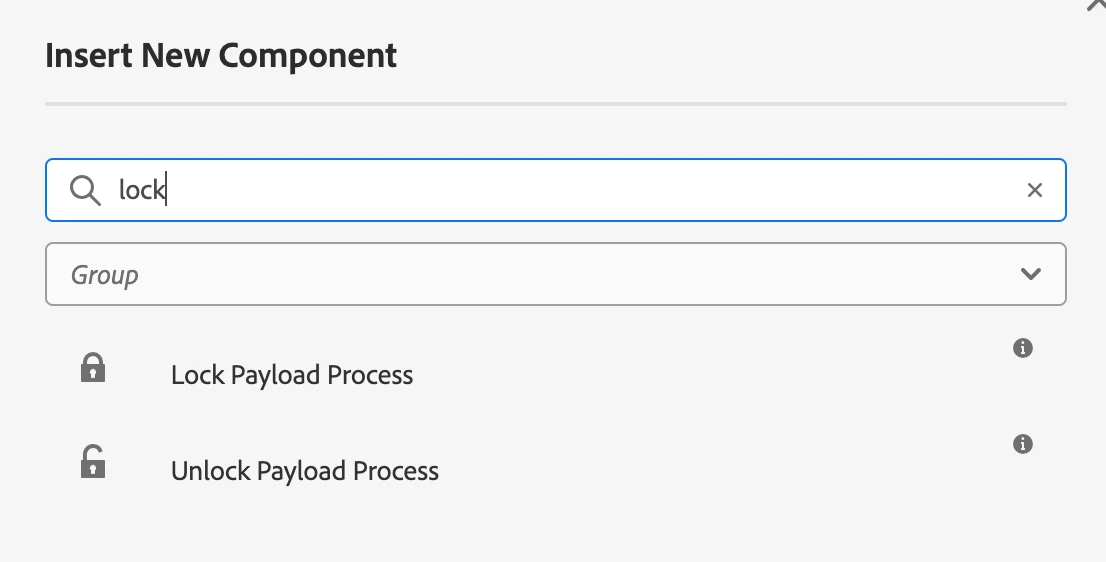
There is already OOTB Lock/Unlock Steps available, you can use that in order to lock page


Workflow Steps:

1. Workflow Initaite

2. Approval Step

3. Lock

4. Activate/Deactivate

5. Unlock


2 replies

kautuk_sahni
Employee
October 16, 2024

@newbie34 Did you find the suggestions helpful? Please let us know if you require more information. Otherwise, please mark the answer as correct for posterity. If you've discovered a solution yourself, we would appreciate it if you could share it with the community. Thank you!

Kautuk Sahni
SureshDhulipudi
New Participant
September 25, 2024

Are you using any custom workflow?


Generally to lock or unlock a page through code- 

// To Lock a page
PageManager pageManager = resourceResolver.adaptTo(PageManager.class);
Page page = pageManager.getPage("/content/myPage");
pageManager.lock(page);

// To Unlock a page
pageManager.unlock(page);


If you are using a custom workflow - you have to add workflow step:


@Override
public void execute(WorkItem workItem, WorkflowSession workflowSession, MetaDataMap args) throws WorkflowException {
try {
ResourceResolver resourceResolver = workflowSession.adaptTo(ResourceResolver.class);
PageManager pageManager = resourceResolver.adaptTo(PageManager.class);
String path = workItem.getWorkflowData().getPayload().toString();
Page page = pageManager.getPage(path);
if (page != null && pageManager.isLocked(page)) {
pageManager.unlock(page);
}
} catch (Exception e) {
throw new WorkflowException("Failed to unlock page", e);
}
}
arunpatidar
arunpatidarAccepted solution
New Participant
September 25, 2024

Hi Both,

There is already OOTB Lock/Unlock Steps available, you can use that in order to lock page


Workflow Steps:

1. Workflow Initaite

2. Approval Step

3. Lock

4. Activate/Deactivate

5. Unlock


Arun Patidar