[ASAP] Workspace Sharing | Community
Skip to main content
New Participant
January 24, 2024
Solved

[ASAP] Workspace Sharing

  • January 24, 2024
  • 1 reply
  • 1062 views

After completing the Dashboard setup, I shared the link.

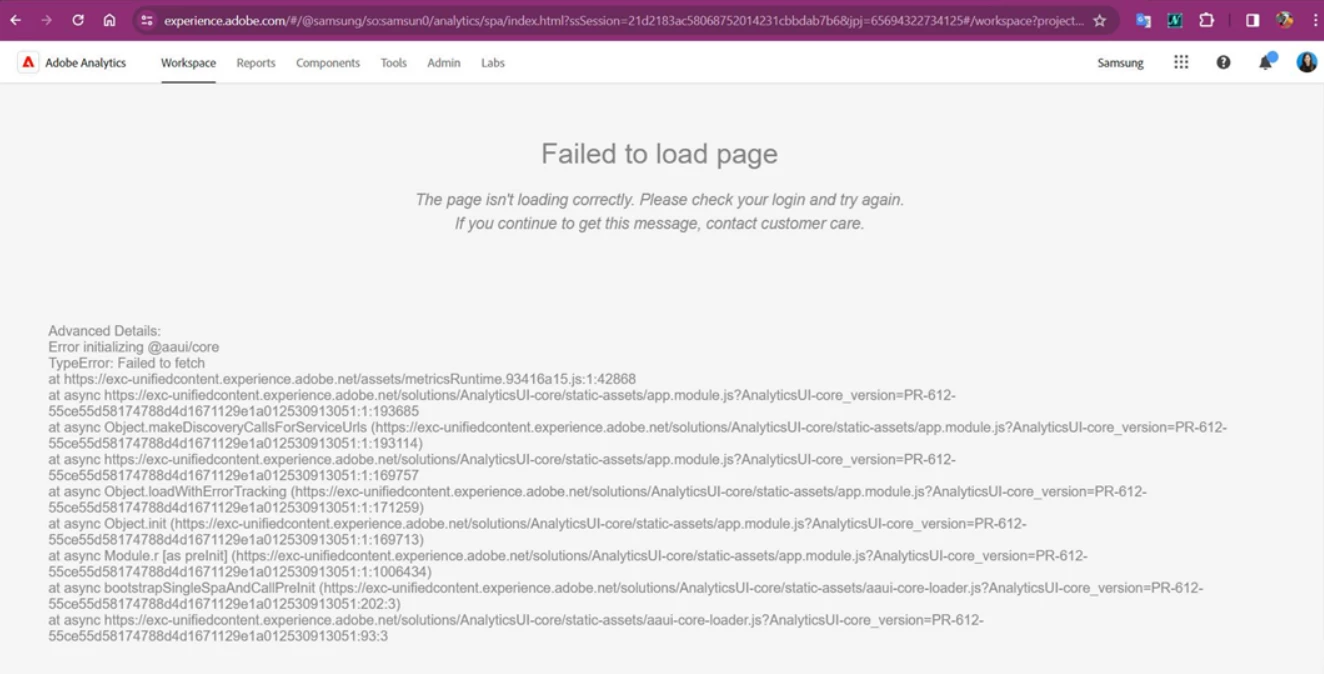
However, when the recipient clicks on the link from their shared account, the page does not load.

What should I do?


I'll share the error screen that is not loading with you.


This post is no longer active and is closed to new replies. Need help? Start a new post to ask your question.
Best answer by Anmol_Bhardwaj

Actually, you need to raise an Adobe support ticket.

This issue looks access related and cannot be fixed by non-admin users. Someone with access to admin console would be able to fix it.

That would be either a system admin or Adobe assigned admin for your instances.


Admin Console Link : https://adminconsole.adobe.com

1 reply

Anmol_Bhardwaj
New Participant
January 24, 2024

Hi @seoungeunki ,


Please contact Adobe Support for this. Looks access related, if it is working for you but not for people with shared link.


New Participant
January 24, 2024

Hi @anmol_bhardwaj 
I've already inquired about this (Adobe Community), and they instructed me to contact here.


Anmol_Bhardwaj
Anmol_BhardwajAccepted solution
New Participant
January 24, 2024

Actually, you need to raise an Adobe support ticket.

This issue looks access related and cannot be fixed by non-admin users. Someone with access to admin console would be able to fix it.

That would be either a system admin or Adobe assigned admin for your instances.


Admin Console Link : https://adminconsole.adobe.com