New Participant
April 13, 2023

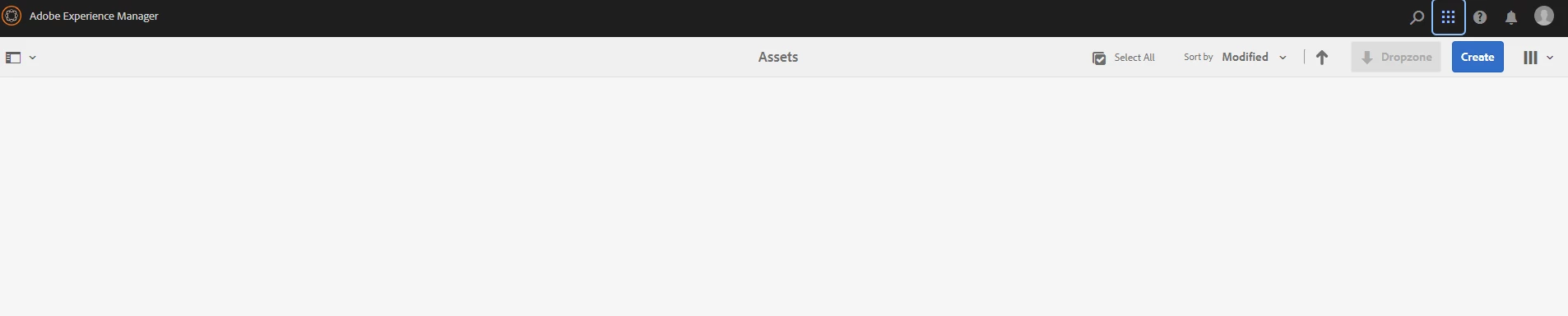
Asset folder of Adobe AEM is blank

  • April 13, 2023
  • 3 replies
  • 1689 views

Hi guys,   My asset folder becomes blank  I tried to sort all images in asset folder by 'Modify'. However, my asset folder become blank after returning an error pop out window.  The asset folder is not real blank, just the page is blank when I try to enter the asset folder.


Could anyone help me with this?  Thank you.


This post is no longer active and is closed to new replies. Need help? Start a new post to ask your question.

3 replies

New Participant
April 16, 2023

Could you check the error.log in http://localhost:4502/system/console/slinglog if there are any errors while accessing this page?

New Participant
April 16, 2023

Thank you. I will check today. However, I think my access is fine as I could modify all the asset folders before. 

New Participant
April 14, 2023

could you please try to change the view right side(after create button  ), just change the view and check that are you able to see assets

New Participant
April 16, 2023

Thank you. I did so. It keeps same.

SivakumarKanoori
New Participant
April 14, 2023

@angelafanhe : Before clicking on sort by modifed option , open your browser console and check network tab.

you can see the below hit 


http://localhost:4502/mnt/overlay/dam/gui/content/assets/jcr:content/views/card.0.100.20.html/content/dam/wknd-shared/en/activities/climbing?sortName=modified&sortDir=asc&_=1681438991185

 payload will be 

sortName:modified
 
then check whether it is successful or not. you can see below output. if there is output. 


So check this network call, is it returning values...

Thanks,Siva
New Participant
April 14, 2023

Hi @sivakumarkanoori ,  Thank you so much for helping me.  I tried to sort the images by "Modified".  The action didn't complete at all but there was the error Pop up window appeared.  Then the page turned blank.  Even I reentered asset folder again. My asset folder is still blank. Below are the screen shots for "payload" and "Preview" tabs.  Thank you.


SivakumarKanoori
New Participant
April 14, 2023

@angelafanhe : Can you attach the Error pop up which you are receiving.?

Thanks,Siva