Campaign Generic Components | Community
Skip to main content
New Participant
November 18, 2021
Solved

Campaign Generic Components

  • November 18, 2021
  • 2 replies
  • 857 views

Hi, 

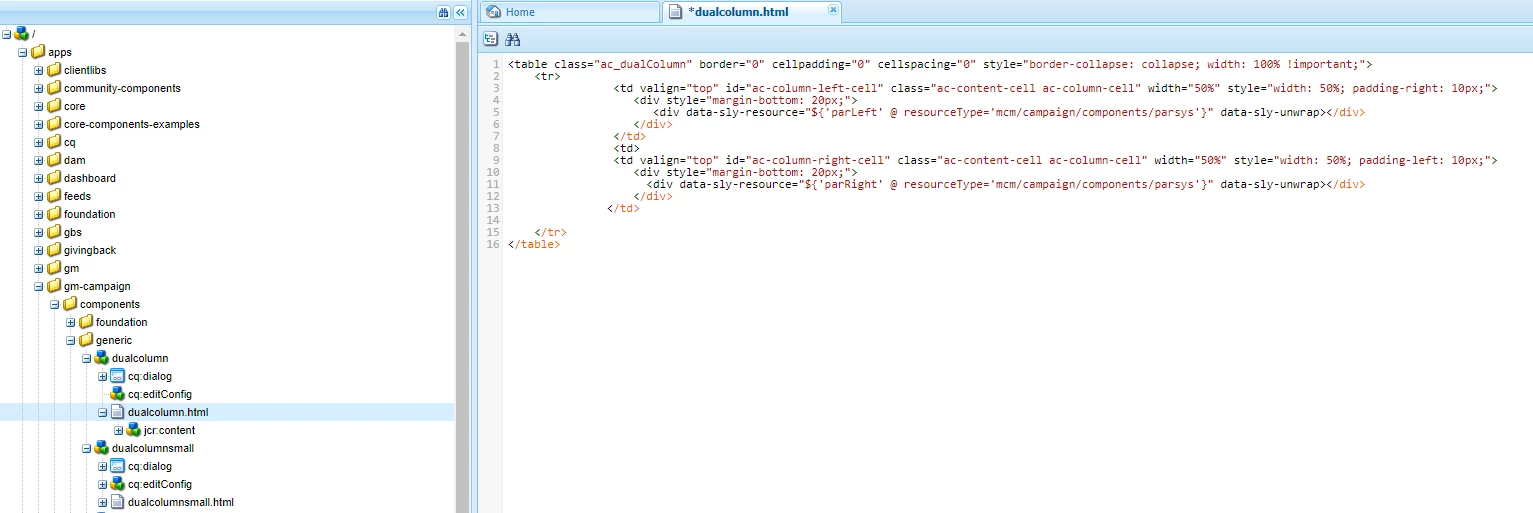
I am having trouble figuring out how to add inline styles to Campaign Generic Components 

  • Row - Dual Column 
  • Row - Dual Column Small 
  • Row - Dual Column Flip 
  • Row - Single Column 


This post is no longer active and is closed to new replies. Need help? Start a new post to ask your question.
Best answer by TarunKumar

Hi @justinbr17 ,

You can add these styles item in dialog style system and from there you can get it either through model or properties:


<sly data-sly-resource="${parRight @ resourceType='wcm/components/parsys/', appendPath='/*', decorationTagName='div', cssClassName="${properties.inlineStyle @ context='styleString'}"></sly>


Thanks
Tarun


2 replies

kautuk_sahni
Employee
February 16, 2024

@justinbr17 Did you find the suggestions from users helpful? Please let us know if more information is required. Otherwise, please mark the answer as correct for posterity. If you have found out solution yourself, please share it with the community.

Kautuk Sahni
TarunKumar
TarunKumarAccepted solution
New Participant
February 9, 2024

Hi @justinbr17 ,

You can add these styles item in dialog style system and from there you can get it either through model or properties:


<sly data-sly-resource="${parRight @ resourceType='wcm/components/parsys/', appendPath='/*', decorationTagName='div', cssClassName="${properties.inlineStyle @ context='styleString'}"></sly>


Thanks
Tarun