Can we set properties/flags at template level in adobe experience Manager 6.5/ 6.4? | Community
Skip to main content
Abhishekty
New Participant
August 10, 2021
Solved

Can we set properties/flags at template level in adobe experience Manager 6.5/ 6.4?

  • August 10, 2021
  • 2 replies
  • 730 views

Can we set properties/flags at template level in adobe experience Manager 6.5/ 6.4?


like we have design dialog and page properties at the page level, can we achieve at template level as well using an editable template or Static template?
This post is no longer active and is closed to new replies. Need help? Start a new post to ask your question.
Best answer by Asutosh_Jena_

Hi @abhishekty 

Yes you can do it at the template level in editable template.

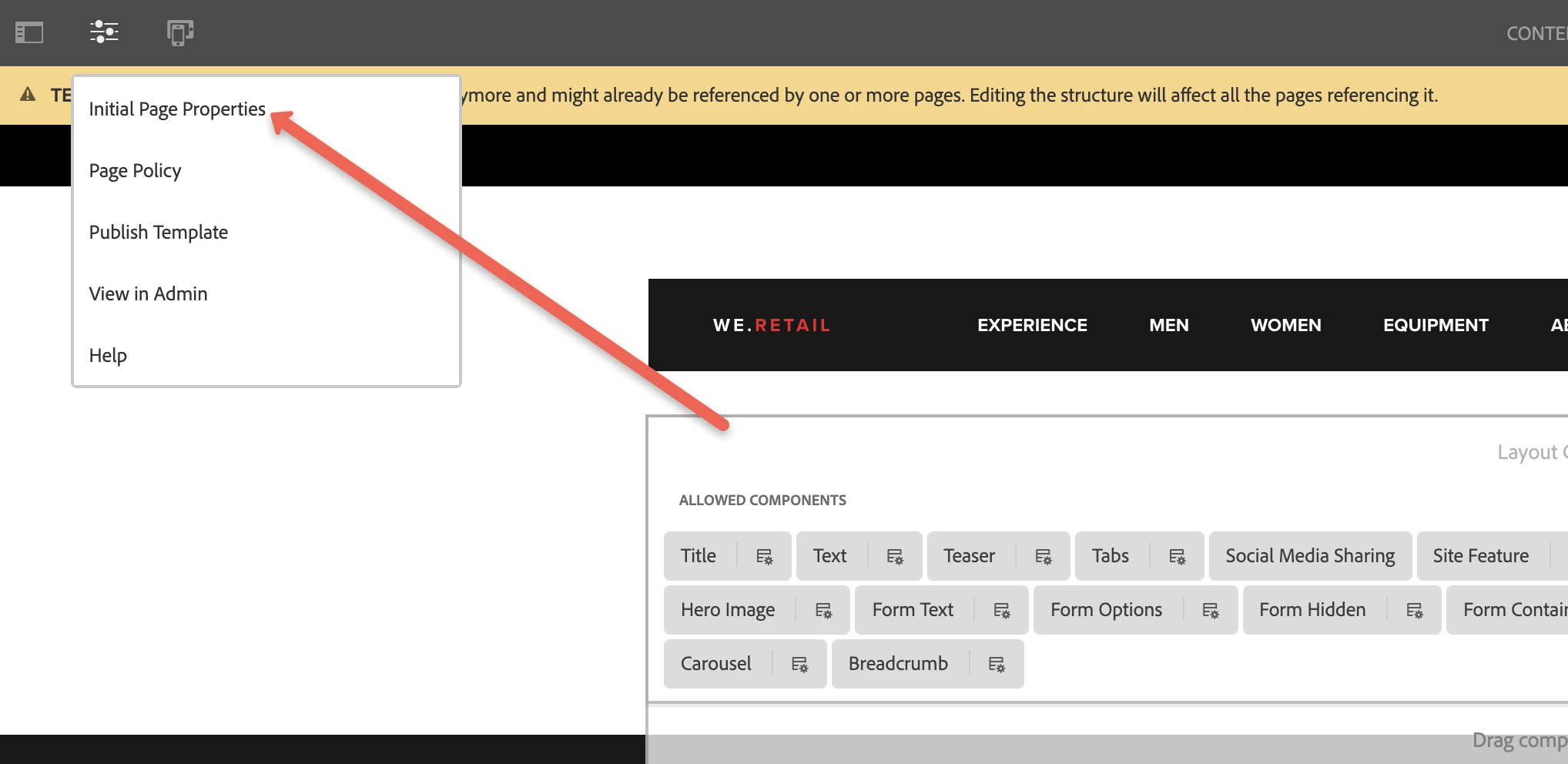
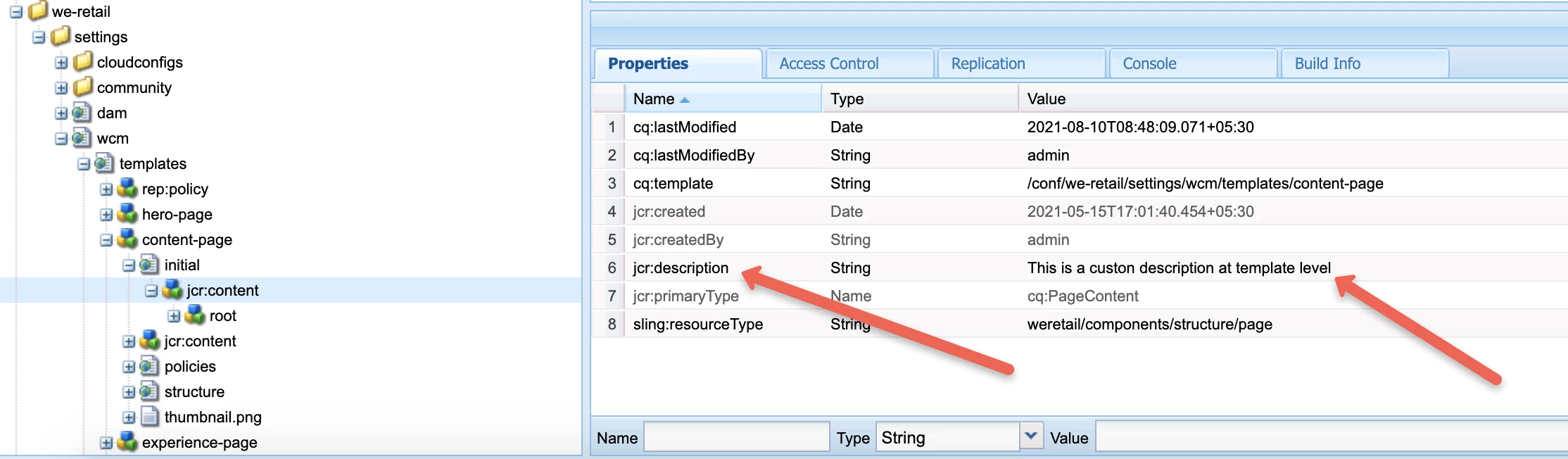
Just navigate to the template and update flag/property with appropriate value by opening the "Initial Page Properties".

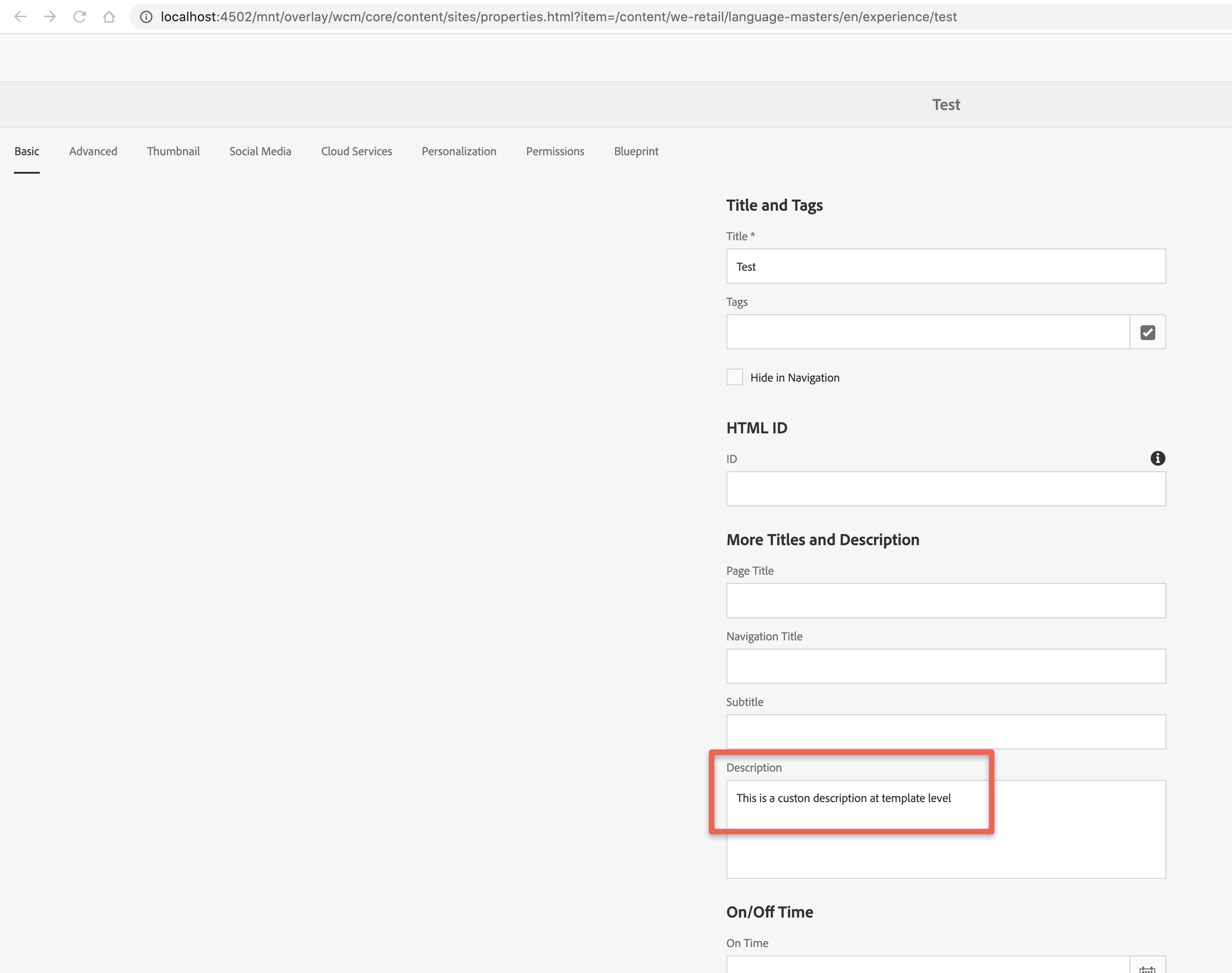
Now any page you create using the template, will have the property available in it which again can be updated at the inidividual page level.


This is coming on the page from template.


Thanks!

2 replies

VeenaVikraman
New Participant
August 11, 2021

Yes as @asutosh_jena_ mentioned, do it at your editable template initial page properties and it should be available across any new pages created using that templates. That is the beauty of editable templates 🙂


Thanks

Veena

Asutosh_Jena_
Asutosh_Jena_Accepted solution
New Participant
August 10, 2021

Hi @abhishekty 

Yes you can do it at the template level in editable template.

Just navigate to the template and update flag/property with appropriate value by opening the "Initial Page Properties".

Now any page you create using the template, will have the property available in it which again can be updated at the inidividual page level.


This is coming on the page from template.


Thanks!