cannot get created components on edit templates components list section | Community
Skip to main content
Level 2
Jun 20, 2018 1:57 PM UTC
Solved

cannot get created components on edit templates components list section

I created two  components in crx repository under apps/travel/components/structure folder header and footer and add html in the component and save it but when i open the templates for edit in AEM then these components are not shown in components list for drag and drop. I created all the policies in layout container and check the

section (travel) but when i click the drop down my created components are not shown  refrence from this link Adobe Experience Manager Help | Creating an Adobe Experience Manager 6.4 website using Editable Templates 

This post is no longer active and is closed to new replies. Need help? Start a new post to ask your question.
smacdonald2008
smacdonald2008Accepted solution
Level 10
Jun 20, 2018 2:17 PM UTC

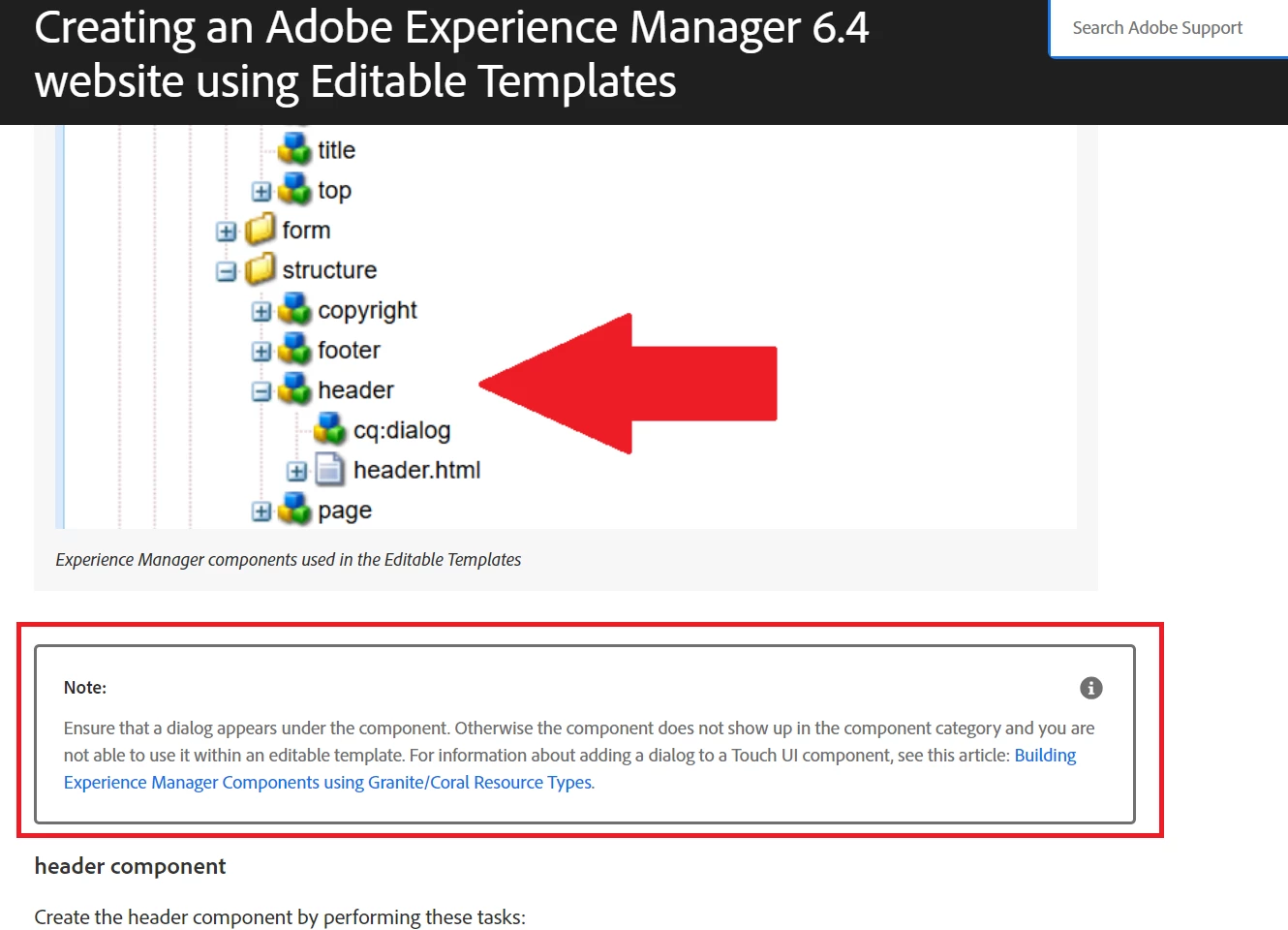
Make sure there is a dialog under your components - else they will not sure up in the template. For more information on Editable templates - watch our Guided Journey that covers alot of information - Scott's Digital Community: Guided Journey for Experience Manager on Editable Templates

There is a note in the article that mentions the importance of dialogs under the components that you want to use in an editable template:

2 replies

Level 2
Jun 28, 2018 10:01 AM UTC

thanks smacdonald now i able to see my components

Translate
smacdonald2008
smacdonald2008Accepted solution
Level 10
Jun 20, 2018 2:17 PM UTC

Make sure there is a dialog under your components - else they will not sure up in the template. For more information on Editable templates - watch our Guided Journey that covers alot of information - Scott's Digital Community: Guided Journey for Experience Manager on Editable Templates

There is a note in the article that mentions the importance of dialogs under the components that you want to use in an editable template:

Translate