Cannot serve request to /content.html in org.apache.sling.servlets.get.DefaultGetServlet for publish 4503 | Community
Skip to main content
New Participant
February 17, 2023
Solved

Cannot serve request to /content.html in org.apache.sling.servlets.get.DefaultGetServlet for publish 4503

  • February 17, 2023
  • 2 replies
  • 13033 views

Hi everyone! 

Could anyone suggest anything please on how to sort out, the issue when running publish 4503 instance I get a browser window open with the message "Not found.  Cannot serve request to /content.html in org.apache.sling.servlets.get.DefaultGetServlet". I followed official docs using aem-sdk file for author and publish, renaming them accordingly as it asks. I tried even to change  4502 to 4503 in bin folder starter files for publish as someone suggested (official docs do not mention it). reinstalled aem-sdk a few times for author and publish and still get that message and the publish instance does not start. Just to mention, my author instance working fine and I tried to start publish instance after author one was ready. My docker running on port 80:80. Java v11 is installed.
This post is no longer active and is closed to new replies. Need help? Start a new post to ask your question.
Best answer by B_Sravan

Hi @olegarg 

you are not facing any issues. it is the default behavior, hit localhost:4503/system/console and you will be prompted to log in.

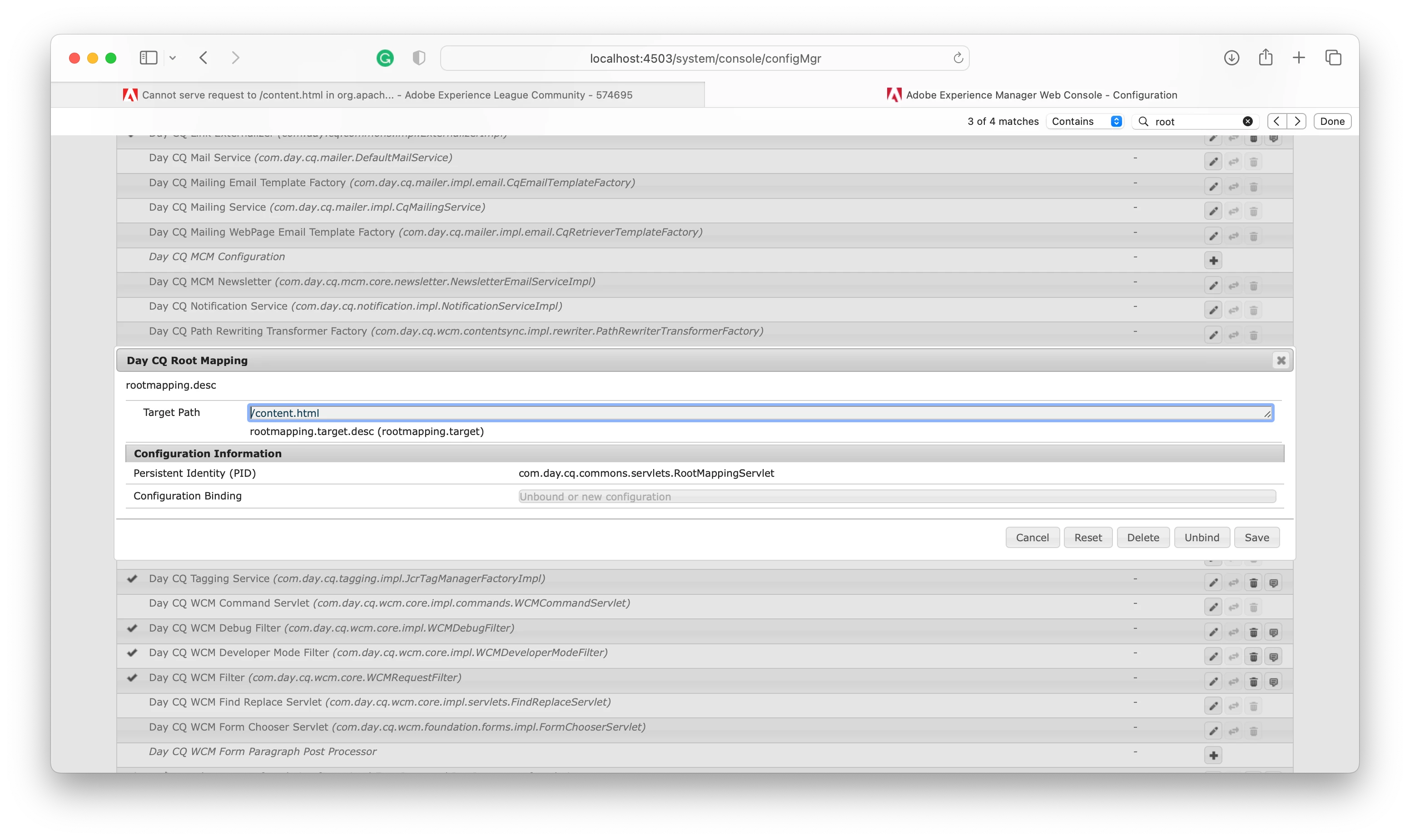
FYI, the default root page for publish instance is domain/content.html. you can change this if you wish to at OSGi configuration "Day CQ Root Mapping"


check this to set your agents on Author to setup publish instance: https://experienceleague.adobe.com/docs/experience-manager-learn/cloud-service/local-development-environment-set-up/aem-runtime.html?lang=en#set-up-local-aem-publish-service 

 deploy your code to publish instance and publish your pages, you are good to go.
Thank you,

Sravan

2 replies

joerghoh
Employee
February 18, 2023

Does it work if you point your browser to an existing page on publish?

olegargAuthor
New Participant
February 18, 2023

Hi @joerghoh. Thank you a lot for your reply. AEM is new to me and I am just recently started to explore it as there is a requirement to use it with PWA studio. I am not sure if I understood you right. I freshly installed the author and publish instances recently and could not see any pages on publish instance. All I could see in publish is the console only as was suggested above. I have not yet deployed anything from the author. Maybe that is why nothing is on the publish instance. Thanks

B_Sravan
B_SravanAccepted solution
New Participant
February 18, 2023

Hi @olegarg 

you are not facing any issues. it is the default behavior, hit localhost:4503/system/console and you will be prompted to log in.

FYI, the default root page for publish instance is domain/content.html. you can change this if you wish to at OSGi configuration "Day CQ Root Mapping"


check this to set your agents on Author to setup publish instance: https://experienceleague.adobe.com/docs/experience-manager-learn/cloud-service/local-development-environment-set-up/aem-runtime.html?lang=en#set-up-local-aem-publish-service 

 deploy your code to publish instance and publish your pages, you are good to go.
Thank you,

Sravan

olegargAuthor
New Participant
February 18, 2023

Hi @b_sravan. Thank you very much for your reply. You are right! When I hit localhost:4503/system/console I was asked to log in and I saw the console page. Thank you for the link attached for agents set up. So, as I understand that content.html on publish instance will be accessible after I publish and deploy it on the author instance first? Thanks.