Change the assets source path in Assets Share Commons (6.3.3) | Community
Skip to main content
bobbym33667819
Level 3
Jun 17, 2019 6:50 PM UTC
Solved

Change the assets source path in Assets Share Commons (6.3.3)

Hi Everyone,

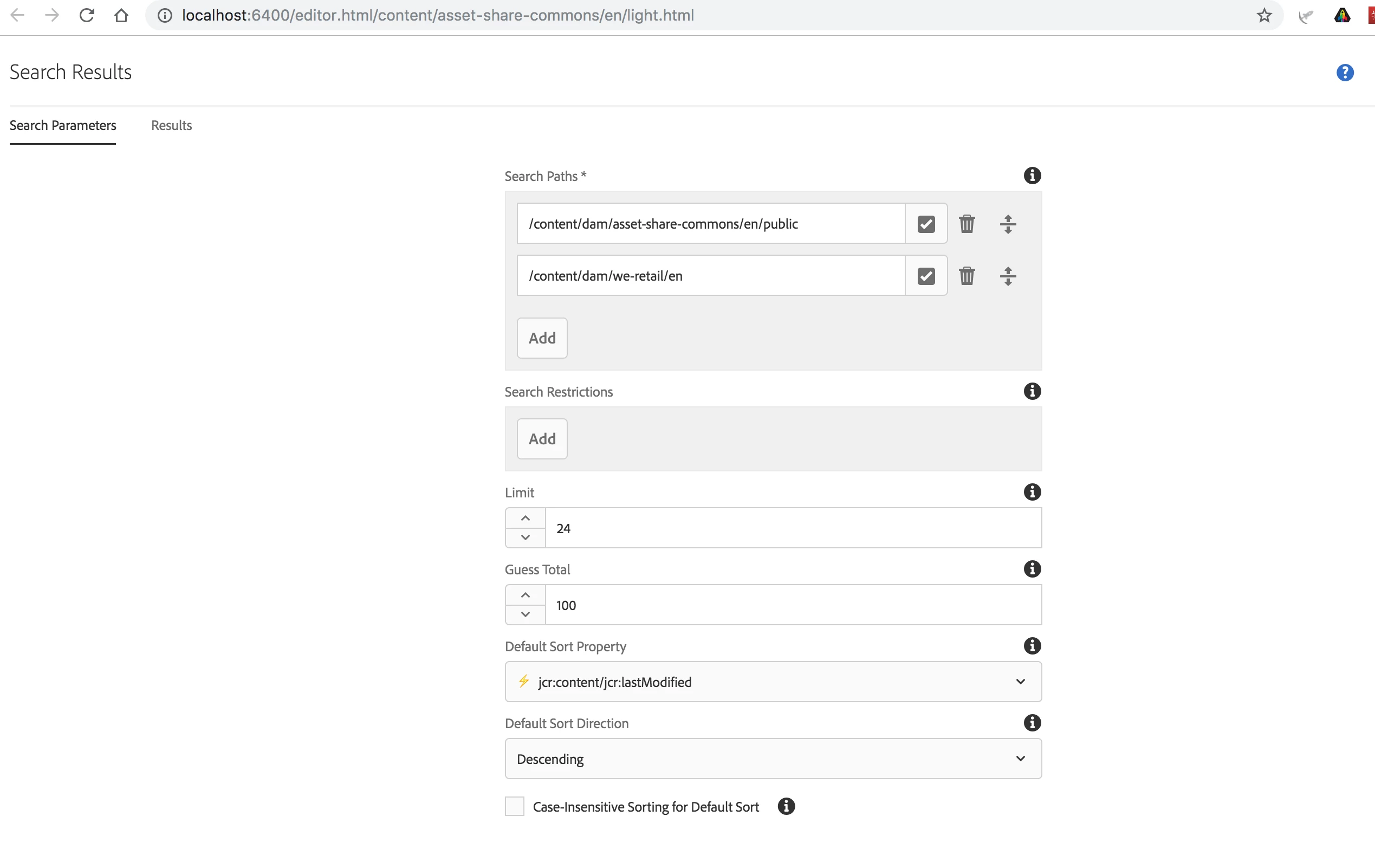
In 6.3.3 when you install the Assets Share Commons with the sample content the Light and Dark how pages both show assets from /content/dam/asset-share-commons/en/public. How to make it display assets from different location or the whole /content/dam?

Thank you very much!

Bobby
This post is no longer active and is closed to new replies. Need help? Start a new post to ask your question.
user05162Accepted solution
Employee
Jun 17, 2019 11:36 PM UTC

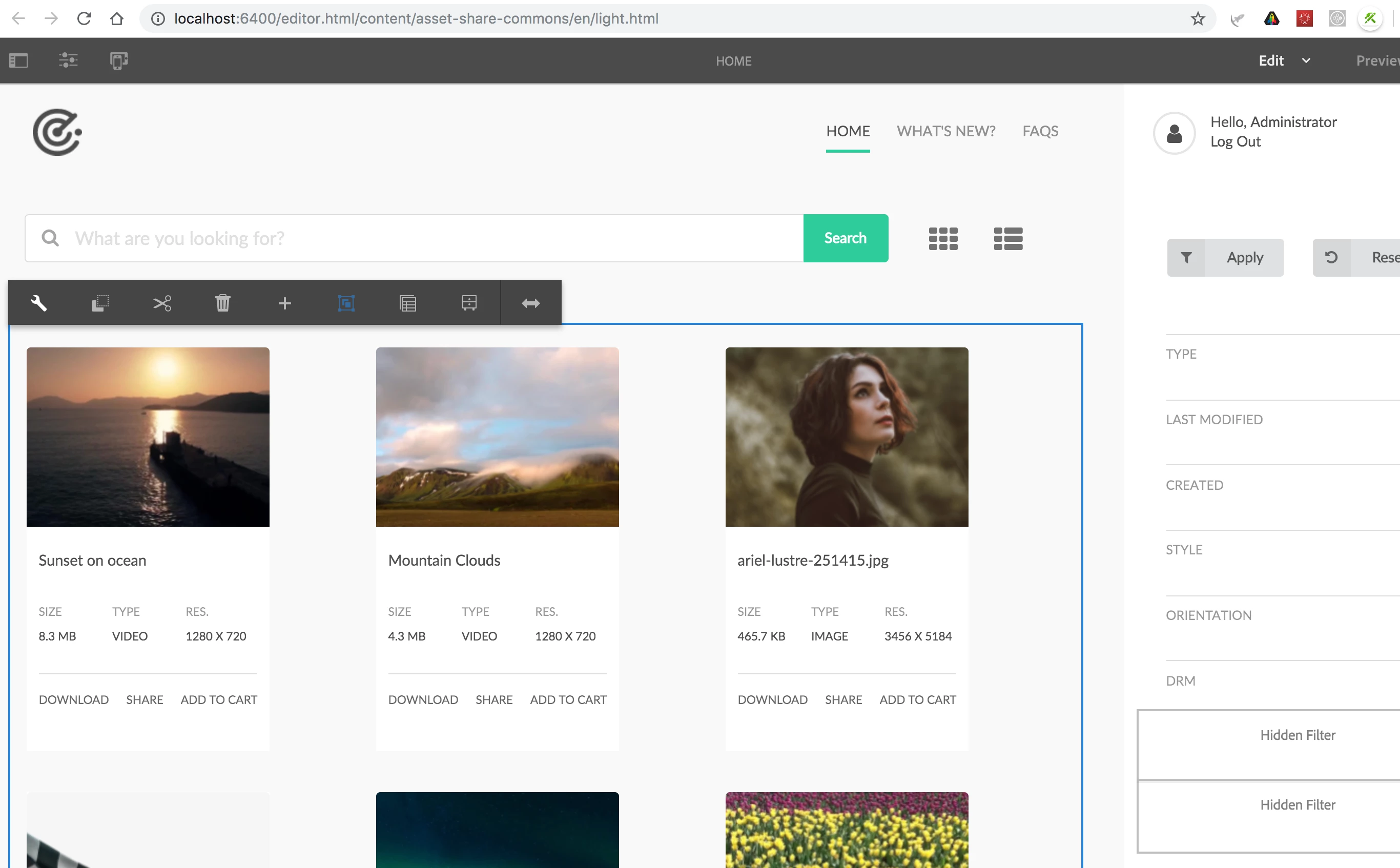
You need to edit the "Search Paths" under the "Search Results" components. Sharing screenshots below.

1 reply

user05162Accepted solution
Employee
Jun 17, 2019 11:36 PM UTC

You need to edit the "Search Paths" under the "Search Results" components. Sharing screenshots below.

Translate