Changing the theme on a dialog in Granite UI from coral--dark to coral--light.
Hello, I am a relatively new AEM Developer, and I have received a request to change the coral theme that is being applied to floating dialogs.
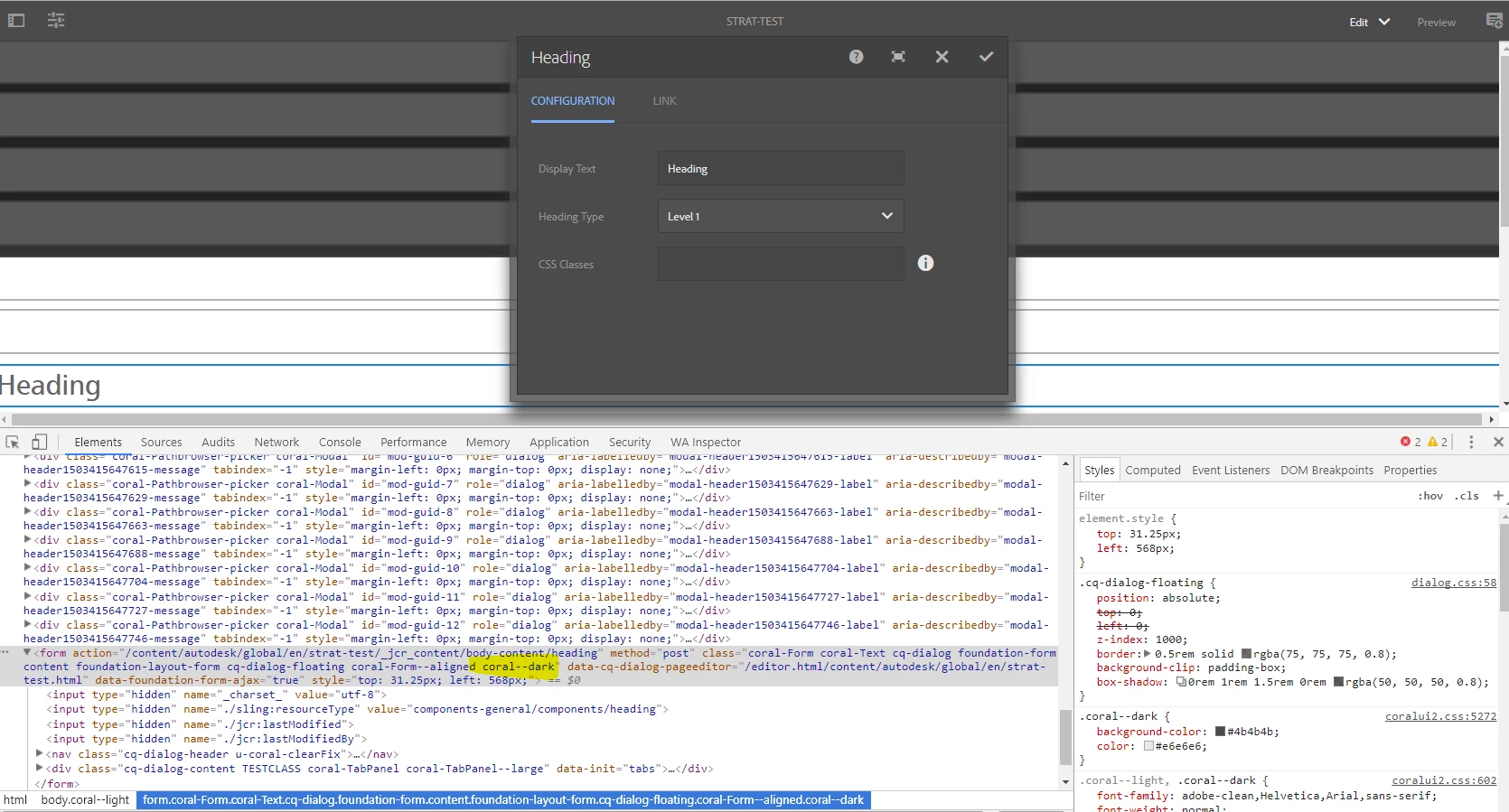
I can see that a class of 'coral--dark' is being dynamically applied to the dialog, and I would like to change the theme to 'coral--light' instead. I have tried looking in the dialog.jsp files here: /libs/cq/gui/components/authoring/dialog/dialog.jsp, but the theme doesn't appear to be set in this file.
Does anyone know where this 'coral--dark' class is being applied to the floating dialog?
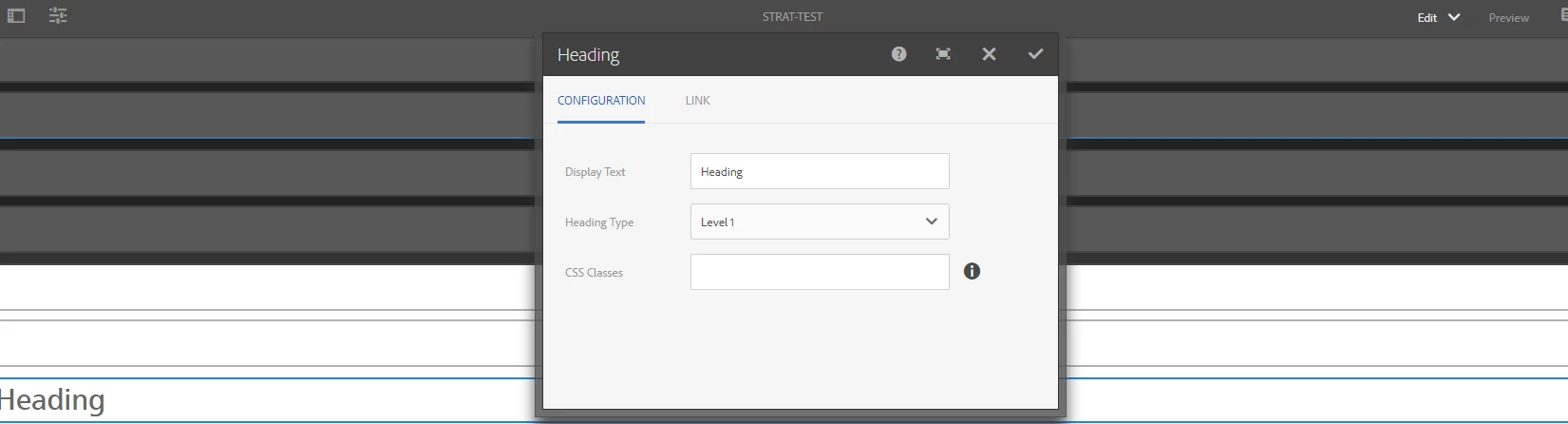
I've attached a screenshot with the current dialog that has the coral--dark theme applied, and i've attached a screenshot with the desired look of the dialog that has the coral--light theme applied (I just switched the themes using Chrome Dev Tools). We are developing using Touch UI on AEM 6.2.
Any help on how I can change the coral theme that is being applied to the dialog would be much appreciated!
Thank you!!
-Kayla
The current dialog: coral--dark theme being applied to the dialog:
The desired outcome: coral--light theme applied to the dialog: