Check Debugging logs | Community
Skip to main content
New Participant
September 19, 2024
Solved

Check Debugging logs

  • September 19, 2024
  • 2 replies
  • 638 views

Hi all,

I have debugging lines in my code like 
logger.debug("code statements to bebug");

How can I check this in adobe cloud manager 


Thanks.

This post is no longer active and is closed to new replies. Need help? Start a new post to ask your question.
Best answer by h_kataria

Refer this https://experienceleague.adobe.com/en/docs/experience-manager-cloud-service/content/implementing/developing/logging#configuration-loggers
Essentially You can setup Logmanager factory config for your project. Something like org.apache.sling.commons.log.LogManager.factory.config~myProject.cfg.json

{ "org.apache.sling.commons.log.names": ["com.example"], "org.apache.sling.commons.log.level": "debug" "org.apache.sling.commons.log.file": "logs/error.log" }


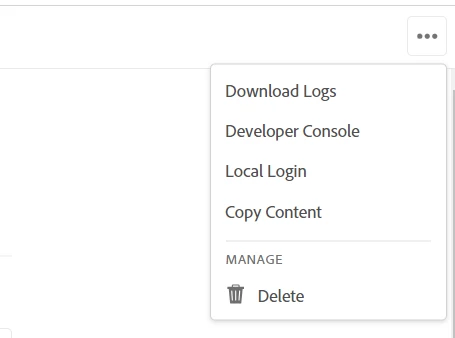
Then You can download the logs by going to respective environment in your cloud program.

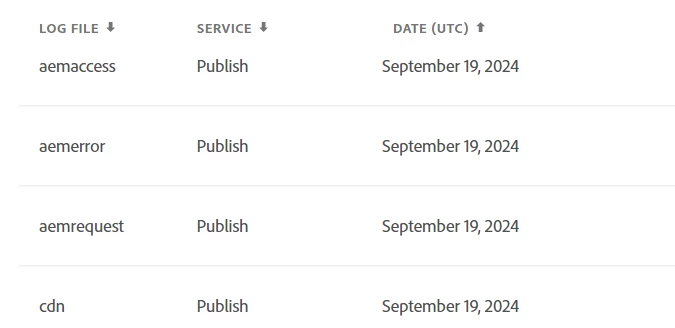
Select the service (author, publisher etc.) from which you want to download and select "aemerror" 

It should have your respective debug statements.

2 replies

EstebanBustamante
New Participant
September 19, 2024

Hi, 


You could also use "aio cli" to tail or download the logs directly from your terminal, check this article: 

https://experienceleague.adobe.com/en/docs/experience-manager-learn/cloud-service/debugging/debugging-aem-as-a-cloud-service/logs#aio-cli-tail-logs 

https://blog.arborydigital.com/tailing-aemaacs-logs 


Hope this helps

Esteban Bustamante
h_kataria
h_katariaAccepted solution
New Participant
September 19, 2024

Refer this https://experienceleague.adobe.com/en/docs/experience-manager-cloud-service/content/implementing/developing/logging#configuration-loggers
Essentially You can setup Logmanager factory config for your project. Something like org.apache.sling.commons.log.LogManager.factory.config~myProject.cfg.json

{ "org.apache.sling.commons.log.names": ["com.example"], "org.apache.sling.commons.log.level": "debug" "org.apache.sling.commons.log.file": "logs/error.log" }


Then You can download the logs by going to respective environment in your cloud program.

Select the service (author, publisher etc.) from which you want to download and select "aemerror" 

It should have your respective debug statements.