component dialog: how to auto-show/hide/retrieve fields (based on dropdown list selection. example inside) | Community
Skip to main content
jayv25585659
New Participant
July 17, 2023
Solved

component dialog: how to auto-show/hide/retrieve fields (based on dropdown list selection. example inside)

  • July 17, 2023
  • 2 replies
  • 978 views

Scenario.

  • I can have 1 or more primary tasks.
  • and 1 primary task can have 1 or more secondary tasks.
  • Both primary and secondary tasks are multifield (granite/ui/components/coral/foundation/form/multifield).

Screenshot explanation:

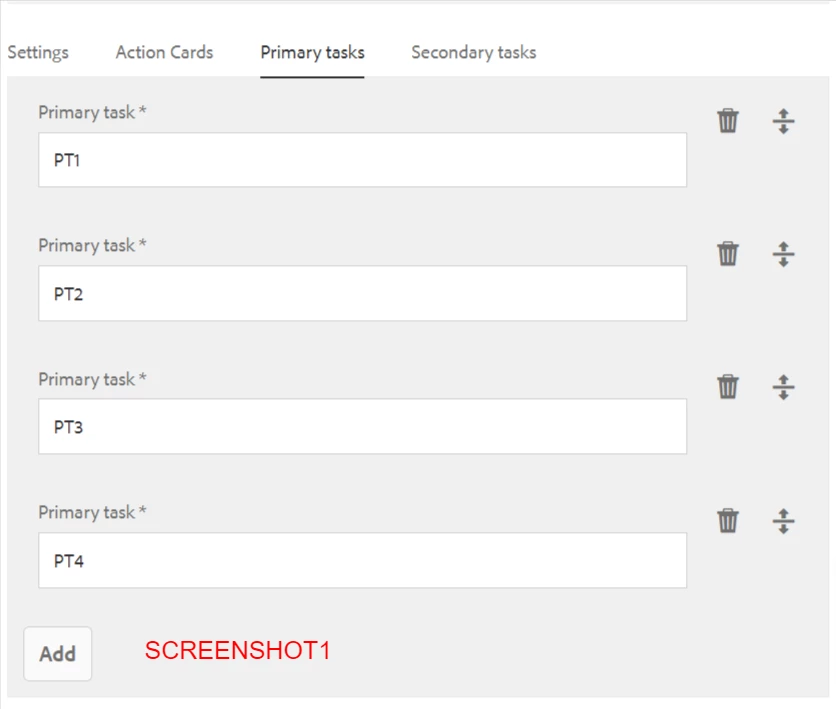
  • The primary task dropdown list has been entered via the "Primary Task" tab. I entered 4  values into it. (screenshot1)
  • On the secondary tab, I need to select 1 of the options from the "Primary tasks" that I entered.
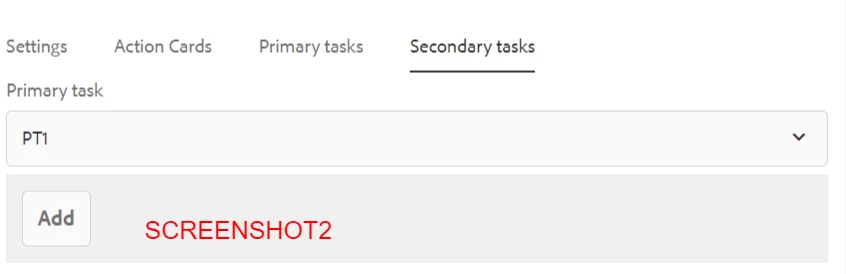
  • If there are no "secondary tasks" associated with the selected "primary task", something like in screenshot2 is displayed. I will then manually enter records for it I choose to do so.
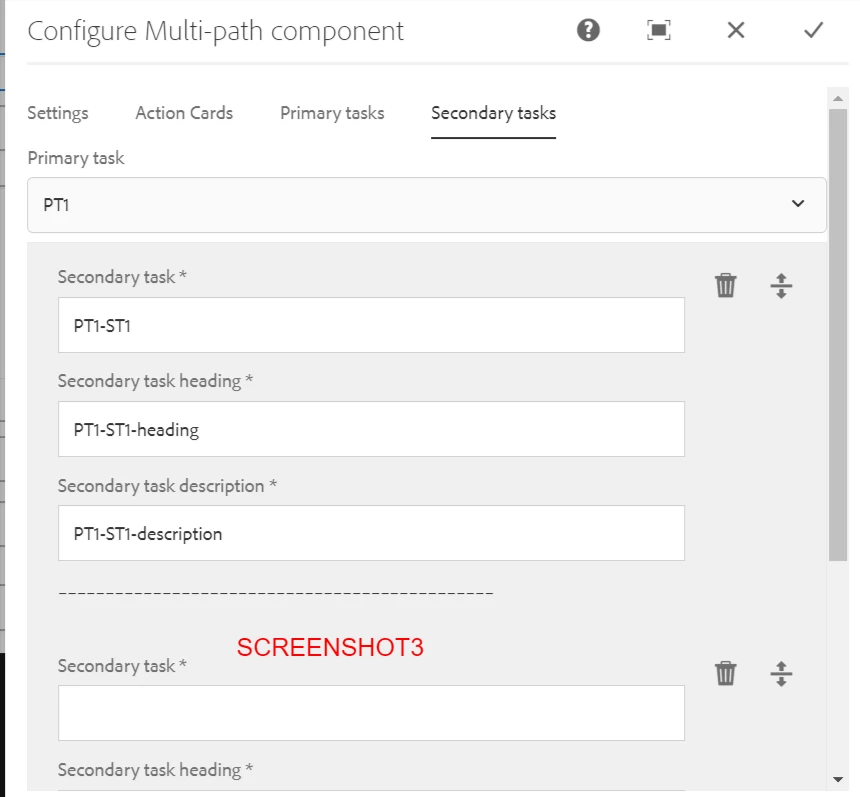
  • If there are "secondary tasks" associated with the selected "primary task", something like in screenshot3 will be displayed. The records will be displayed below and I should still be able to add more records.

Thanks heaps for the assistance.
This post is no longer active and is closed to new replies. Need help? Start a new post to ask your question.

2 replies

iamnjain
New Participant
July 18, 2023

Hi @jayv25585659 


You can achieve this using built in properties of AEM component dialog. Please refer below blog,


https://experienceleaguecommunities.adobe.com/t5/adobe-experience-manager-blogs/show-hide-cq-dialog-fields-based-on-drop-down-selection-in-aem/ba-p/563950


Hope it helps 🙂

Nishant-Singh
Employee
July 17, 2023

You can use custom render condition based on you selection you can show hide the fields in dialog or even tabs of the dialog.

Refer below tutorials - 

 https://levelup.gitconnected.com/aem-creating-custom-granite-render-conditions-28a21958f420.

https://jpsoares.medium.com/aem-granite-render-conditions-438c804b1e5a


jayv25585659
New Participant
July 18, 2023

any ideas on how to trigger a refresh when I change my selection in "primary task" dropdown?

Nishant-Singh
Nishant-SinghAccepted solution
Employee
July 18, 2023