
Component in template does not show up in a page | Community
Skip to main content
rkody
New Participant
October 11, 2023
Solved

Component in template does not show up in a page

  • October 11, 2023
  • 1 reply
  • 973 views

I am having an issue where a custom component called "metadata" is in a custom template, and shows up in the template editor, but does not appear in the page that is made with the template.


Here is the template editor in AEM:
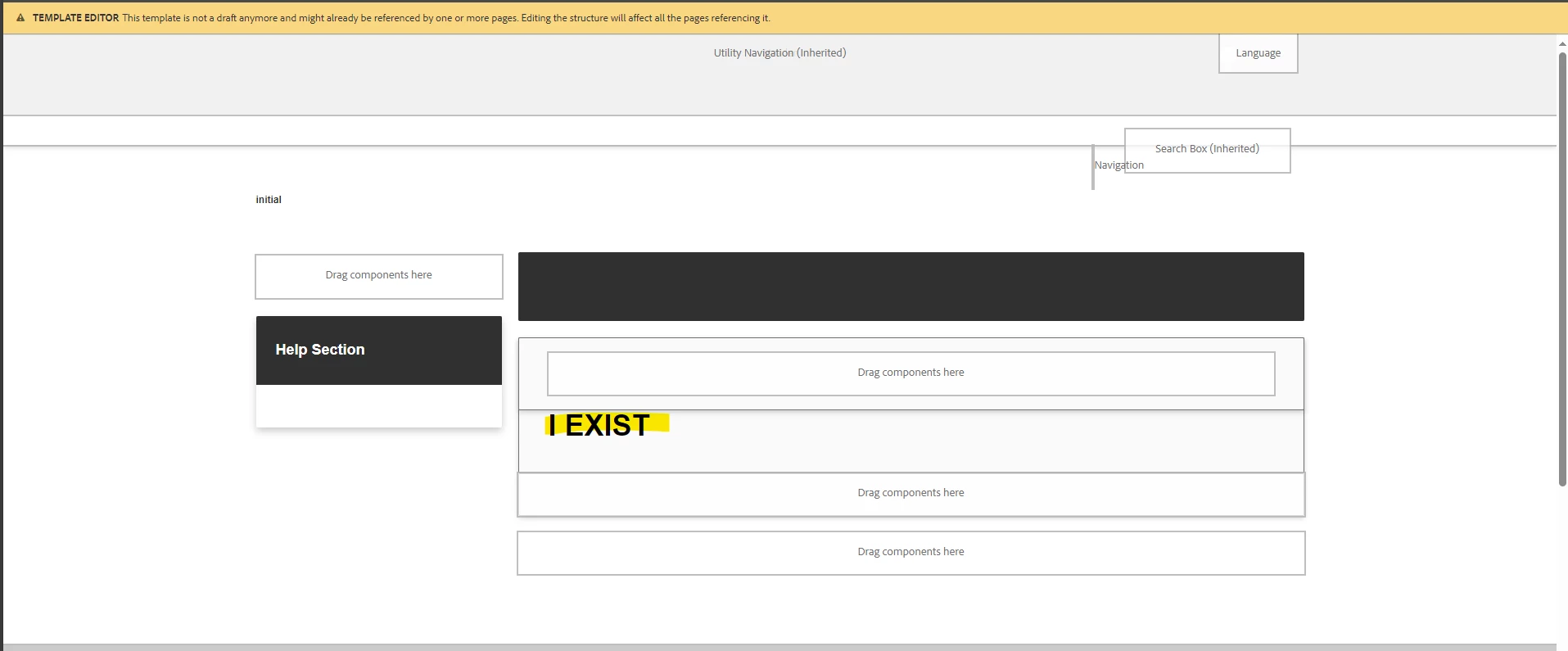
"I EXIST" is there showing that the component is in fact in the template. Here is the html of the "metadata" component:

<sly data-sly-use.Metadata="com.project.aem.dita.core.models.Metadata"></sly> <div class="dita_metadata_group"> <h1>I EXIST</h1> <sly data-sly-test="${Metadata.updatedDate}"> <p class="prop">${'UPDATED' @ i18n}: <span class="prop_value">${Metadata.updatedDate}</span></p> </sly> <sly data-sly-test="${Metadata.documentId}"> <p class="prop">${'DOCUMENT ID' @ i18n}: <span class="prop_value">${Metadata.documentId}</span></p> </sly> </div>


However, when a page is created with that template, "I EXIST" does not display. I even debugged my local instance and the component init function never gets called like it does on the template editor page.

protected void initMetadata() throws RepositoryException { ... }


What would cause a component to not display?


This post is no longer active and is closed to new replies. Need help? Start a new post to ask your question.
Best answer by rkody

Thank you for your reply. I figured out that because I was making edits to the template and moving things around, I needed to create a brand new page with the template. I was only testing with a page that was already created with the old version of the template.


Creating a new page allowed the metadata component to appear with no issues.

1 reply

aanchal-sikka
New Participant
October 12, 2023

Hello @rkody 


Can you please check if you have cq:template property on the jcr:content node of the Page?


If absent, please append and check the component. The property should also be available on template's structure node 


Aanchal Sikka
rkody
rkodyAuthorAccepted solution
New Participant
October 12, 2023

Thank you for your reply. I figured out that because I was making edits to the template and moving things around, I needed to create a brand new page with the template. I was only testing with a page that was already created with the old version of the template.


Creating a new page allowed the metadata component to appear with no issues.