Component lists not visible in dropdown list | Community
Skip to main content
New Participant
Nov 16, 2020 1:18 AM UTC
Solved

Component lists not visible in dropdown list

Hi there, 

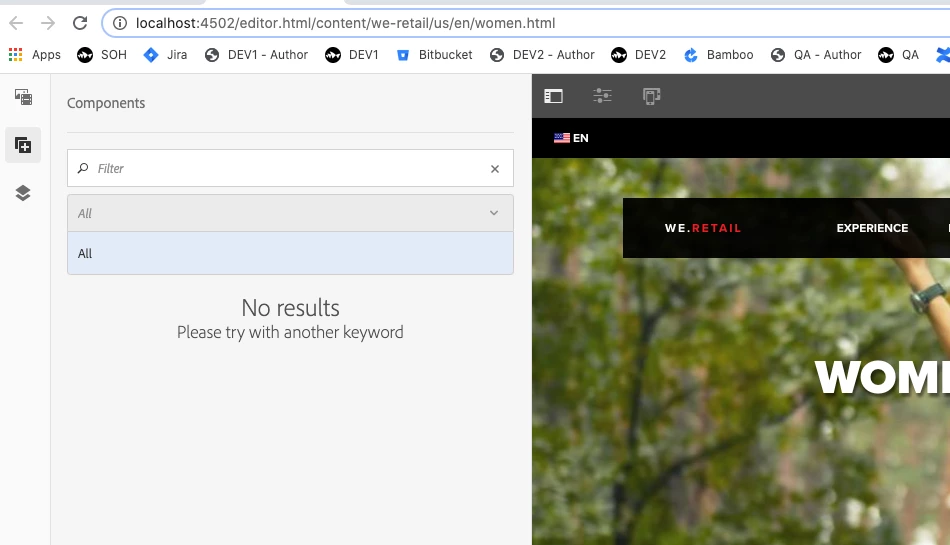
With my Local instance, I'm having an issue accessing components via the dropdown menu/ filter. 

My understanding is that the permissions that are set via the AC Tool control what a user can/ can't see regarding components. 

Any suggestions on where to look/ target so this issue can be resolved? 
This post is no longer active and is closed to new replies. Need help? Start a new post to ask your question.
SureshDhulipudi
SureshDhulipudiAccepted solution
New Participant
Nov 16, 2020 12:38 PM UTC

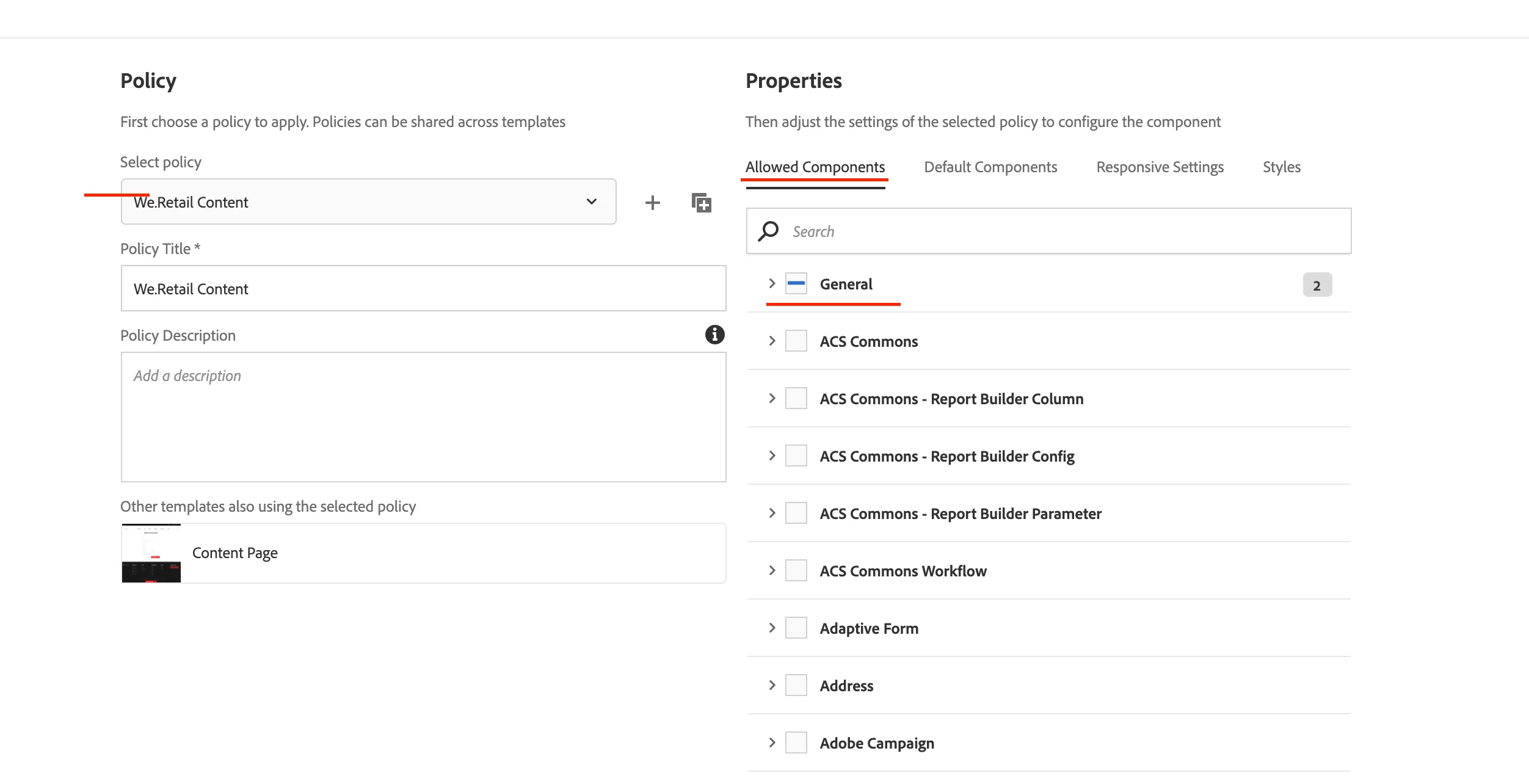
Check your Page Template Policy allowed components. For Editable Template.


4 replies

SureshDhulipudi
SureshDhulipudiAccepted solution
New Participant
Nov 16, 2020 12:38 PM UTC

Check your Page Template Policy allowed components. For Editable Template.


Translate
lukemico1Author
New Participant
Nov 17, 2020 1:17 AM UTC

Thanks, just to clarify I'm using AEM 6.5. Would be listed under either - 'General > Configuration Browser'? Or 'General > Components'?

Translate
Anudeep_Garnepudi
New Participant
Nov 16, 2020 7:25 AM UTC

Hi @lukemico1 

Switch to Design mode and check the enabled components for that template. Component(s) will only be visible if you enable Component(s)/Component Groups  for any parsys from Design mode.

AG

Translate