Configuration for language copy in aem 6.4 | Community
Skip to main content
New Participant
October 9, 2018
Solved

Configuration for language copy in aem 6.4

  • October 9, 2018
  • 13 replies
  • 4393 views

What should be configured before using microsofts default translator for language copy in aem 6.4.searched many places but cant get appropriate content.

This post is no longer active and is closed to new replies. Need help? Start a new post to ask your question.
Best answer by smacdonald2008

See if you can see it here:

http://localhost:4502/mnt/overlay/cq/translation/gui/content/cloudservices.html
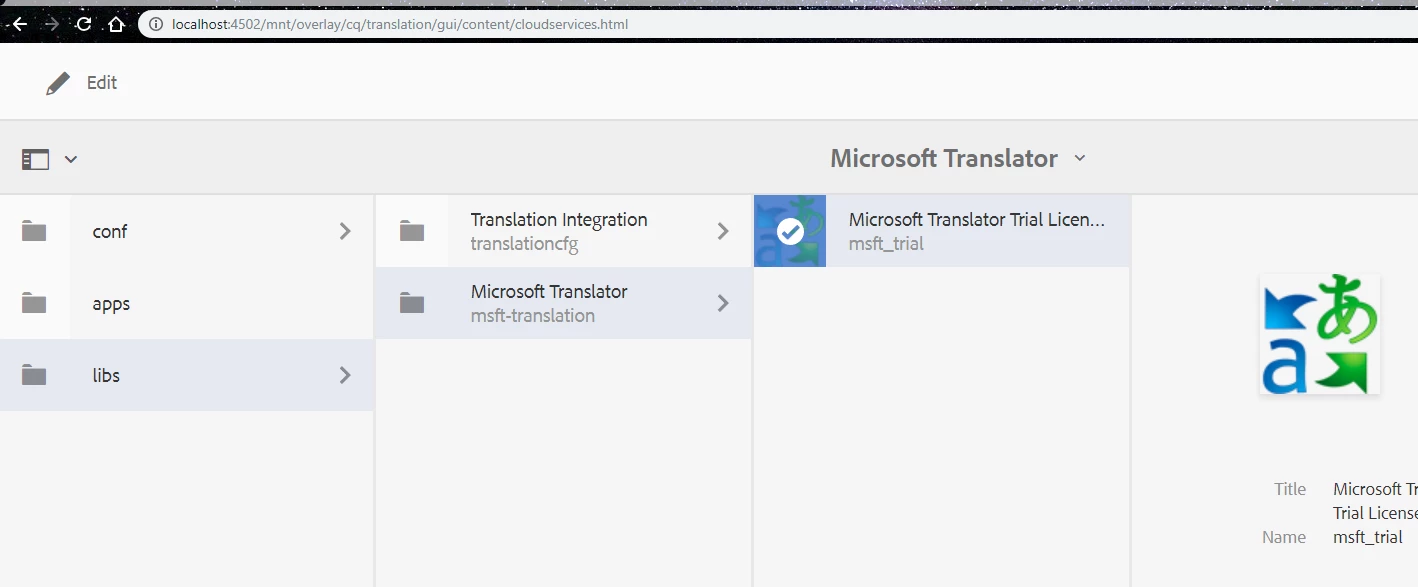
This doc seems wrong - we will log a bug.

Connecting to Microsoft Translator

13 replies

New Participant
October 11, 2018

i can see this as shown exactly but no option of selecting microsoft translator in cloud services (in properties of any page).As you can see in the image posted by me.

smacdonald2008
smacdonald2008Accepted solution
New Participant
October 11, 2018
raj_mandalapu
New Participant
October 10, 2018

Please check whether particular packages are installed in Package Manager? You should see two or three packages on translations.

smacdonald2008
New Participant
October 10, 2018

We are running OCT ATCE on this subject in a few weeks -- Scott's Digital Community: [Webinar |October] AtACE Session: Creating a site structure to support your global business

If software is not lining up with the documentation - please open a support ticket.

New Participant
October 10, 2018

\

as u can see there is no option for microsofts translator

New Participant
October 10, 2018

what may be the reason

New Participant
October 10, 2018

There is no

Translation Integration

Microsoft Translator

on the link

raj_mandalapu
New Participant
October 9, 2018

Please check below document and it talks about how to configure Microsoft translations

Connecting to Microsoft Translator

Please check whether Microsoft translations is exists or not by referring this URL http;//localhost;402/etc/cloudservices.html

If everything is proper then you must check code of page properties cloud service configurations related tab and resourceType etc,.

arunpatidar
New Participant
October 9, 2018

Hi,

go to http://localhost:4502/libs/cq/core/content/tools/cloudservices.html

there you can see

Translation Integration

Microsoft Translator


Arun Patidar
New Participant
October 9, 2018

I can not see translation integration option.It will be helpful if u point out the causes for this.