
DIPEN_SEN_
New Participant
September 18, 2018

Confused with documentation

  • September 18, 2018
  • 5 replies
  • 4115 views

Hi,

I am trying to create a custom process step with custom timeout handler which will wait till due date time and then proceed. For this while going through documentation, I found this url Workflow Process Reference where class com.adobe.granite.workflow.console.timeout.autoadvance.AutoAdvancer is mentioned.

I am not able to find this class inside uber jar or through depfinder in AEM 6.3

Here is the screenshot of the page.
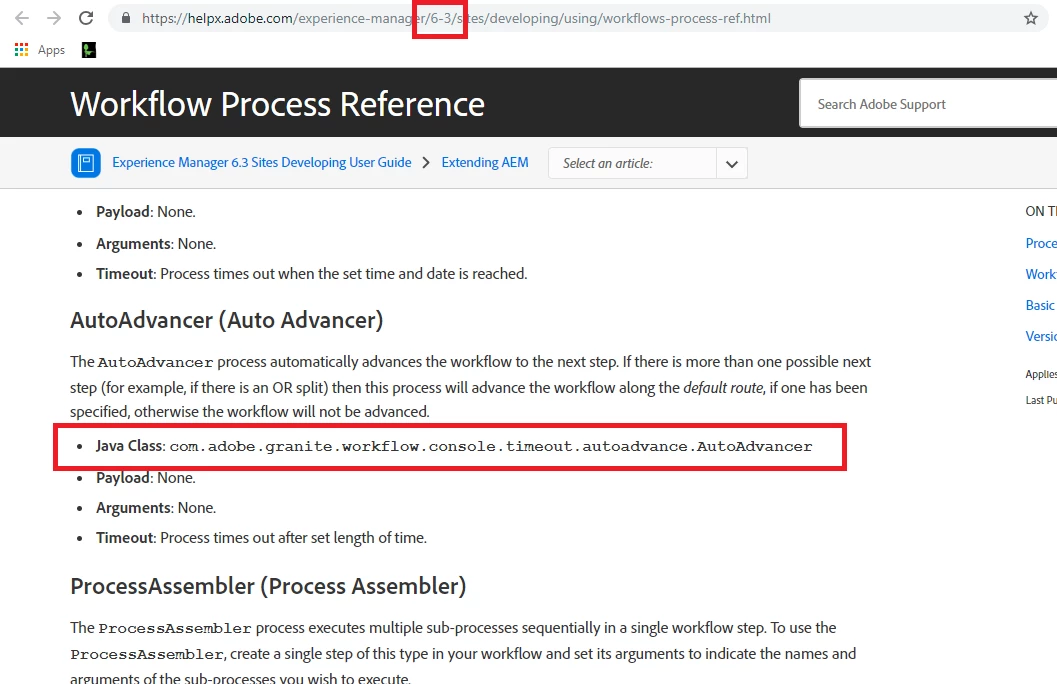
Kindly help with proper documentation.

This post is no longer active and is closed to new replies. Need help? Start a new post to ask your question.

5 replies

arunpatidar
New Participant
September 18, 2018

Hi,

I think the correct package/location is com.day.cq.workflow.timeout.autoadvance.AbsoluteTimeAutoAdvancer

example https://github.com/ireasor/aem-projects-demo/blob/master/bundle/src/main/java/com/adobe/acs/activationproject/ProjectAbsoluteTimeAutoAdvancer.java

Arun Patidar
DIPEN_SEN_
New Participant
September 18, 2018

I am using com.adobe.granite.workflow but examples are on com.day.cq.workflow

arunpatidar
New Participant
September 18, 2018

Hi,

Please check all available workflow classes at "The Adobe AEM Quickstart and Web Application."

You can go with com.day.cq.workflow.timeout.autoadvance.AbsoluteTimeAutoAdvancer 

Arun Patidar