Solved
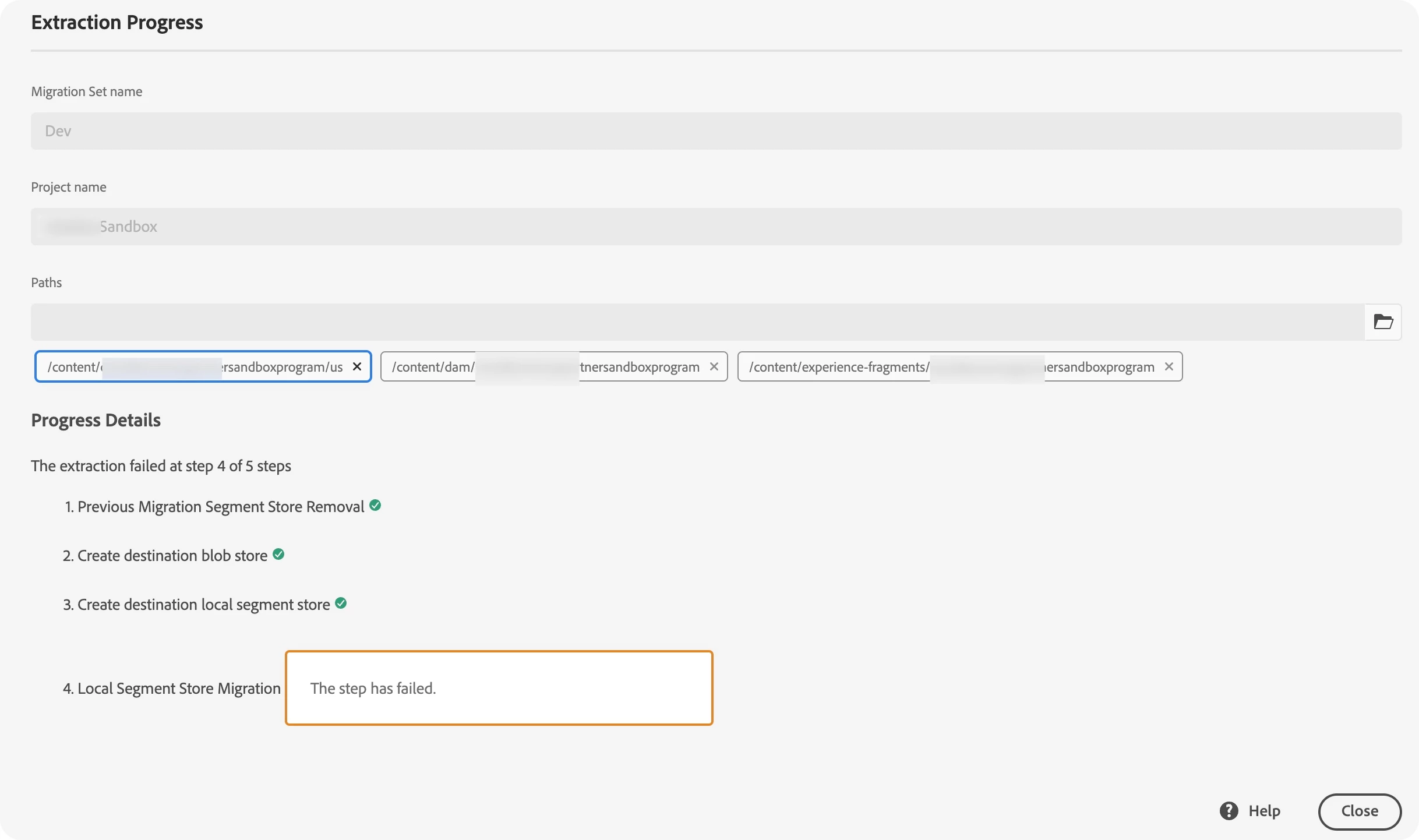
Content Transfer extract failed - Extracted text could not be read from indexes.
Hi All,
I'm using the aem-sdk-2023.3.11382.20230315T073850Z-230200 on the local environment as the author instance.
I want to transfer local content to the sandbox env and follow the Getting Started with Content Transfer Tool
But migration set extraction failed.
2023-04-28 14:27:27,142 [main] INFO  o.a.j.o.p.i.d.DataStoreTextWriter - Using /Users/stevenl/aem-sdk/cloud-auchor/crx-quickstart/cloud-migration/extraction-Dev/tmp/1682663247059-0/store to store the extracted text content. Empty count 0, Error count 0
[27.572s][info][gc] GC(15) Pause Young (Normal) (G1 Evacuation Pause) 149M->82M(256M) 2.533ms
2023-04-28 14:27:27,156 [main] ERROR c.a.g.s.m.c.a.TextRenditionRepositoryTransformer - Extracted text could not be read from indexes.
[27.597s][info][gc] GC(16) Pause Full (System.gc()) 85M->64M(227M) 11.032ms
2023-04-28 14:27:27,179 [main] INFO  o.a.j.oak.segment.file.FileStore - TarMK closed: crx-quickstart/cloud-migration/extraction-Dev/tmp/1682663225326-0
2023-04-28 14:27:27,184 [main] INFO  c.a.g.s.m.c.s.AzureBlobStoreFactory - Directory crx-quickstart/cloud-migration/extraction-Dev/tmp/1682663245146-0 deleted
2023-04-28 14:27:27,184 [main] ERROR c.a.granite.skyline.migrator.Main - Error in migration
[27.612s][info][gc] GC(17) Pause Full (System.gc()) 65M->44M(160M) 9.487ms
2023-04-28 14:27:27,194 [main] INFO  o.a.j.o.s.file.ReadOnlyFileStore - TarMK closed: /Users/stevenl/aem-sdk/cloud-auchor/crx-quickstart/repository/segmentstore
2023-04-28 14:27:27,998 [oak-ds-async-upload-thread-4] ERROR o.a.j.o.p.blob.UploadStagingCache - Error adding file to backend
org.apache.jackrabbit.core.data.DataStoreException: Cannot write blob. identifier=1050-ce794b8515e4df0894898fabb7dd00e9bb37adc659a4d5925342aa73d461
	at org.apache.jackrabbit.oak.blob.cloud.azure.blobstorage.AzureBlobStoreBackend.write(AzureBlobStoreBackend.java:328)
	at org.apache.jackrabbit.oak.plugins.blob.AbstractSharedCachingDataStore$2.write(AbstractSharedCachingDataStore.java:173)
	at org.apache.jackrabbit.oak.plugins.blob.UploadStagingCache$3.call(UploadStagingCache.java:367)
	at org.apache.jackrabbit.oak.plugins.blob.UploadStagingCache$3.call(UploadStagingCache.java:362)
	at java.base/java.util.concurrent.FutureTask.run(FutureTask.java:264)
	at java.base/java.util.concurrent.ThreadPoolExecutor.runWorker(ThreadPoolExecutor.java:1128)
	at java.base/java.util.concurrent.ThreadPoolExecutor$Worker.run(ThreadPoolExecutor.java:628)
	at java.base/java.lang.Thread.run(Thread.java:829)
Caused by: java.io.FileNotFoundException: /Users/stevenl/aem-sdk/cloud-auchor/crx-quickstart/cloud-migration/extraction-Dev/tmp/1682663245146-0/repository/datastore/upload/10/50/ce/1050ce794b8515e4df0894898fabb7dd00e9bb37adc659a4d5925342aa73d461 (No such file or directory)
	at java.base/java.io.FileInputStream.open0(Native Method)
	at java.base/java.io.FileInputStream.open(FileInputStream.java:219)
	at java.base/java.io.FileInputStream.<init>(FileInputStream.java:157)
	at org.apache.jackrabbit.oak.blob.cloud.azure.blobstorage.AzureBlobStoreBackend.write(AzureBlobStoreBackend.java:294)
	... 7 common frames omitted
Best regards.