ContextHub target icon not showing | Community
Skip to main content
New Participant
January 24, 2023
Solved

ContextHub target icon not showing

  • January 24, 2023
  • 2 replies
  • 1545 views

I'm following a video that talks about ContextHub and at a certain point I need to edit any page to create custom content. However, in my local AEM, in Targeting Mode, the target icon does not appear in my component.

Does anyone knows what am I missing?


video: https://www.youtube.com/watch?v=Khi7P1Kqq9s&list=PLSMIav_xXmUNsMf-FH5Dl3W_0Qbbn9tNr&index=3
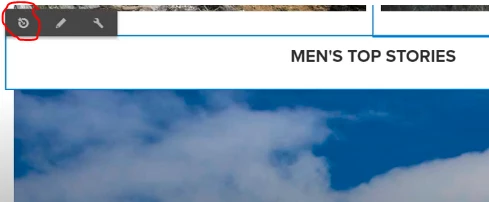
 

this icon is not appearing to me.

This post is no longer active and is closed to new replies. Need help? Start a new post to ask your question.
Best answer by Jineet_Vora

@mmouraam - Please check your context hub configurations and segments. This generally occurs if some of the pre-requisites are missing.
Once the context hub configurations and segments are created, you need to enable them from page properties, after which you will see them appear in page.
Please refer this for further details: https://experienceleague.adobe.com/docs/experience-manager-learn/sites/personalization/context-hub-technical-video-setup.html?lang=en


If issue still persist then check your all the logs (browser console and error) along with user permissions as mentioned by @kiran_vedantam


Hope this helps!
Jineet

2 replies

Jineet_Vora
Jineet_VoraAccepted solution
New Participant
January 24, 2023

@mmouraam - Please check your context hub configurations and segments. This generally occurs if some of the pre-requisites are missing.
Once the context hub configurations and segments are created, you need to enable them from page properties, after which you will see them appear in page.
Please refer this for further details: https://experienceleague.adobe.com/docs/experience-manager-learn/sites/personalization/context-hub-technical-video-setup.html?lang=en


If issue still persist then check your all the logs (browser console and error) along with user permissions as mentioned by @kiran_vedantam


Hope this helps!
Jineet

New Participant
April 6, 2023

hi @mmouraam 

I had a similar situation where you would not get any console errors 

So below are the steps i followed

1. enabled the PERSONALIZATION components in template

2. Used Targeted Paragraph System and configured ContextHub as engine

3. And then added components in Targeting view and targeted the same


Please check if this works


Thanks


Kiran_Vedantam
New Participant
January 24, 2023

Hi @mmouraam 


Can you check the below things:

  1. the id that you are logged in - if it has all the permissions
  2. Any error in the logs
  3. Any error in the console.


Thanks,

Kiran Vedantam