Creating project using mvn archtype 23 issue | Community
Skip to main content
This post is no longer active and is closed to new replies. Need help? Start a new post to ask your question.
manikanthar1295
manikanthar1295Accepted solution
Level 5
Aug 16, 2021 11:45 AM UTC

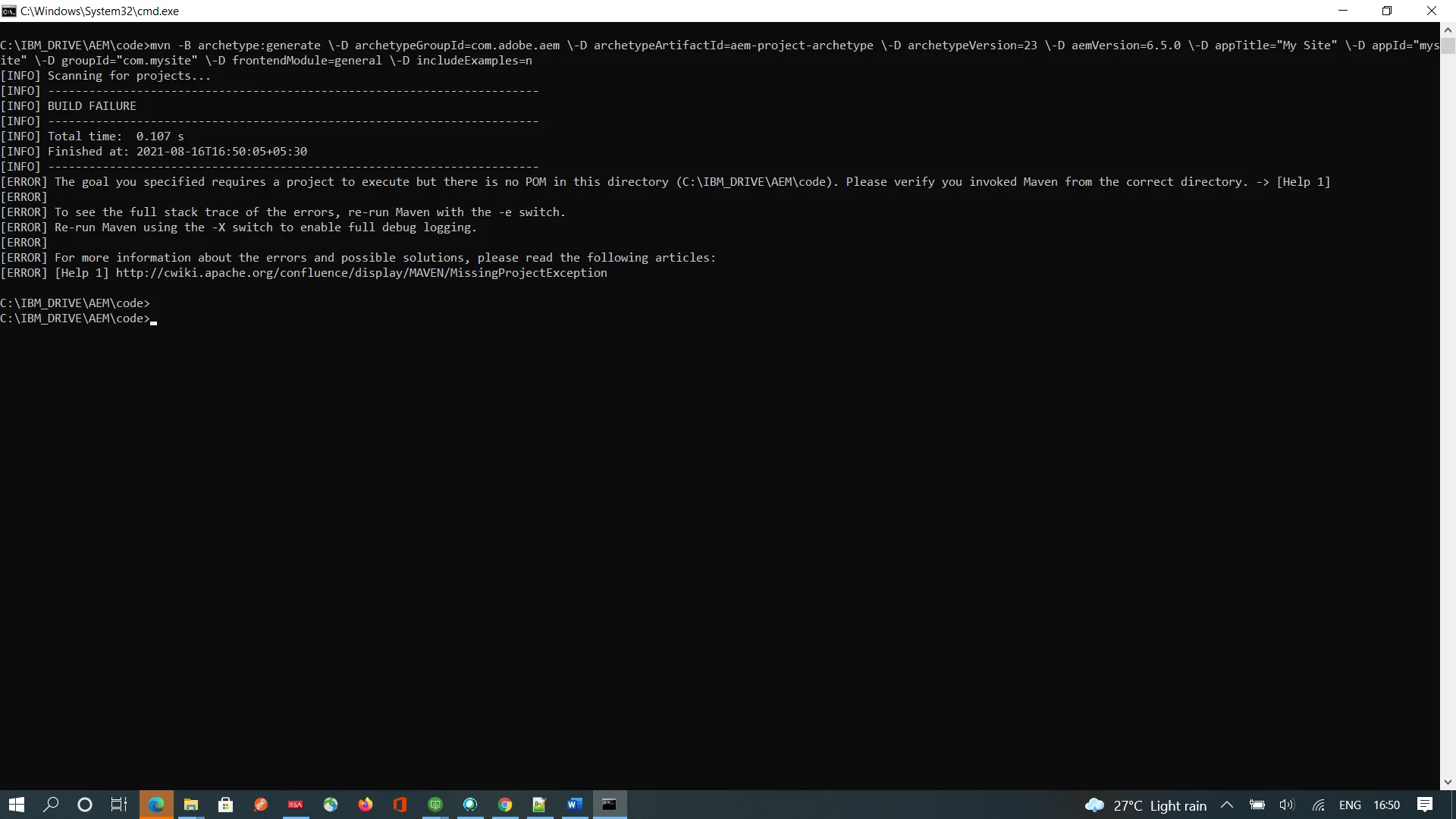
Its Fixed i have used below format of to create the Project


mvn -B archetype:generate -D archetypeGroupId=com.adobe.aem -D archetypeArtifactId=aem-project-archetype -D archetypeVersion=26 -D appTitle="My Project" -D appId="myproject" -D groupId="com.myproject.aem" -D artifactId="myproject-aem-project" -D version="0.0.1-SNAPSHOT" -D aemVersion="6.5.4" -D includeDispatcherConfig=n -D includeExamples=n

3 replies

Employee
Aug 16, 2021 12:14 PM UTC

Hi @manikanthar1295 


mvn -B archetype:generate -D archetypeGroupId=com.adobe.aem -D archetypeArtifactId=aem-project-archetype -D archetypeVersion=26 -D appTitle="My Project" -D appId="myproject" -D groupId="com.myproject.aem" -D artifactId="myproject-aem-project" -D version="0.0.1-SNAPSHOT" -D aemVersion="6.5.5" -D includeDispatcherConfig=n -D includeExamples=n


I believe this should work!!!

Hope this helps!!!

Thanks

Translate
manikanthar1295
manikanthar1295AuthorAccepted solution
Level 5
Aug 16, 2021 11:45 AM UTC

Its Fixed i have used below format of to create the Project


mvn -B archetype:generate -D archetypeGroupId=com.adobe.aem -D archetypeArtifactId=aem-project-archetype -D archetypeVersion=26 -D appTitle="My Project" -D appId="myproject" -D groupId="com.myproject.aem" -D artifactId="myproject-aem-project" -D version="0.0.1-SNAPSHOT" -D aemVersion="6.5.4" -D includeDispatcherConfig=n -D includeExamples=n

Translate
kautuk_sahni
Employee
Aug 17, 2021 8:45 AM UTC

@manikanthar1295 Thank you for sharing the solution with the community. Keep contributing to this AEM community. Looking forward to more engagement from your side in the future.

-Kautuk

Translate
Kautuk Sahni