Custom Metadata Schema not getting applied to image with .eps format | Community
Skip to main content
New Participant
April 1, 2022
Solved

Custom Metadata Schema not getting applied to image with .eps format

  • April 1, 2022
  • 2 replies
  • 989 views

Hi,


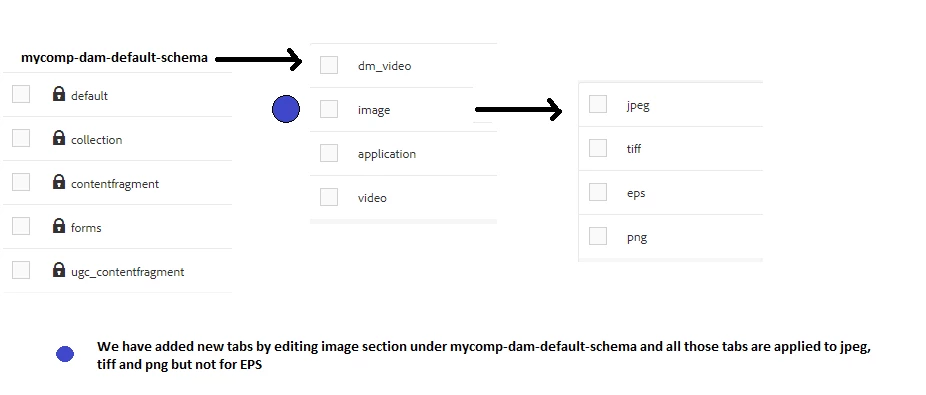
We have a custom metadata schema used in our project where customized tabs and fields are getting applied to the image formats - png, tiff, and jpg. Whereas it is not getting applied for Images with eps format.


Does anybody know how we can apply metadata schema for eps format as well similar to other image formats.?

Please Refer picture for the same.


TIA!

This post is no longer active and is closed to new replies. Need help? Start a new post to ask your question.
Best answer by lukasz-m

Hi @mrudulmo, I was able to reproduce the issue on my local instance. I think you need to add new Schema form for MIME type. It is because only some schemas are available OOTB, here is the documentation.

Background of observed issue:

If you will look under /system/console/mimetypes you will see that *.eps extension is correlated with application/postscript MIME type.
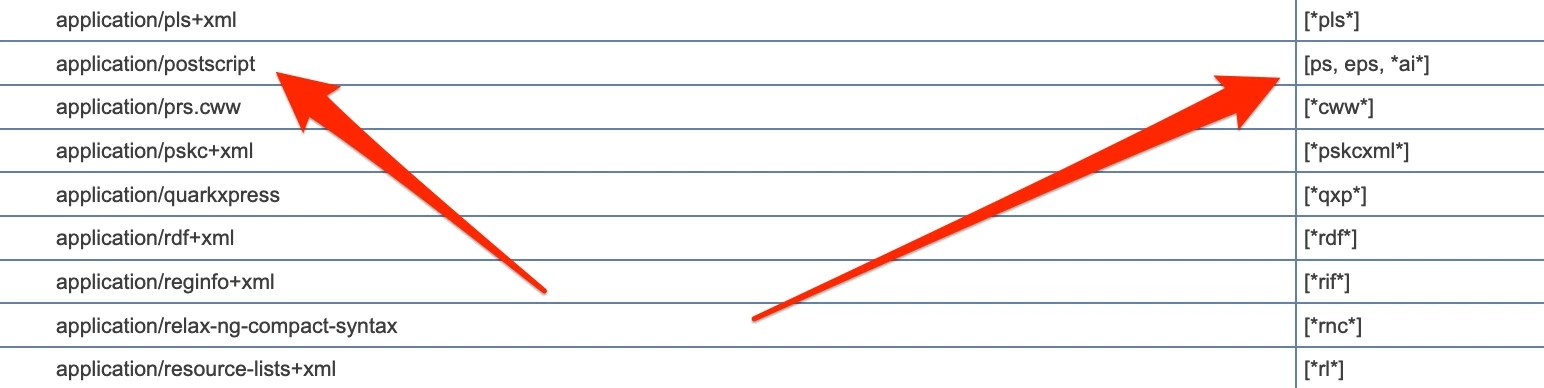
Knowing that, if you will refer to the documentation - application/postscript is already associated with application/pdf schema form. This is why your custom eps schema is not applied.

Solution

You will need to follow below guide additinaly to what you have already configured.

Create new Schema form for application/postscript MIME type and connect it with *.eps extension. This will allow to recognize your custom metadata schema correctly. Assuming your schema for *.eps files is located under image schemas, you have to add below eps node under /etc/dam/metadataeditor/mimetypemappings. This can be done directly from crx/de or from code e.g. you can include it in your crx package. See below screen, with all the details:
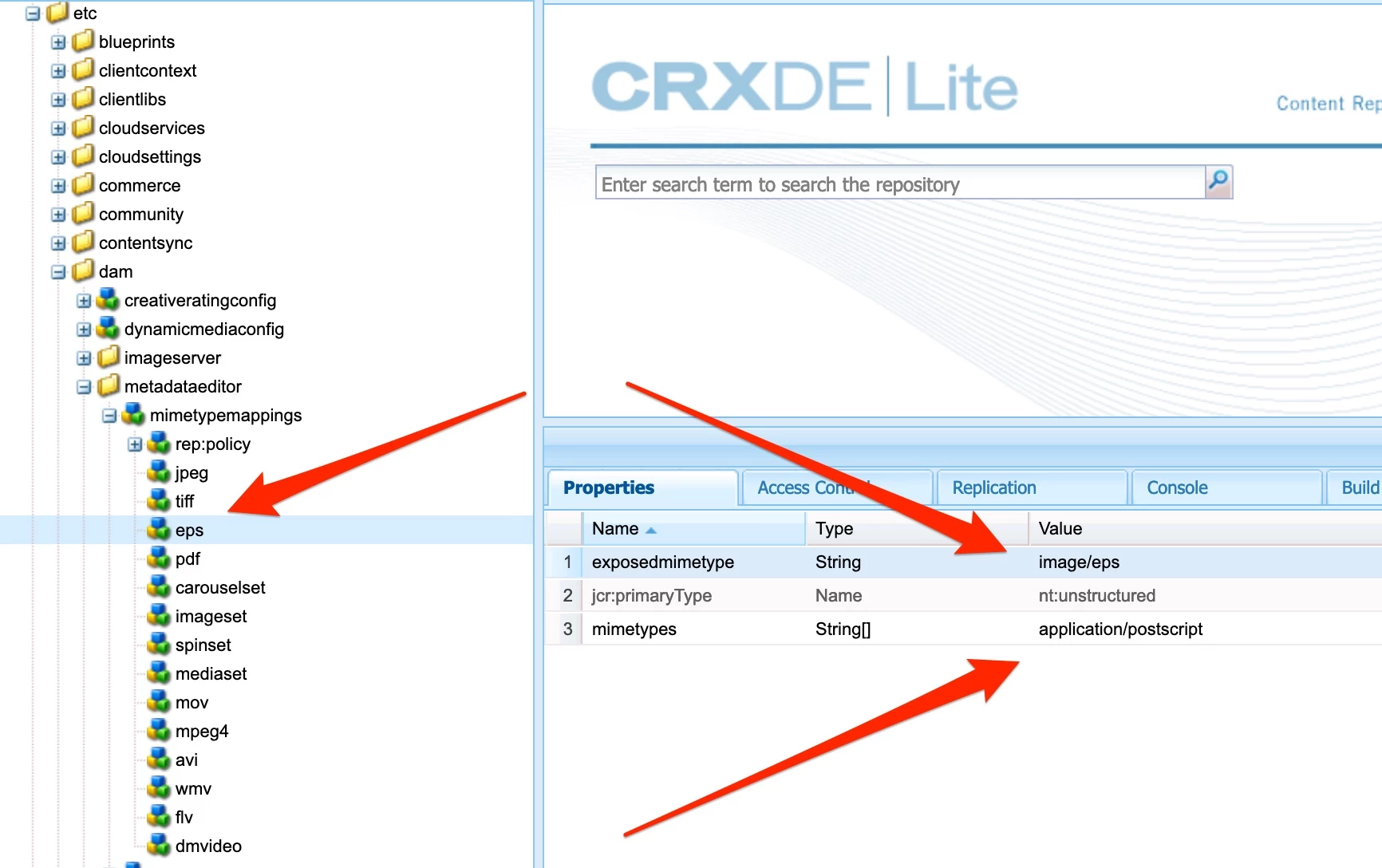
⚠️Please be aware that order matters - so your eps node have to be located before pdf node. It's because pdf node is also connected with application/postscript MIME type - so first match will be selected.
2 replies

lukasz-m
lukasz-mAccepted solution
New Participant
April 1, 2022

Hi @mrudulmo, I was able to reproduce the issue on my local instance. I think you need to add new Schema form for MIME type. It is because only some schemas are available OOTB, here is the documentation.

Background of observed issue:

If you will look under /system/console/mimetypes you will see that *.eps extension is correlated with application/postscript MIME type.

Knowing that, if you will refer to the documentation - application/postscript is already associated with application/pdf schema form. This is why your custom eps schema is not applied.

Solution

You will need to follow below guide additinaly to what you have already configured.

Create new Schema form for application/postscript MIME type and connect it with *.eps extension. This will allow to recognize your custom metadata schema correctly. Assuming your schema for *.eps files is located under image schemas, you have to add below eps node under /etc/dam/metadataeditor/mimetypemappings. This can be done directly from crx/de or from code e.g. you can include it in your crx package. See below screen, with all the details:

⚠️Please be aware that order matters - so your eps node have to be located before pdf node. It's because pdf node is also connected with application/postscript MIME type - so first match will be selected.

MrudulMoAuthor
New Participant
April 4, 2022

Thanks for your time @lukasz-m ! This worked!

Nitin_laad
New Participant
April 1, 2022

@mrudulmo I do not see any issue in adding a new tab in custom metadata schema and adding a new field. 

I am not sure if missing anything here. 

Refer below link 

https://experienceleague.adobe.com/docs/experience-manager-64/assets/administer/metadata-schemas.html?lang=en