dam:Scene 7 File Status : Process failed, how to resolve? | Community
Skip to main content
New Participant
September 17, 2022
Solved

dam:Scene 7 File Status : Process failed, how to resolve?

  • September 17, 2022
  • 4 replies
  • 5020 views

Hi Community,

 i have been trying out the Dynamic media in my latest cloud SDK, i have created an image profile to a folder in dam and uploaded an image . But the image shows processing failed everytime and the workflow status shows always "Process Failed".

Workflow history is below
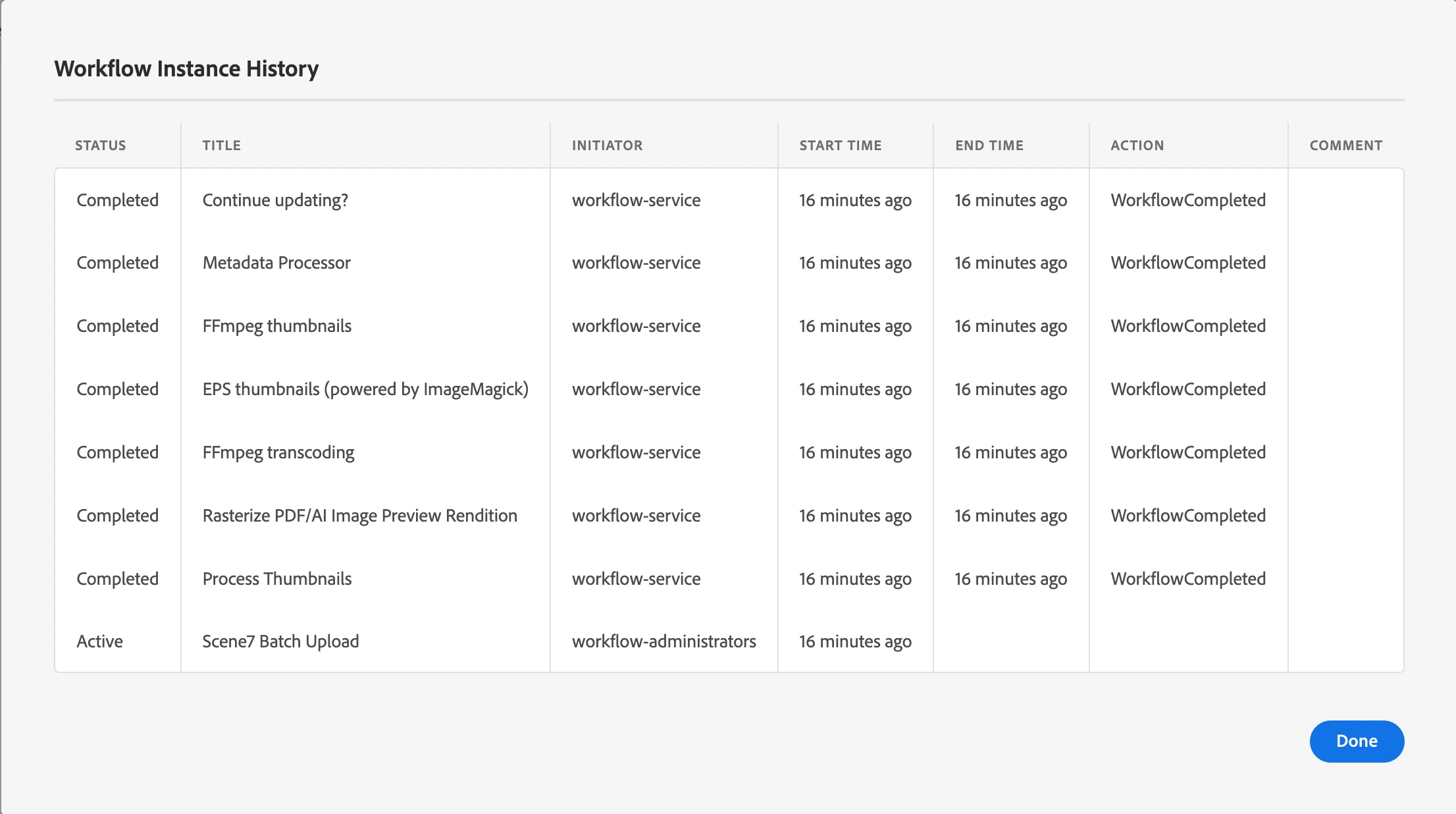
 

The metadata properties for it also shows => 

How do I resolve it ??

This post is no longer active and is closed to new replies. Need help? Start a new post to ask your question.
Best answer by Sachin_Arora_

So the error is  "Failed to create a S7 IPS job". Try following things if it helps

  • Check Scene7 configuration if connection is still getting established.
  • Install  Dynamic Media Classic desktop application as you can see reason of failed job with details.
  • Create a log file set to debug level for following packages : com.adobe.cq.dam.ips & com.day.cq.dam.scene7. Please share logs if you find something useful apart from screenshot error.
  • Try with other images as well, sometimes corrupted image causes issue.

Last option is to raise a support ticket in Adobe.

4 replies

Jagadeesh_Prakash
New Participant
September 18, 2022

@kiran_22_12 

Below are multiple reasons that could be causing this issue, 


1. Check your Dynamic media connection

2. Maybe the user name and password for the DM would have expired or access has been lost

3. Check if the user is having the proper access permissions for the environment.

4. Check if you have the correct access to publish the assets or if any custom wf written for publishing the asset

5. Check for logs for any unusual erros 


Manu_Mathew_
New Participant
September 18, 2022

@kiran_22_12 can you check the dynamic media configuration / connection is working fine, or is there any firewall or any IP whitelisting needed, Also check the logs for any errors while uploading 

Sachin_Arora_
New Participant
September 18, 2022

Please check the log file to get the exact root cause. There could be a connectivity issue between your server and Scene7. Please share logs to help you further.

New Participant
September 19, 2022

Hi, @sachin_arora_ . these are the logs im getting

Sachin_Arora_
Sachin_Arora_Accepted solution
New Participant
September 19, 2022

So the error is  "Failed to create a S7 IPS job". Try following things if it helps

  • Check Scene7 configuration if connection is still getting established.
  • Install  Dynamic Media Classic desktop application as you can see reason of failed job with details.
  • Create a log file set to debug level for following packages : com.adobe.cq.dam.ips & com.day.cq.dam.scene7. Please share logs if you find something useful apart from screenshot error.
  • Try with other images as well, sometimes corrupted image causes issue.

Last option is to raise a support ticket in Adobe.

Nitin_laad
New Participant
September 17, 2022

@kiran_22_12 check your scene7/dynamic media configuration.. appears that assets are not getting published to scene7 causing this

New Participant
September 19, 2022

Thank you @nitin_laad , the configuration was used with pre-populated values and somehow that was causing issue that showed invalid username and password. I re-configured it by typing this time and it worked.