display custom property in form option field | Community
Skip to main content
Level 2
Dec 11, 2021 4:28 PM UTC
Solved

display custom property in form option field

Hello everyone

I have a this node structure in my project :
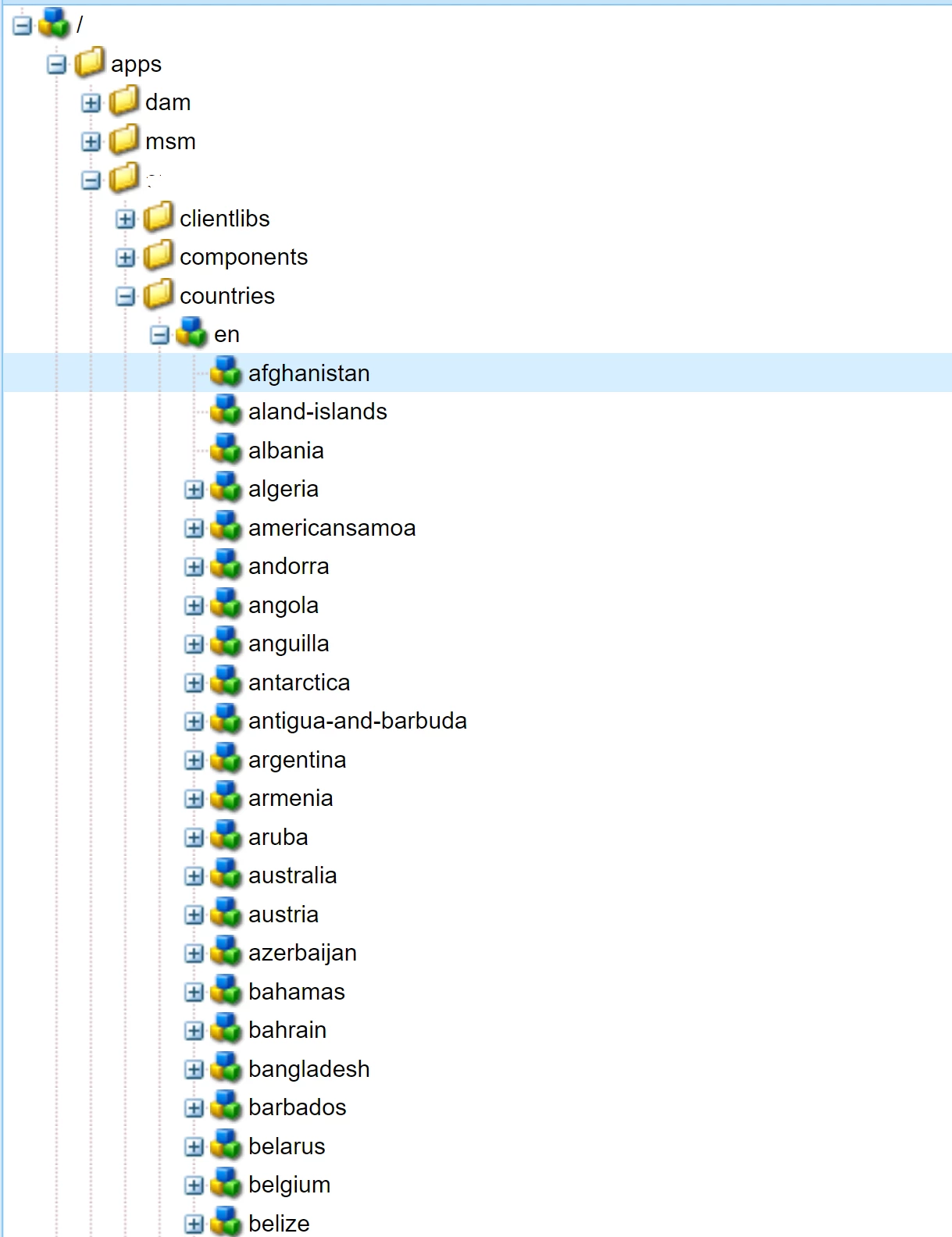
 

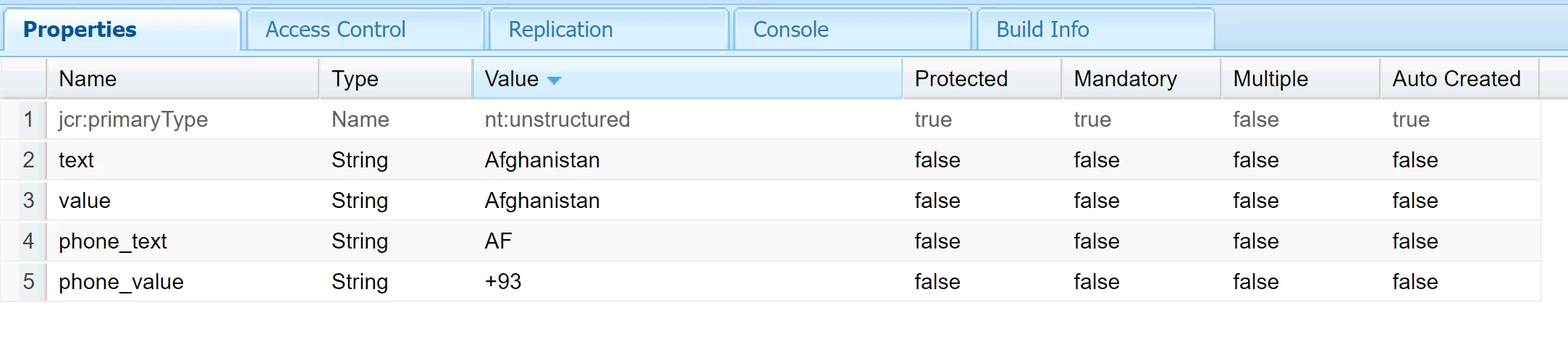
Which contains all the countries, and each node country(like Afghanistan) contains the following properties:
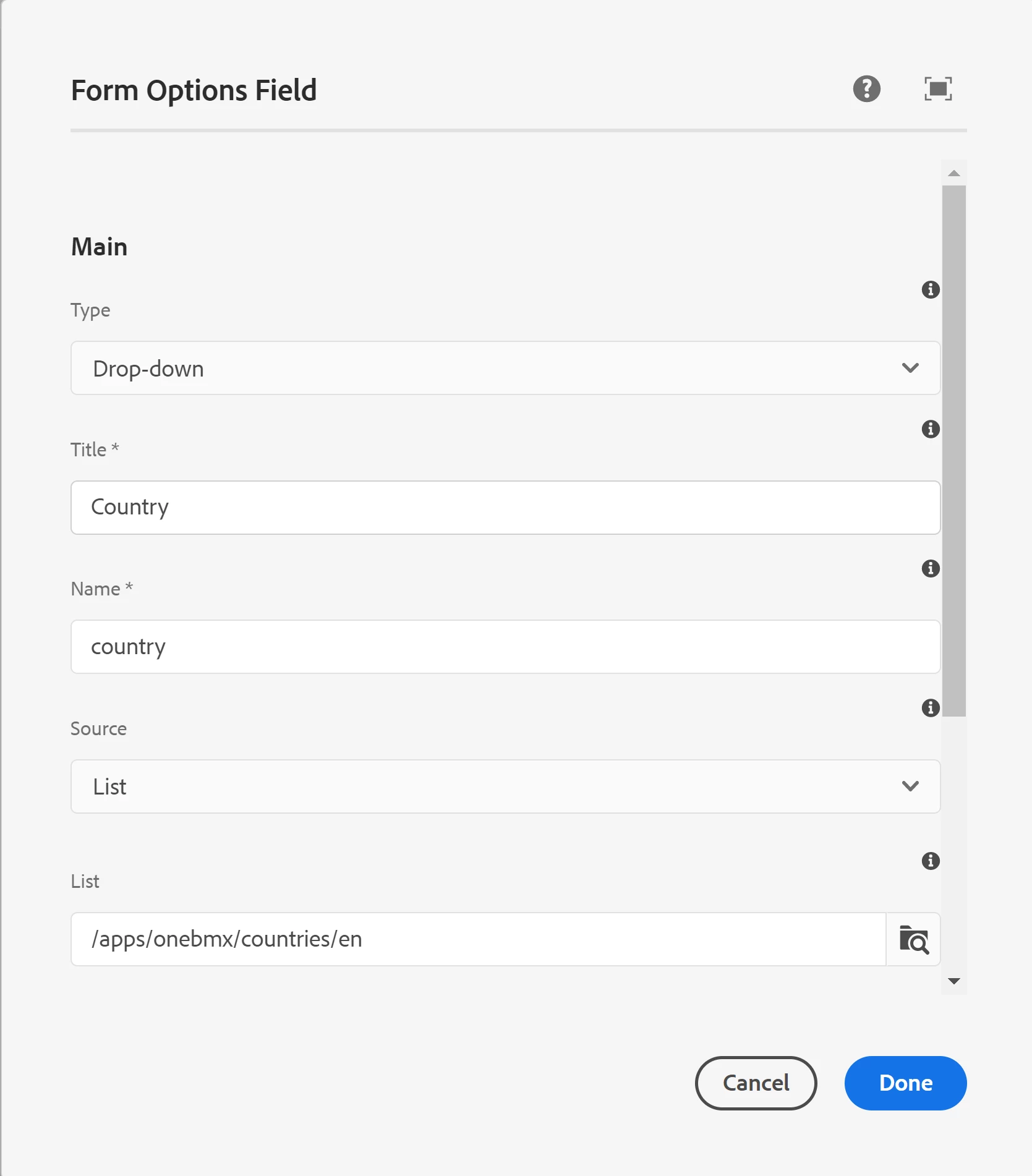
And in my page I have a form option field which points to my list countries
 

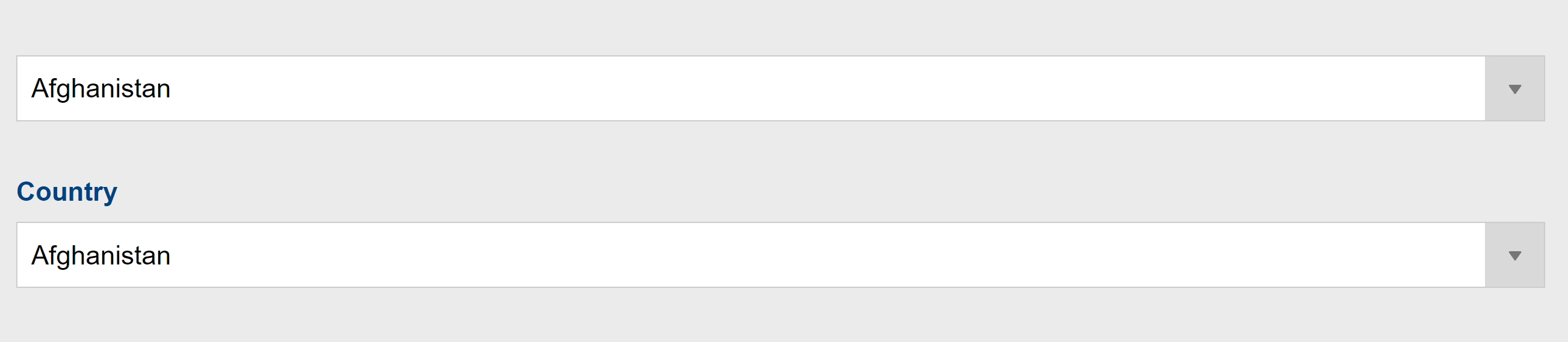
And the form options display the property text of each country
What I would like to do is that I would like to create another form where I can display the “phone_text” property instead of the “text”, Is there any way to do it or I will have to create another list ?


Thanks in advance

This post is no longer active and is closed to new replies. Need help? Start a new post to ask your question.
Shubham_borole
Shubham_boroleAccepted solution
New Participant
Dec 16, 2021 2:38 PM UTC

ok Thanks for displaying that. However for reading from same source node, please try to follow my previous suggestion..

I am not aware of something or some way that would make phone_text/phone/value as selectable by the datasource property unless we try to read it by backend, hence thought of servlet approach

3 replies

Shubham_borole
New Participant
Dec 12, 2021 6:54 PM UTC

Hi @odabio 
How are you obtaining the dropdown values for country names in your form?


Following can be tried. There are examples of obtaining the options by pointing the 'datasource' node of the component to the desired servlet path which in turn returns the final desired dropdown options with key and value


                             <datasource
                                        jcr:primaryType="nt:unstructured"
                                        sling:resourceType="/apps/project/functiondropdowns"
                                        dropdownSelector="countries"/>

/apps/project/functiondropdown will call the servlet. 

You can try similar approach by invoking the servlet and getting the dropdown values as country names or phone text/values based on the selection


See https://redquark.org/aem/day-17-granite-datasources/ for example. Call the servlet and return the desired text/values in json as per selection


Translate
odabioAuthor
Level 2
Dec 13, 2021 9:46 AM UTC

This is how I'm obtaining my list (just config the source to list and in the list I point ot the list)

Translate
Shubham_borole
Shubham_boroleAccepted solution
New Participant
Dec 16, 2021 2:38 PM UTC

ok Thanks for displaying that. However for reading from same source node, please try to follow my previous suggestion..

I am not aware of something or some way that would make phone_text/phone/value as selectable by the datasource property unless we try to read it by backend, hence thought of servlet approach

Translate