DTM in AEM: Error "Verify the values of the marked fields." when trying to uncheck Author option | Community
Skip to main content
New Participant
May 3, 2018
Solved

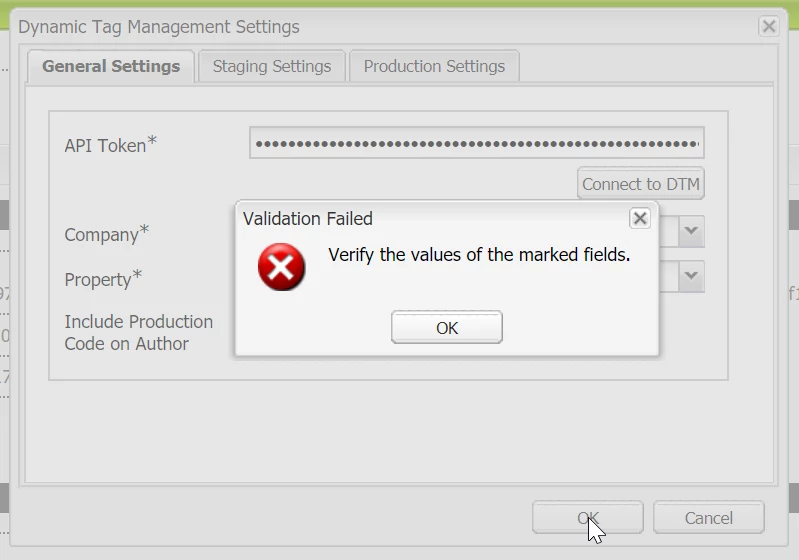
DTM in AEM: Error "Verify the values of the marked fields." when trying to uncheck Author option

  • May 3, 2018
  • 3 replies
  • 2454 views

Trying to setup DTM in AEM under Cloud Settings.

I get this error when trying to uncheck the "Include Production Code on Author" option.

What could cause this?

All the fields are populated on all tabs.
This post is no longer active and is closed to new replies. Need help? Start a new post to ask your question.
Best answer by alexr21

The problem is gone, without exact cause determination. I believe it might have been due to lack of Admin privileges.

3 replies

New Participant
January 20, 2019

I was having this problem when trying to make changes to existing DTM Settings.

Settings could not be saved in the dialog by pressing OK.

We are not using the self hosting option, but I found that if I checked and unchecked the
Use self hosting checkbox on both the Staging Settings and Production Settings tabs,
the dialog would save when I pressed OK.

alexr21AuthorAccepted solution
New Participant
May 8, 2018

The problem is gone, without exact cause determination. I believe it might have been due to lack of Admin privileges.

kautuk_sahni
Employee
May 4, 2018

Are you using the self hosting option? Usually, when this happens, one of the mandatory fields on either of the 3 tabs of the dialog is empty. My guess is that the value to one of the staging or production Domain Hint fields  are not correct. These values must contain only the host name, without the protocol part. These fields should be marked with red though, if their values are incorrect.

-kautuk

Kautuk Sahni