Editing Metadata schema form editor all properties of tags are not visible | Community
Skip to main content
New Participant
March 13, 2023
Solved

Editing Metadata schema form editor all properties of tags are not visible

  • March 13, 2023
  • 1 reply
  • 615 views

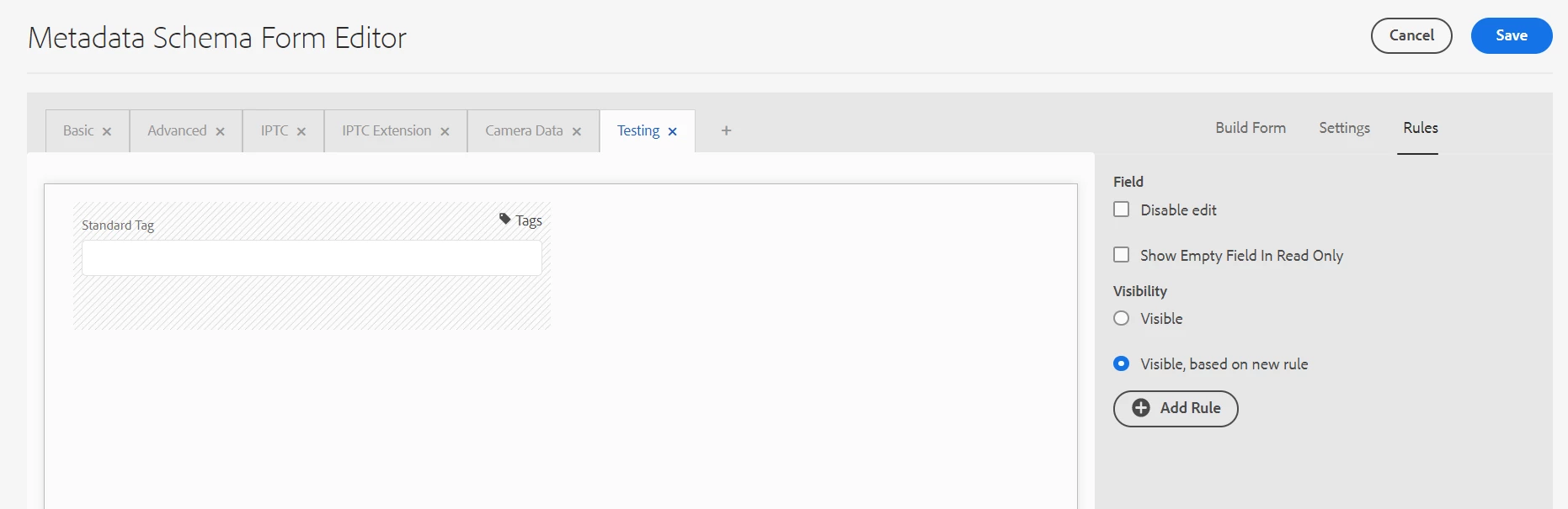
I have added a standard tag, and I can't make it require and single selection of tag. How can I make it required and single selection from the list of tags not multiple

This post is no longer active and is closed to new replies. Need help? Start a new post to ask your question.
Best answer by lukasz-m

Hi @ronnie09,

You can't set Standard Tag to required and/or single selection from Metadata Schema GUI. However base on a fact that Standard Tag is using /libs/cq/gui/components/coral/common/form/tagfield, you can utilize pops that are supported by this component:
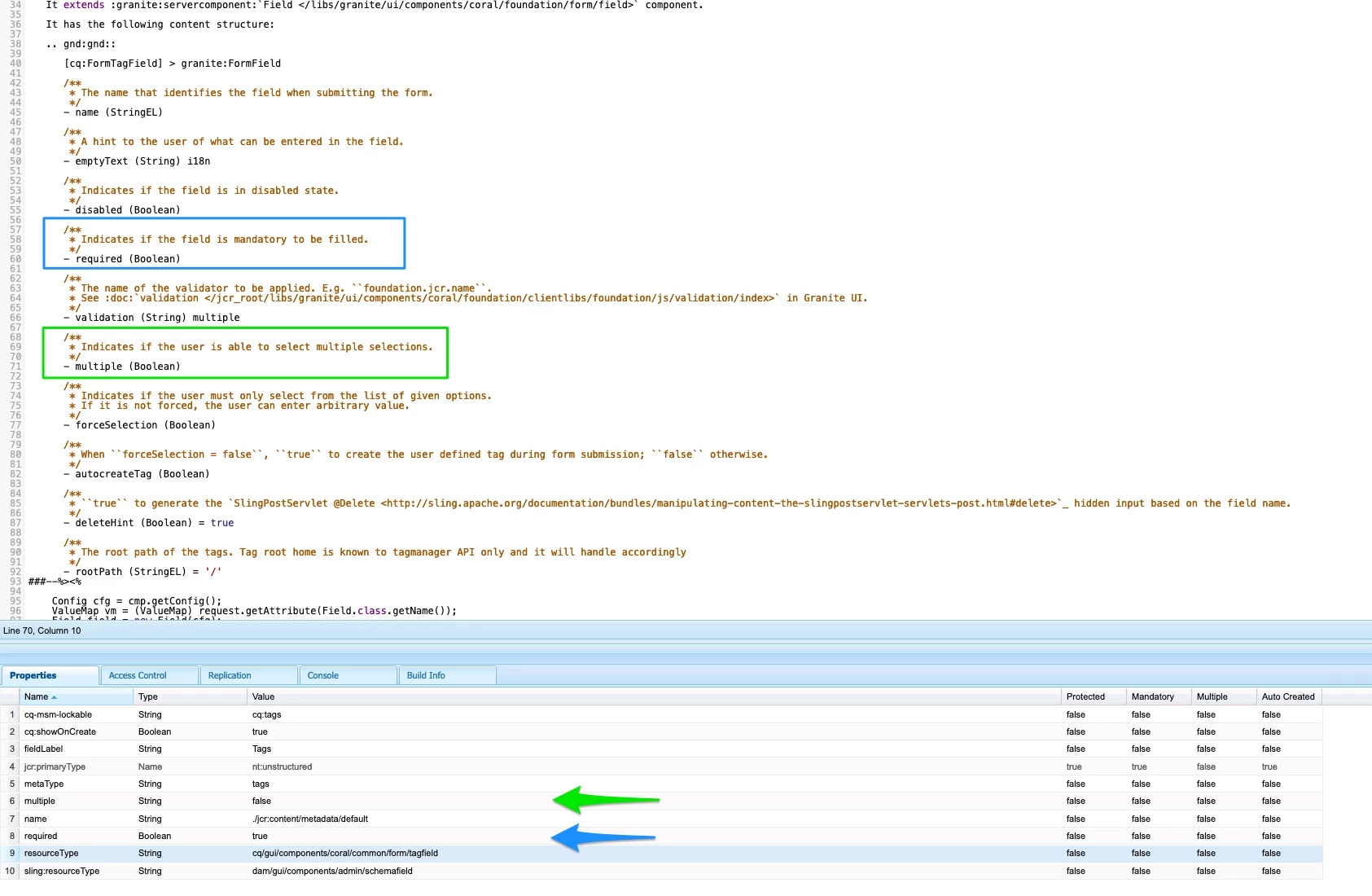
On crx level make following changes on your schema level for Standard Tag filed you have added:

  • add required property with value true
  • change value of multiple property to false

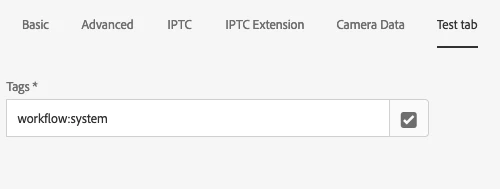
Result
Alternatively you can create your own component that you will use under Metadata Schema to full fill your requirements.
1 reply

lukasz-m
lukasz-mAccepted solution
New Participant
March 13, 2023

Hi @ronnie09,

You can't set Standard Tag to required and/or single selection from Metadata Schema GUI. However base on a fact that Standard Tag is using /libs/cq/gui/components/coral/common/form/tagfield, you can utilize pops that are supported by this component:

On crx level make following changes on your schema level for Standard Tag filed you have added:

  • add required property with value true
  • change value of multiple property to false

Result

Alternatively you can create your own component that you will use under Metadata Schema to full fill your requirements.