Editing the Insert new component dialog. | Community
Skip to main content
New Participant
May 11, 2018
Solved

Editing the Insert new component dialog.

  • May 11, 2018
  • 2 replies
  • 789 views

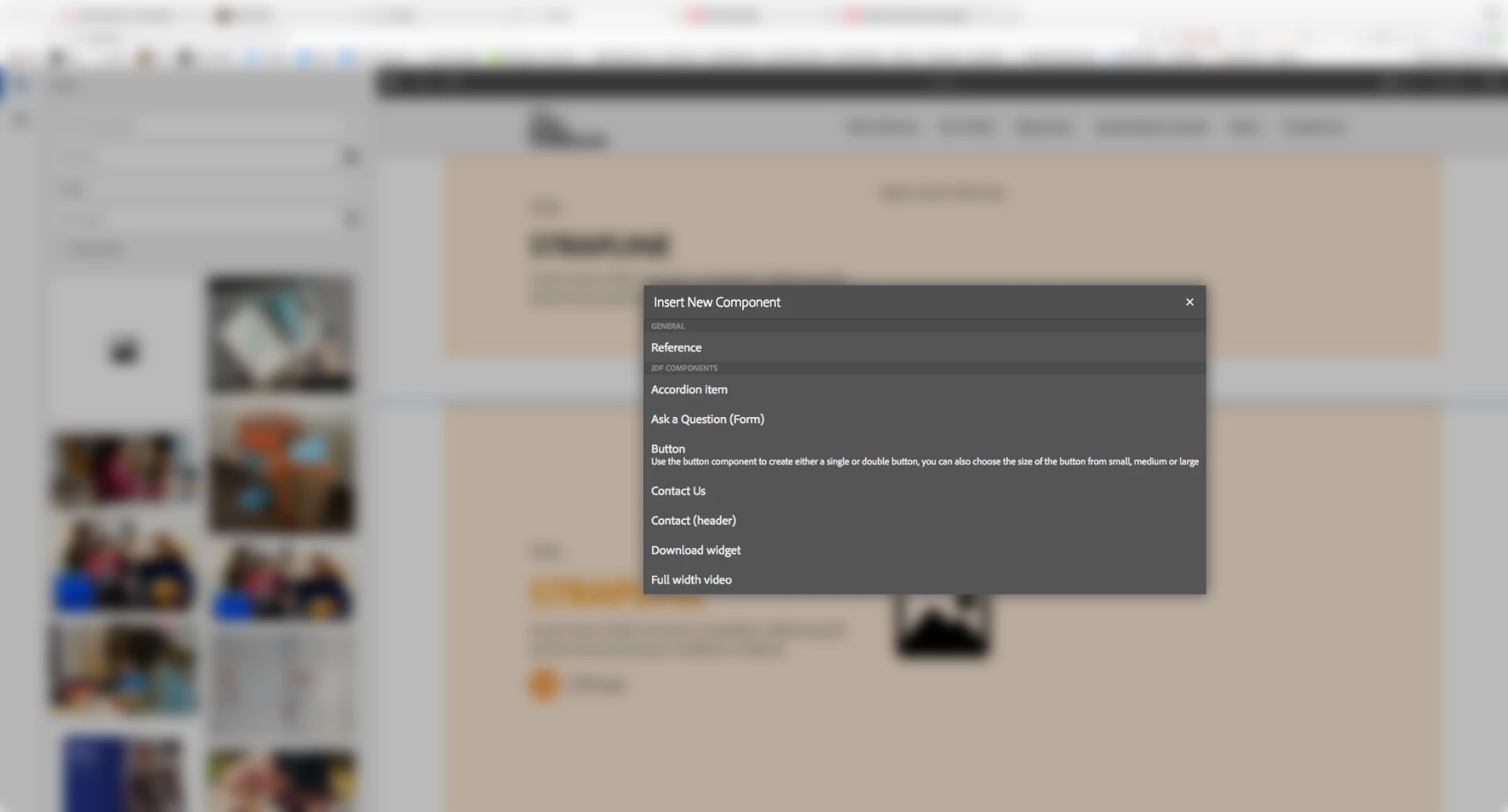
I'm trying to find a decent way to add descriptions to the component list. I can see you can categorise your components but it would be great to describe the component for the editor before they select one, especially with a site with many components to choose from.

Has anyone found an in-built way of doing this?

Screenshot of desired result attached.
This post is no longer active and is closed to new replies. Need help? Start a new post to ask your question.
Best answer by edubey

It's not support as of now but description does appear in component finder

Here is the file which has the code base, you can try to use it

/libs/cq/gui/components/authoring/editors/clientlibs/core/js/edit/ToolbarActions/edit.ToolbarActions.INSERT.js

2 replies

edubey
edubeyAccepted solution
New Participant
May 11, 2018

It's not support as of now but description does appear in component finder

Here is the file which has the code base, you can try to use it

/libs/cq/gui/components/authoring/editors/clientlibs/core/js/edit/ToolbarActions/edit.ToolbarActions.INSERT.js

smacdonald2008
New Participant
May 11, 2018

I suppose you can override the new COmponent dialog. However - i am nto aware of any examples, articles or tutorials that discuss this.