Error while building a project using Manven | Community
Skip to main content
New Participant
January 5, 2022
Solved

Error while building a project using Manven

  • January 5, 2022
  • 4 replies
  • 6348 views

hi all,
I'm trying to build a sample project using maven archetype, but encountered an error.

archetype
mvn -B archetype:generate -D archetypeGroupId=com.adobe.aem -D archetypeArtifactId=aem-project-archetype -D archetypeVersion=26 -D appTitle="My Project" -D appId="myproject" -D groupId="com.myproject.aem" -D artifactId="myproject-aem-project" -D version="1.0.0-SNAPSHOT" -D aemVersion="6.5.0" -D includeDispatcherConfig=n -D includeExamples=n
Please let me know how to resolve this.
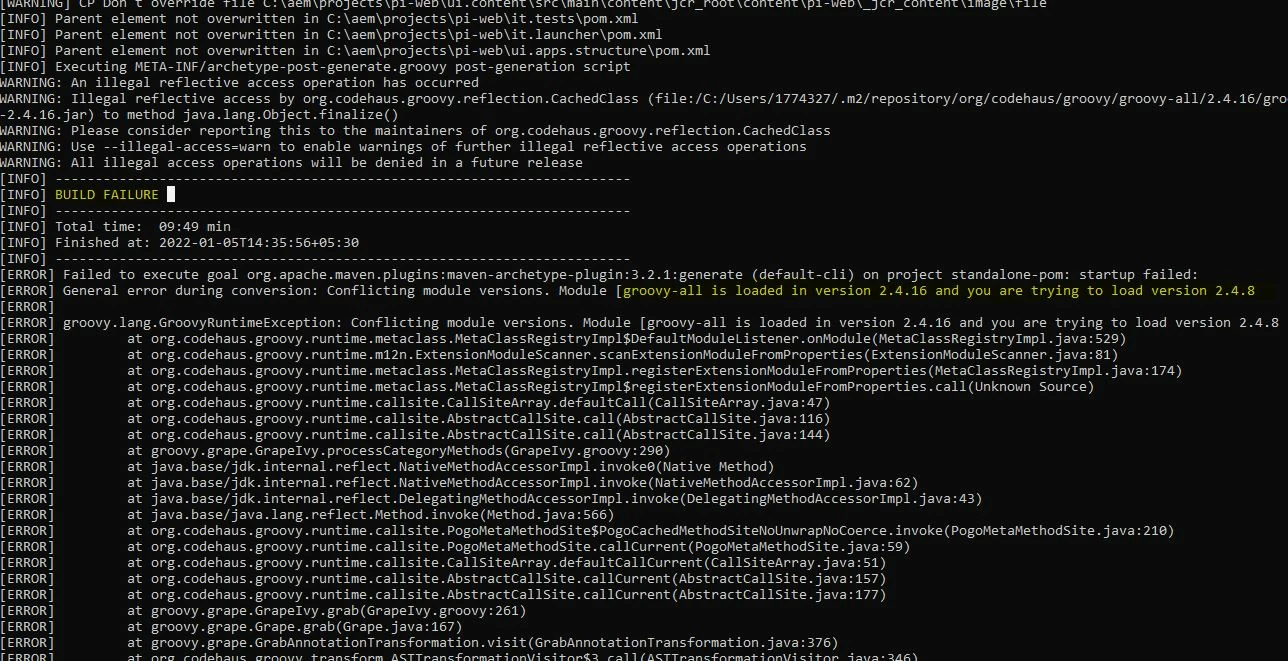

I'm using Maven - 3.6.3, JDK - 11,  AEM 6.5.0

I also checked adobe profile in .m2/settings.xml/ (working fine) and deleted the repositories and ran the same archetype but still facing the same error.


This post is no longer active and is closed to new replies. Need help? Start a new post to ask your question.
Best answer by milind_bachani

hi @rohith_m ,

Please updated the following POM found at path :
.m2/repository/org/apache/maven/archetype/archetype-common/3.2.1/archetype-common-3.2.1.pom and update the groovy-all dependency version from 2.4.16 to 2.4.8:

   <dependency>
      <groupId>org.codehaus.groovy</groupId>
      <artifactId>groovy-all</artifactId>
      <version>2.4.8</version>
      <scope>compile</scope>
    </dependency>

And then delete the created project folder and re-run the command you are using.
I have tested locally and works well for me.

Thanks.

4 replies

rohith_mAuthor
New Participant
January 5, 2022

Thanks for the replies.
hey @arunpatidar 
I replaced the given file still issue not solved. the thread continued to change the gradle and all , But why there is no optimal solution for this.
hi @joerghoh 
Even the latest archetypes giving the same errors.
Hi @milind_bachani 
It worked. saved my day.
got build success.

Thanks all.
keep answering these kinda queries, this will be helpful for candidates like me.

joerghoh
Employee
January 5, 2022

I would recommend to switch to a newer version of the archetype. Current version should be 32.

milind_bachani
milind_bachaniAccepted solution
Employee
January 5, 2022

hi @rohith_m ,

Please updated the following POM found at path :
.m2/repository/org/apache/maven/archetype/archetype-common/3.2.1/archetype-common-3.2.1.pom and update the groovy-all dependency version from 2.4.16 to 2.4.8:

   <dependency>
      <groupId>org.codehaus.groovy</groupId>
      <artifactId>groovy-all</artifactId>
      <version>2.4.8</version>
      <scope>compile</scope>
    </dependency>

And then delete the created project folder and re-run the command you are using.
I have tested locally and works well for me.

Thanks.

arunpatidar
New Participant
January 5, 2022