Excluding references in Translation Project | Community
Skip to main content
New Participant
August 3, 2023
Solved

Excluding references in Translation Project

  • August 3, 2023
  • 2 replies
  • 848 views

OOTB, when we include a Page in a Translation Project, language copies are also created for all referenced assets.


We have tried Exclude Children option also in Translation Project, but no luck.


Requesting suggestions on how we can exclude the Language copy creation for references, when needed. And include when needed.
This post is no longer active and is closed to new replies. Need help? Start a new post to ask your question.
Best answer by aanchal-sikka

Hello @learningneverstops 


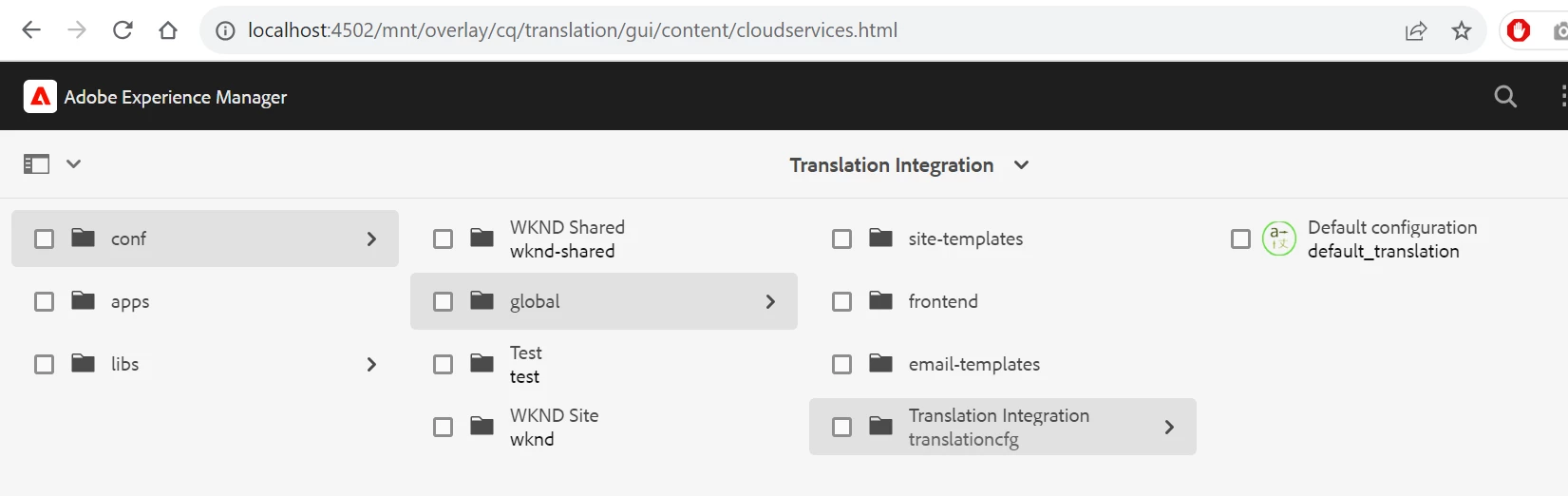
We can skip Translation of references by updating Translation configs.


By default, its present at: 


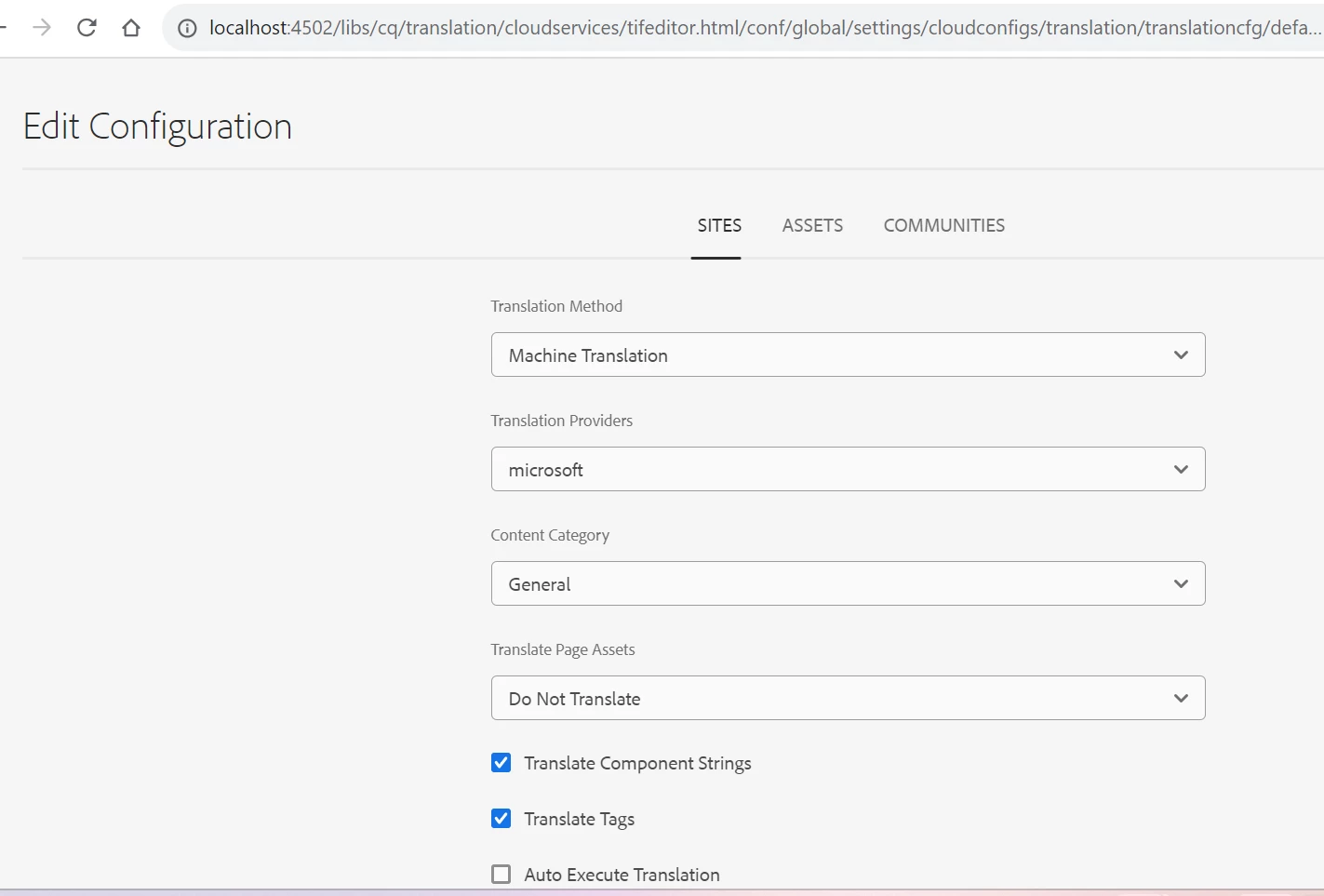
For Pages, select "Do not Translate" for "Translate Page Assets" dropdown

Similar config "is also present in Assets tab for references used in Content Fragments 


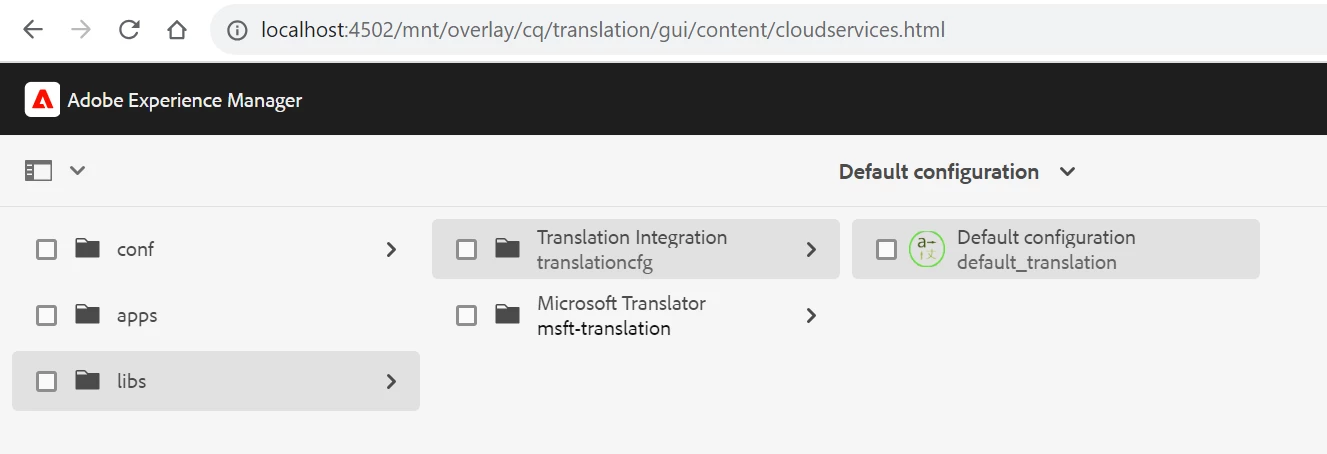
After edit, new location would be:

You can also create configs under your project specific folder


Please note, once "Do not translate" option is configured, reference paths would not be localized either. That is an image path "/content/dam/en/abc.jpg" would not be automatically updated to "/content/dam/de/abc.jpg"


2 replies

aanchal-sikka
aanchal-sikkaAccepted solution
New Participant
August 4, 2023

Hello @learningneverstops 


We can skip Translation of references by updating Translation configs.


By default, its present at: 


For Pages, select "Do not Translate" for "Translate Page Assets" dropdown

Similar config "is also present in Assets tab for references used in Content Fragments 


After edit, new location would be:

You can also create configs under your project specific folder


Please note, once "Do not translate" option is configured, reference paths would not be localized either. That is an image path "/content/dam/en/abc.jpg" would not be automatically updated to "/content/dam/de/abc.jpg"


Aanchal Sikka
New Participant
August 3, 2023

@learningneverstops 

You need to exclude assets from the translation to avoid creating language copies of assets.

To do this you need to update the translation integration config for your project.

Under Assets tab Select translation method as "Do Not Translate" and uncheck "Translate Assets" checkbox.

New Participant
August 4, 2023

Thank you @salamswapnil  for sharing the details