Experience Fragment Blank page | Community
Skip to main content
varuns46785756
Level 5
Jun 24, 2019 7:35 PM UTC

Experience Fragment Blank page

Hi All,

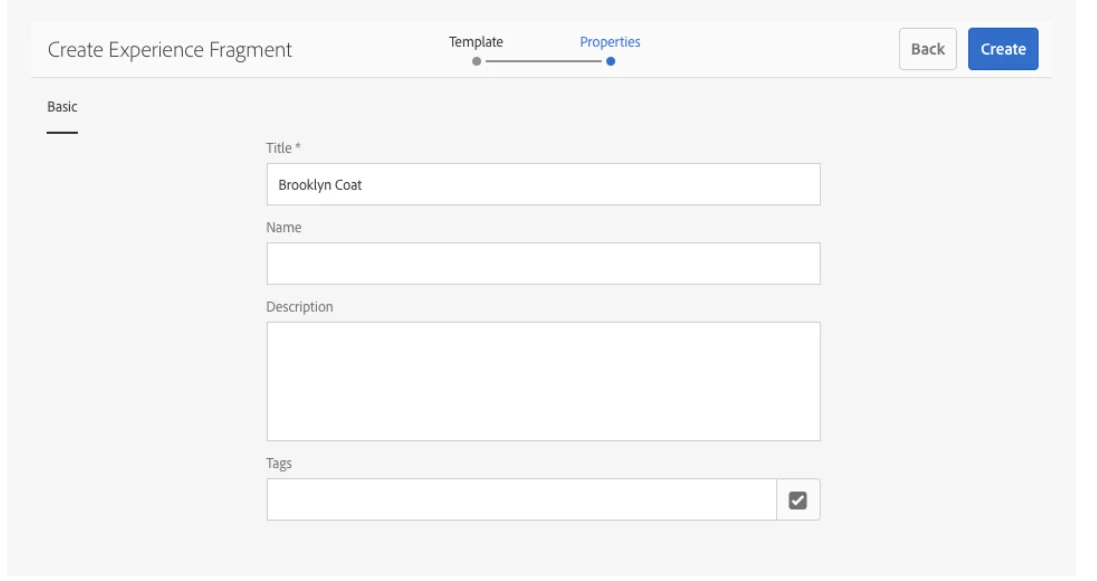
I am creating Experience fragment first time in AEM6.4 as per the instruction in this link (Experience Fragments ) but when I am creating Experience fragment I am not getting fields to enter the values, I am getting blank page like below screen shot:
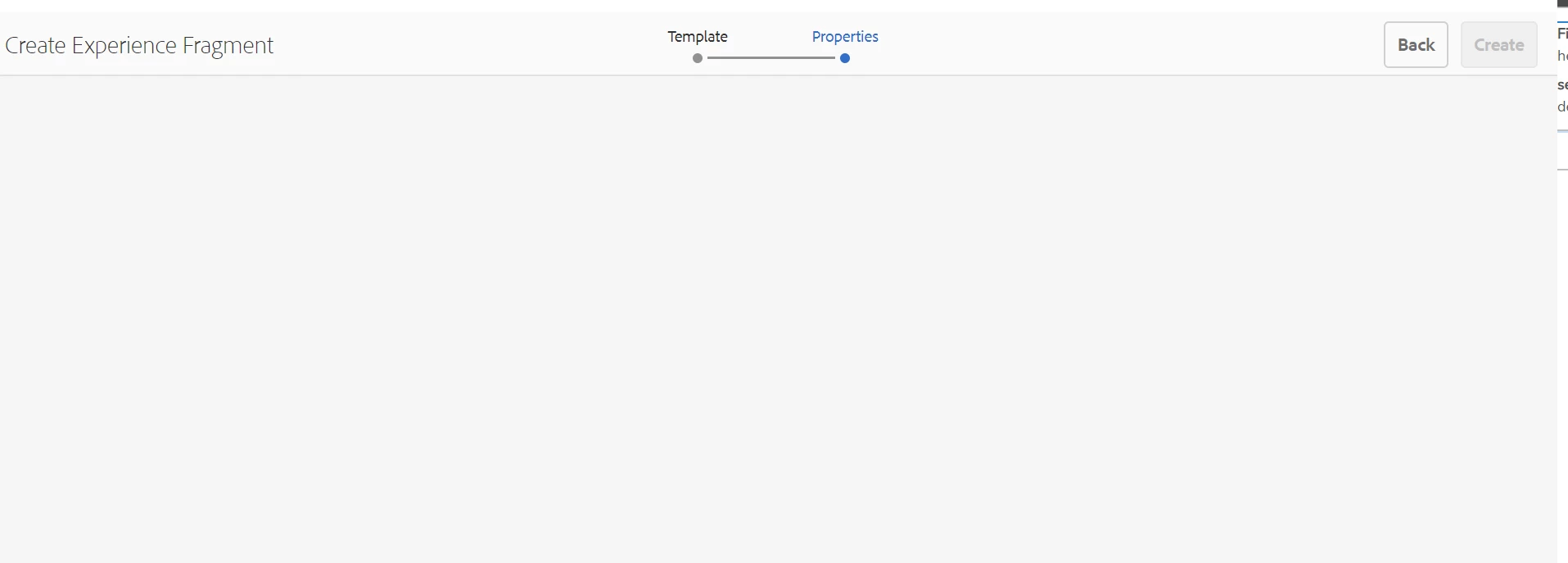
it should be like second screen shot, is there anything extra do I need to add here, Please suggest:

It's working fine in AEM6.3, only issue in AEM6.4.
Regards,

This post is no longer active and is closed to new replies. Need help? Start a new post to ask your question.

9 replies

varuns46785756
Level 5
Jun 26, 2019 3:31 PM UTC

Hi All,

Please suggest on the below error while using  " plain " in URL in publish getting the error only in publish instance:

1

Cannot serve request to /content/experience-fragments/kop/tos/master.plain.html on this server


ApacheSling/2.6 (jetty/9.3.22.v20171030, Java HotSpot(TM) 64-Bit Server VM 1.8.0_211, Windows 10 10.0 amd64)
Translate
varuns46785756
Level 5
Jun 25, 2019 7:49 PM UTC

I have tried and converting the XF in json format but what about the use of  "plain"  in master.plain.html".

Can I use this to share the content with different web applications.When I am using "plain" parameter in publish url: http://localhost:4503/content/experience-fragments/kop/tos/master.plain.html

I am getting below error:

1

Cannot serve request to /content/experience-fragments/kop/tos/master.plain.html on this server


ApacheSling/2.6 (jetty/9.3.22.v20171030, Java HotSpot(TM) 64-Bit Server VM 1.8.0_211, Windows 10 10.0 amd64)
Regards,
Translate
varuns46785756
Level 5
Jun 25, 2019 5:14 PM UTC

Hi All,

Thanks for all the suggestions.

@Bharath: I have create new local AEM6.4 instance and its working fine now, without doing or installing anything.I am not sure what is the wrong with my previous AEM instance. Now I have created XF by using default weretail template and using the same on my page.

XF on auhtor: http://localhost:4502/content/experience-fragments/kop/tos/master.html

XF on publish: http://localhost:4503/content/experience-fragments/kop/tos/master.html

Page name;

author: http://localhost:4502/content/we-retail/language-masters/en/tos.html

publish http://localhost:4503/content/we-retail/language-masters/en/tos.html

Now I need to share the content( image and text) of this page with third party website and there website is running on different technology not on AEM. How can I share the content with them.

Regards,

Translate
Bharath_valse
Level 4
Jun 25, 2019 6:10 PM UTC

Please go through document [1] which might be helpful for exposing XF

[1]

Adobe Experience Manager Help | Understanding Content Fragments and Experience Fragments in AEM

Translate
arunpatidar
New Participant
Jun 25, 2019 10:37 AM UTC

Hi,

Are you using OOTB templates or did you created your own templates for XF.

Make sure you the template's sling:resourceType point to the correct page component.

The issues seems with missing resource or other super resources which part of XF template

Translate
Arun Patidar
Employee
Jun 25, 2019 1:33 PM UTC

You may wanna ensure you have the proper user permissions to perform this task.
http://host:port/useradmin

Translate
varuns46785756
Level 5
Jun 24, 2019 11:51 PM UTC

Hi Bharath,

I don't have any overlays under /app and even no console error.Same thing is working in AEM6.3 but not in AEM6.4.

Do I need to install any other package.I have installed SP6.4.2 and acs-commons-3.16.1

Translate
Bharath_valse
Level 4
Jun 25, 2019 12:38 AM UTC

The properties within the wizard is derived from below path

/libs/cq/experience-fragments/components/experiencefragment/cq:dialog/content/items/tabs/items/basic/items/column_1/items

make sure these properties exists in the above path. If they exist, make sure to check  XF templates /libs/cq/experience-fragments/components/experiencefragment/template have no overlays

Also you could try Rebuilding Clientlibs

Goto http://localhost:4502/libs/granite/ui/content/dumplibs.rebuild.html

Click on "Invalidate Caches"

Click on "Rebuild Libraries", this might take ~10mins to complete. please wait till the browser loads completely

If its your local instance, please rebuild you instance. XF should work with 6.4 without any service packs.

Translate
Bharath_valse
Level 4
Jun 24, 2019 10:47 PM UTC

Couple of things you could try:

- Make sure to check  XF related overlays under /apps. Disable the overlays(by renaming the overlay folder) and check again. eventually fix the overlay by comparing the /libs file

- Try clearing browser cache and retry again

- Any browser console errors or backend error in the logs?

Translate