Extended component not showing in layout container | Community
Skip to main content
Level 2
Aug 9, 2023 5:18 AM UTC
Solved

Extended component not showing in layout container

Hello community ! I have been following the tutorials from https://solutionpartners.adobe.com/training/learning_program/learningProgram52525.html?PRIME_BASE=https://learningmanager.adobe.com&code=dce6710d05b7518b771a6751930dfb82&state=state1

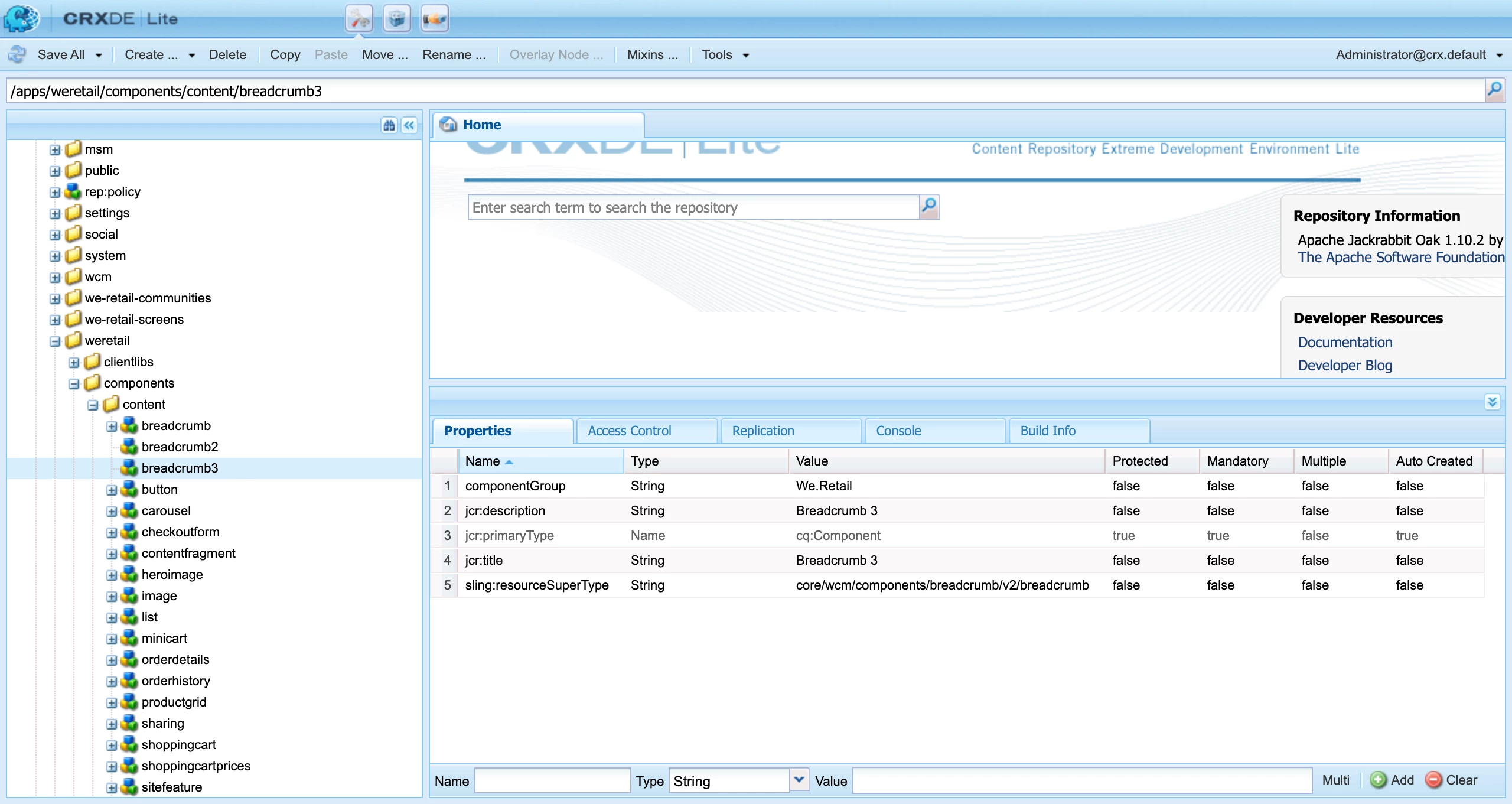
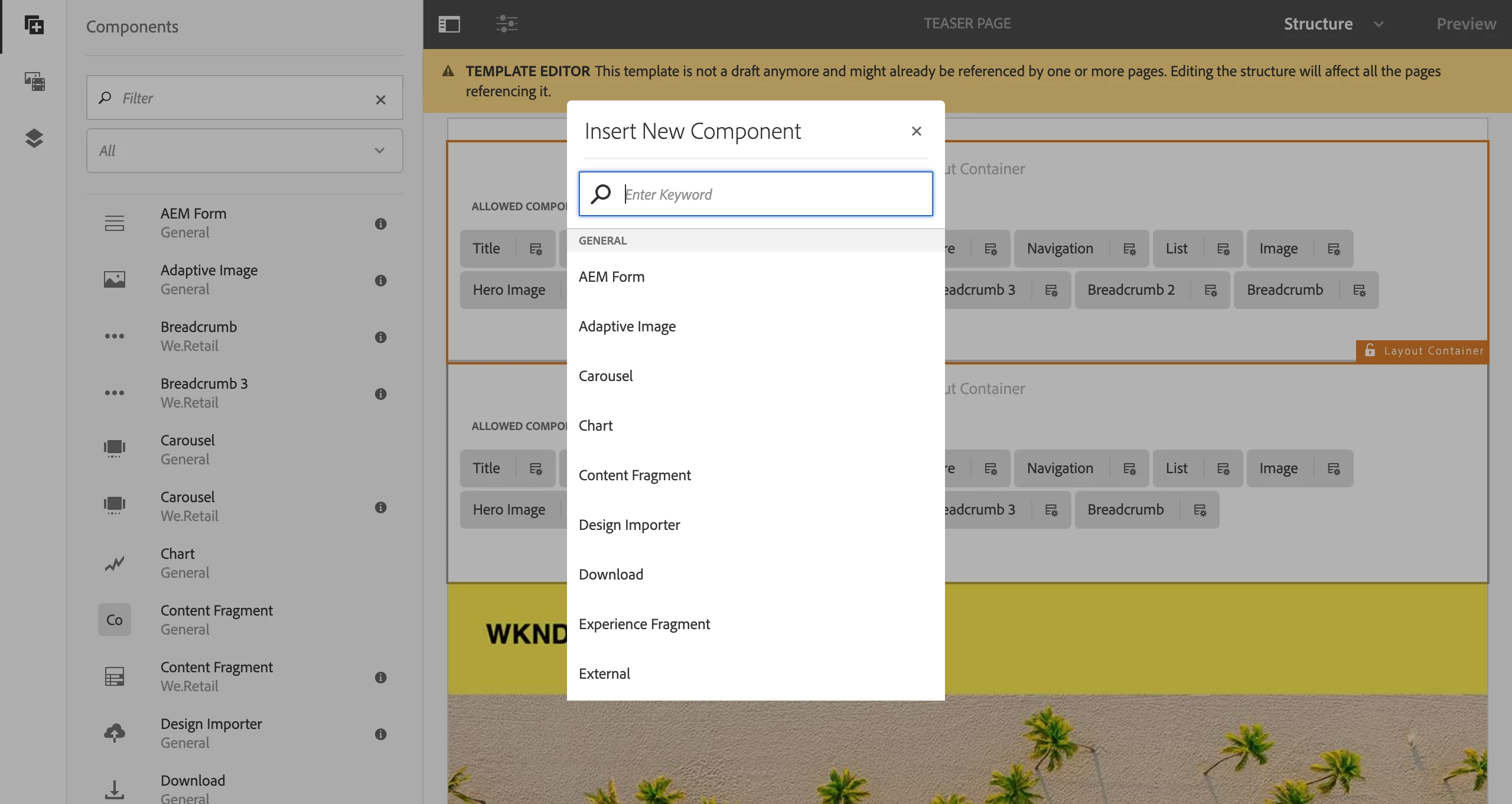
and I am stuck with a extended component I am trying to use. I have extended it from core/wcm/components/breadcrumb/v2/breadcrumb and name it as breadcrumb3 inside the We.Retail folder, however at the time I try to put it available in the container using the policies I can not access to it. Please have a look at the images.


I will remain attentive to any ! Thanks !

This post is no longer active and is closed to new replies. Need help? Start a new post to ask your question.
aanchal-sikka
aanchal-sikkaAccepted solution
New Participant
Aug 9, 2023 10:55 AM UTC

Hello @johnga2 


If we have 3 containers on a page, the Sidebar will list components for all 3 of them. But, you will only be able to drop the component, that is configured for that container.


Better is to select the container, click on + icon. This would ensure that only the allowed components for that container are listed.


Also, can you please make sure that these components have a dialog.

Aanchal Sikka

6 replies

aanchal-sikka
aanchal-sikkaAccepted solution
New Participant
Aug 9, 2023 10:55 AM UTC

Hello @johnga2 


If we have 3 containers on a page, the Sidebar will list components for all 3 of them. But, you will only be able to drop the component, that is configured for that container.


Better is to select the container, click on + icon. This would ensure that only the allowed components for that container are listed.


Also, can you please make sure that these components have a dialog.

Translate
Aanchal Sikka
JohnGa2Author
Level 2
Aug 9, 2023 7:46 PM UTC

Hello @aanchal-sikka !! I really appreciate your time and feedback. I have tried with a new page and all seems to work now. Thanks !

Translate
Sady_Rifat
New Participant
Aug 9, 2023 8:46 AM UTC

Hello @johnga2 ,

According to your screenshot, your policies seem correct. Then you also should be able to see the "Insert New Component" list on a page. If so have you checked your content tree? 

Sometimes for CSS issues after dragging in the page component is not visible.

Translate
JohnGa2Author
Level 2
Aug 9, 2023 7:44 PM UTC

Hello @sady_rifat I have tried in a new page and now I am able to edit the template of that page and use the component. Thanks a lot for your time

Translate
krishna_sai
New Participant
Aug 9, 2023 5:28 AM UTC

Hi @johnga2 In the second screenshot, I see the components visible in the behind i.e., breadcrumb2, breadcrumb3.
Can you try checking this on any page created out of this template and check if you are able to add them and if you are trying to add in template check the container's policy from which you are adding if that policy has these components allowed in it.

Thanks,
Krishna

Translate
JohnGa2Author
Level 2
Aug 9, 2023 7:51 AM UTC

Hello @krishna_sai !!! Thanks for your reply. Yes ! the component is there, but I can not add it by dragging it. I forgot to add this screengrab, I made sure to add the accurate policy, but still it does not work on the template according with the video training. In theory, the group "We.Retail" should be available besides "General" as you may see in screengrab 2. Thank you !!!


By the way this is the module I am working on:

AEM 6.4: Extending a Core component.

Translate