Extended Journal Component not Working | Community
Skip to main content
Level 2
Aug 10, 2017 10:36 AM UTC
Solved

Extended Journal Component not Working

Hi

Im using GitHub - Adobe-Marketing-Cloud/aem-scf-sample-components-extension: Sample package for AEM Social Communities - Social C… to Extend a journal Component and customise it. However it is not working. These are the steps I have done

1. Installed the package after building

2. Added Subtitle field to the below as recommended (

  1. Add a property "subtitle" in your author and publish instance's /system/console/configMgr/com.adobe.cq.social.journal.client.endpoints.impl.JournalOperationsService
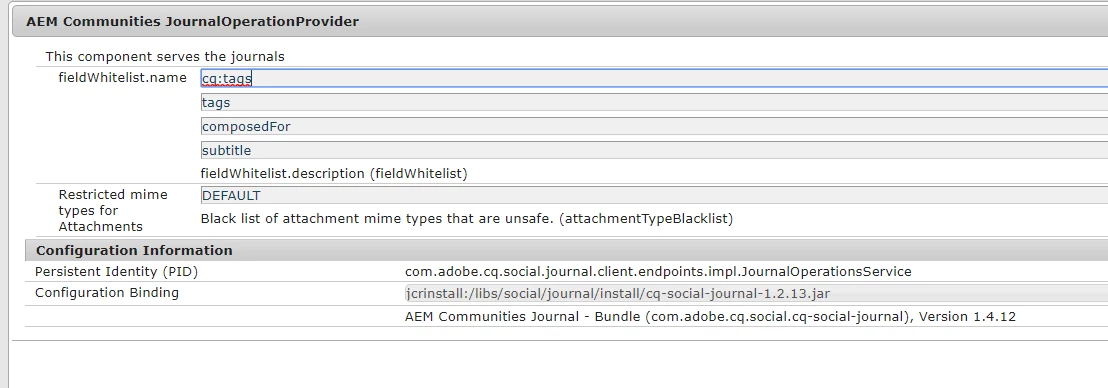
3. Added the 3 Clientlibs to the page

1. cq.ckeditor

2. cq.social.hbs.voting

3. cq.social.hbs.journal

Issue: When I write in the blog it doesnt save anything when i click on publish.
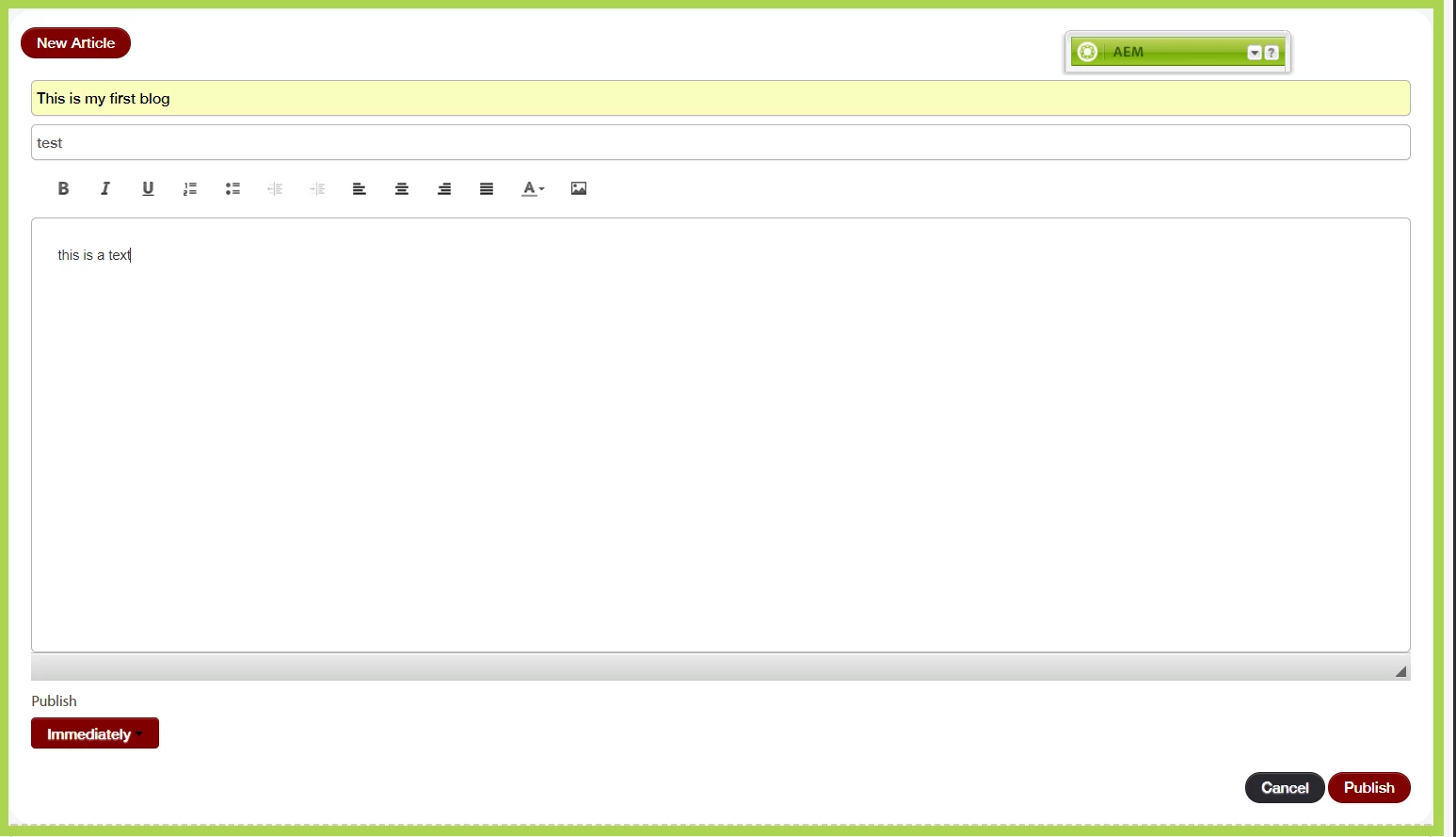
After refresh the page shows blank as before.
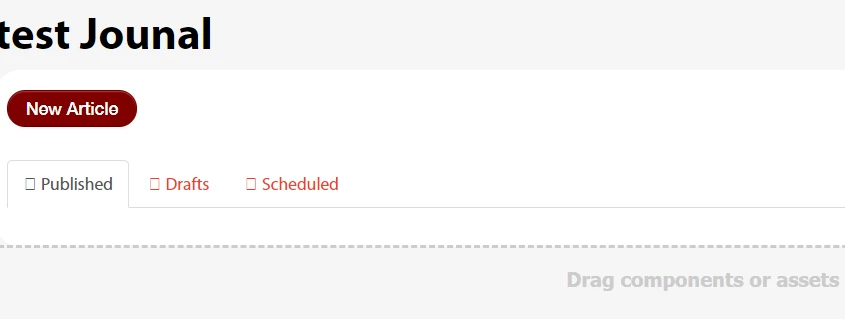
Can someone please help me in resolving the issue? One More thing when I put my code on debug the CustomJournalEntryComponent code does NOT get called at all.

This post is no longer active and is closed to new replies. Need help? Start a new post to ask your question.
titliAccepted solution
Level 2
Oct 17, 2017 10:08 AM UTC

Just to keep the post updated I finally managed to find out a solution.

The etc/design must have the resourceType properly set in the correct path. My project structure was such that setting the paths via the design dialog was not sufficient. I have to find the path where this value was required to be set

21 replies

adarsh200
New Participant
Oct 18, 2018 10:50 AM UTC

It can also work when you delete JS folder in etc/designs/ame/site

Translate
niharbiswal
New Participant
Jul 26, 2018 1:07 AM UTC

Hi Titli,

I have the same problem. The blog component doesn't work. Not able to post any new blog. Can you please provide details on what properties you set with values. a screenshot showing the values will be much appreciated.

Thanks

Nihar

Translate
gurjeets
Level 2
Apr 19, 2018 11:01 PM UTC

Exactly same problem. You can configure your entry topic, by updating the path in Design mode for your blog component. You will be able to edit and see the blog as per your extension. But now the list on the blog page is not coming. Let me know if this fixes your issue, and you also do no see the list on the blog list page.

Translate
davidevg09
Level 2
Apr 1, 2018 7:28 PM UTC

The answer wasn't specific enough which is why I still asked my question. Exactly where under /etc/designs/ must we define the path to update the resourceType or the entryresourcetype property so that the entry_topic.hbs being referenced is not the one under /libs/

Translate
Rahul_Bhardwaj
Employee
Apr 1, 2018 5:28 PM UTC

Please refer Titli's reply, which is marked as correct answer and proceed accordinly!

Translate
davidevg09
Level 2
Mar 28, 2018 10:18 PM UTC

Did you managed to find a solution to this?

I'm currently facing this issue where my extended entry_topic component isn't being reflected on my live site. Instead, its the default entry_topic.hbs file that's being referred to under /libs/social/journal/components/hbs/

Even when I update my custom entry_topic.hbs under /apps/ and change the data-scf-component attribute to the  new path of my entry_topic component, it still doesn't get picked up.

Translate
Rahul_Bhardwaj
Employee
Nov 6, 2017 9:28 AM UTC

Great job Titli. Unfortunately, I lost track of our discussion and this discussion went down in my stack. Sorry for the inconvenience that you might have faced, when I failed to respond to your earlier query.

-Rahul

Translate
titliAuthorAccepted solution
Level 2
Oct 17, 2017 10:08 AM UTC

Just to keep the post updated I finally managed to find out a solution.

The etc/design must have the resourceType properly set in the correct path. My project structure was such that setting the paths via the design dialog was not sufficient. I have to find the path where this value was required to be set

Translate
titliAuthor
Level 2
Aug 14, 2017 10:39 AM UTC

HI,

I tried out this component. there might have been some problem with the clientlibs. Now the data is getting save but when I open the entry the extended component does not get called. The default component entry_topic gets displayed.

For example if in

/apps/custom-blog/components/hbs/entry_topic/entry_topic.hbs

I change the following line

        <p class="scf-breadcrumb scf-quiet">{{i18n "Entries!!"}} &#187; <a href="{{pageInfo.basePageURL}}.html">{{i18n "Blog!!"}}</a> &#187; {{subject}}</p>

It does not get reflected in the page.

Can you check if thats happening for you too?

Translate
titliAuthor
Level 2
Aug 11, 2017 7:14 PM UTC

Did you create any new page? Can you share the package with the component added?

Step 1 : I did it

Step 2: did it

Step 3:. Might differ from yours. I checked in the acme/en/newsblog  please share your package from 6.1 with the working component.

I will install it 

Translate