Features to be disabled | Community
Skip to main content
This post is no longer active and is closed to new replies. Need help? Start a new post to ask your question.
arunpatidar
arunpatidarAccepted solution
New Participant
Jan 2, 2019 1:50 PM UTC

Hi,

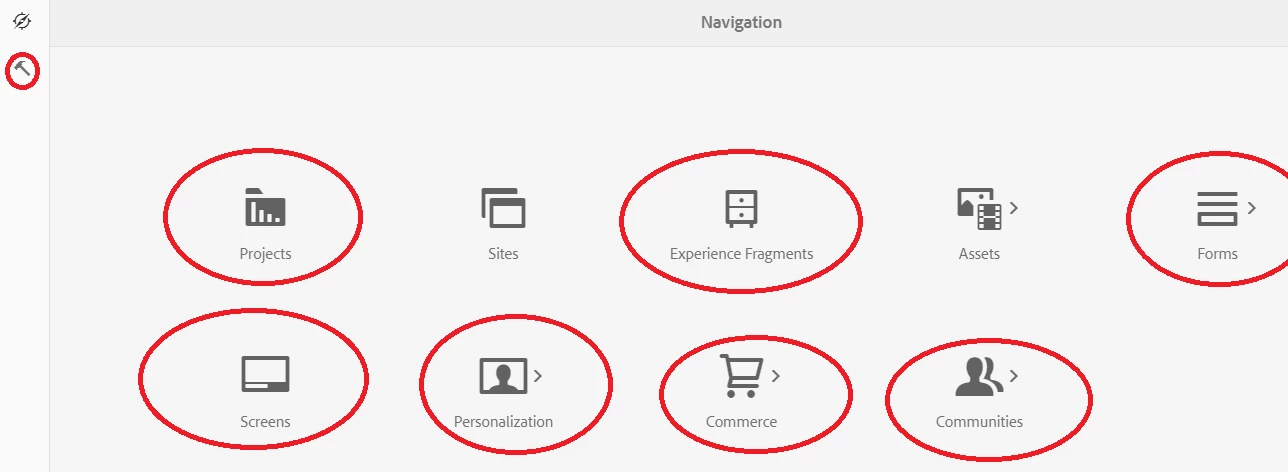
Overlay /libs/cq/core/content/nav and use to sling:hideChildren hide options

https://helpx.adobe.com/experience-manager/6-2/sites/developing/using/sling-resource-merger.html

Arun Patidar

5 replies

arunpatidar
New Participant
Jan 3, 2019 12:47 PM UTC

Hi,

To disable item you need to go for javascript. but for navigation item you need to write your own handler to disable items because there is no disable method available for nav item but tool icon can be disable.

Documentation | CoralUI

Translate
Arun Patidar
New Participant
Jan 3, 2019 11:58 AM UTC

Yes please that would help.

Thanks,

Shashank

Translate
arunpatidar
New Participant
Jan 3, 2019 11:48 AM UTC

Ohh ok, yes then you can do it with CSS
Let me know if you need CSS rules for this.

Translate
Arun Patidar
New Participant
Jan 3, 2019 11:00 AM UTC

Hi Arun Patidar,

Thanks for your response.

Sling:hideChildren property is hiding all the marked options under in page but my requirement is to disable them. So, i need to do that through Css only.

Translate
arunpatidar
arunpatidarAccepted solution
New Participant
Jan 2, 2019 1:50 PM UTC

Hi,

Overlay /libs/cq/core/content/nav and use to sling:hideChildren hide options

https://helpx.adobe.com/experience-manager/6-2/sites/developing/using/sling-resource-merger.html

Translate
Arun Patidar