
Floating RTE Toolbar | Community
Skip to main content
rawvarun
New Participant
Dec 11, 2017 4:09 PM UTC
Solved

Floating RTE Toolbar

AEM-6.3 SP1

Component : /libs/foundation/components/text

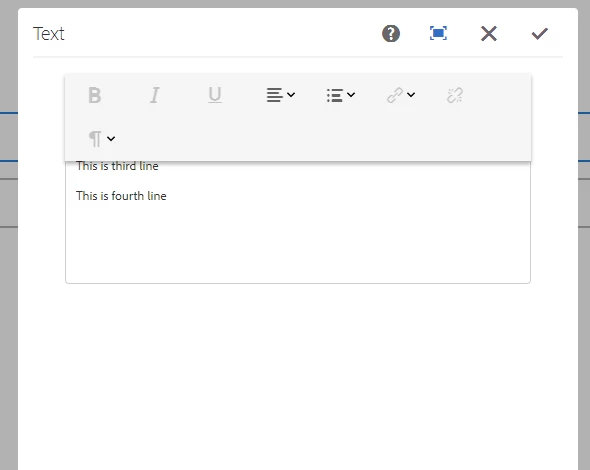
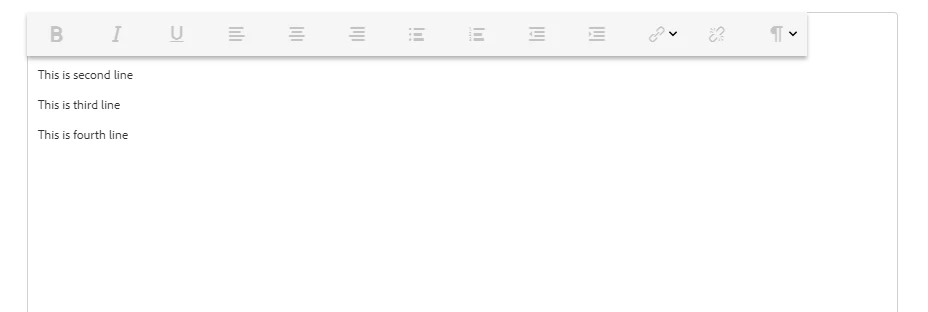
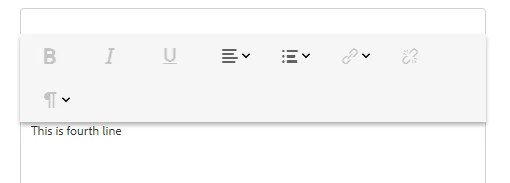
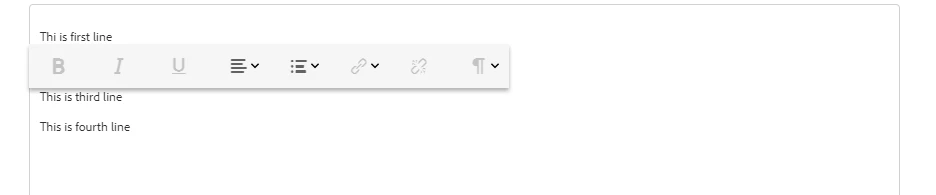
Issue: Floating RTE Toolbar, overlapping over the input area. Tried with both coralui2 and coralui3.

  1. Screen shot of minimized dialog with "useFixedInlineToolbar" set to true.
 

  1. Screen shot of maximized dialog with "useFixedInlineToolbar" set to true.
  1. Screen shot of minimized dialog with "useFixedInlineToolbar" set to false.
  1. Screen shot of maximized dialog with "useFixedInlineToolbar" set to false.
Could you provide any input for the above problem.

This post is no longer active and is closed to new replies. Need help? Start a new post to ask your question.
rawvarun
rawvarunAccepted solution
New Participant
Dec 13, 2017 6:11 AM UTC

Issue is fixed now and it was due to rte coral ui2 dependency in custom js.

3 replies

rawvarun
rawvarunAuthorAccepted solution
New Participant
Dec 13, 2017 6:11 AM UTC

Issue is fixed now and it was due to rte coral ui2 dependency in custom js.

Translate
AnkurAhlawat-1
Level 6
Dec 12, 2017 7:05 AM UTC

Just curious to know, why you are not using core components RTE. /apps/core/wcm/components/text/v1/text > It is tested and used numerous amount of time.

Another Thing that i feel is why you are using /libs/foundation/components/text , instead you should use /libs/wcm/foundation/components/text.

Translate
edubey
Level 10
Dec 12, 2017 6:46 AM UTC

I don't this happening with 6.3 + SP1

You might want to check in a new AEM instance to confirm its not custom CSS which is affecting this

Translate