Folder Schema missing for Assets | Community
Skip to main content
New Participant
May 12, 2018
Solved

Folder Schema missing for Assets

  • May 12, 2018
  • 12 replies
  • 7852 views

HI Team ,

I am going through a documentation below.

https://helpx.adobe.com/experience-manager/6-3/release-notes/folder-metadata-schema.html

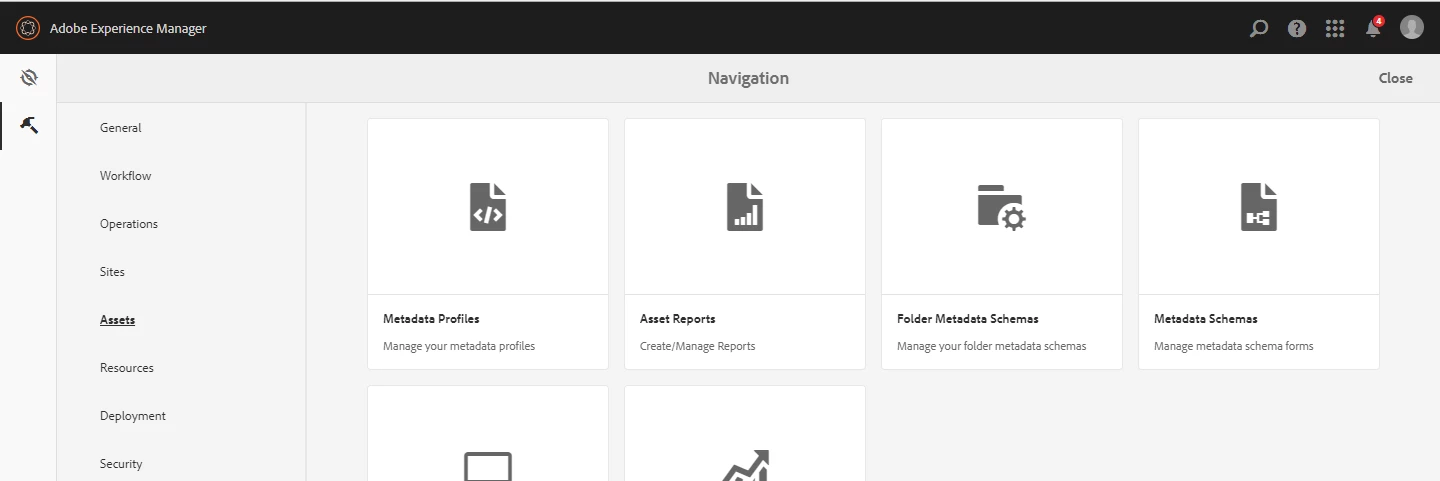
We are using AEM 6.3 CFP2 . However we do not see this option on the tools section of AEM .

Can you please let me know  how to enable this option .

Thanks

Harish
This post is no longer active and is closed to new replies. Need help? Start a new post to ask your question.
Best answer by Hemant_arora

You need to install AEM 6.3.2.0 CFP1 and then the folder metadata schema option will appear

I just did that. Here is the link to download AEM-CFP-6.3.2.1

https://www.adobeaemcloud.com/content/marketplace/marketplaceProxy.html?packagePath=/content/companies/public/adobe/packages/cq630/cumulativefixpack/AEM-CFP-6.3.2.1

IT WORKS AS EXPECTED

Refer to Folder Metadata Schema

12 replies

HarishDvAuthor
New Participant
May 13, 2018

HI Hemant,

Thanks for your response.

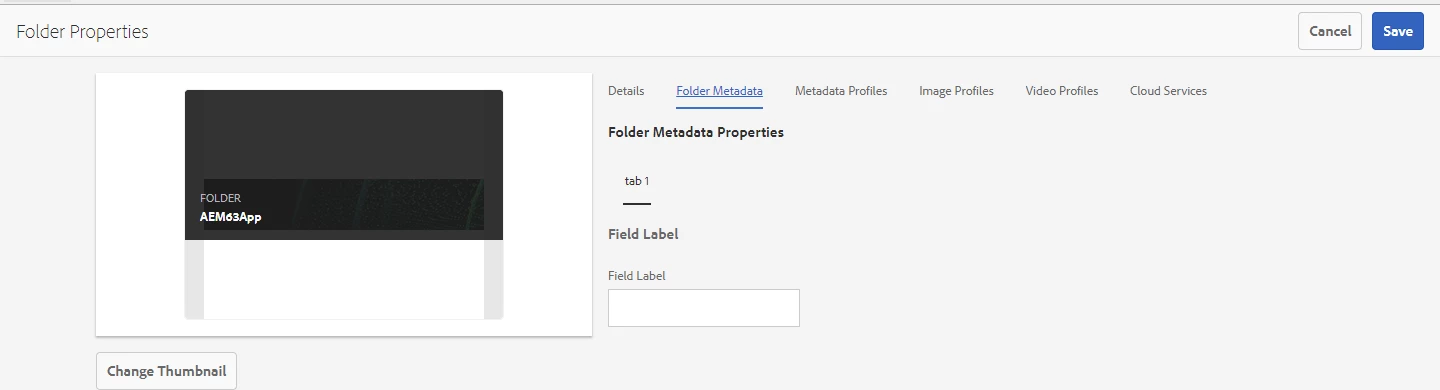
I am actually looking to modify the schema of the Asset folders.

Something like adding another column (as shown on the screen shot)

Can you please provide the steps to be followed to do the same.

Thanks in advance.

Thanks

Harish

Hemant_arora
New Participant
May 13, 2018

I believe you are specifically looking for the keyword folder marked in bold in documentation . "folder metadata schema "

I validated the steps mentioned in the document https://helpx.adobe.com/experience-manager/6-3/release-notes it works as expected in AEM 6.3.2.0

Correct me if I am wrong and you are not able to see the Metadata Schemas option at all

1486387_pastedImage_1.png

1486511_pastedImage_3.png