Formstack embed breaking AEM emulator layout. | Community
Skip to main content
jezwn
New Participant
December 30, 2021
Solved

Formstack embed breaking AEM emulator layout.

  • December 30, 2021
  • 1 reply
  • 1039 views

I'm using formstack form in the pages using formstack embed script which I add in the pages using HTML component. The form appears to work as expected. However I'm noticing some issues with the AEM emulator where it's not working when this embed is added to the pages. Attached below is the console error I get trying the emulator options.
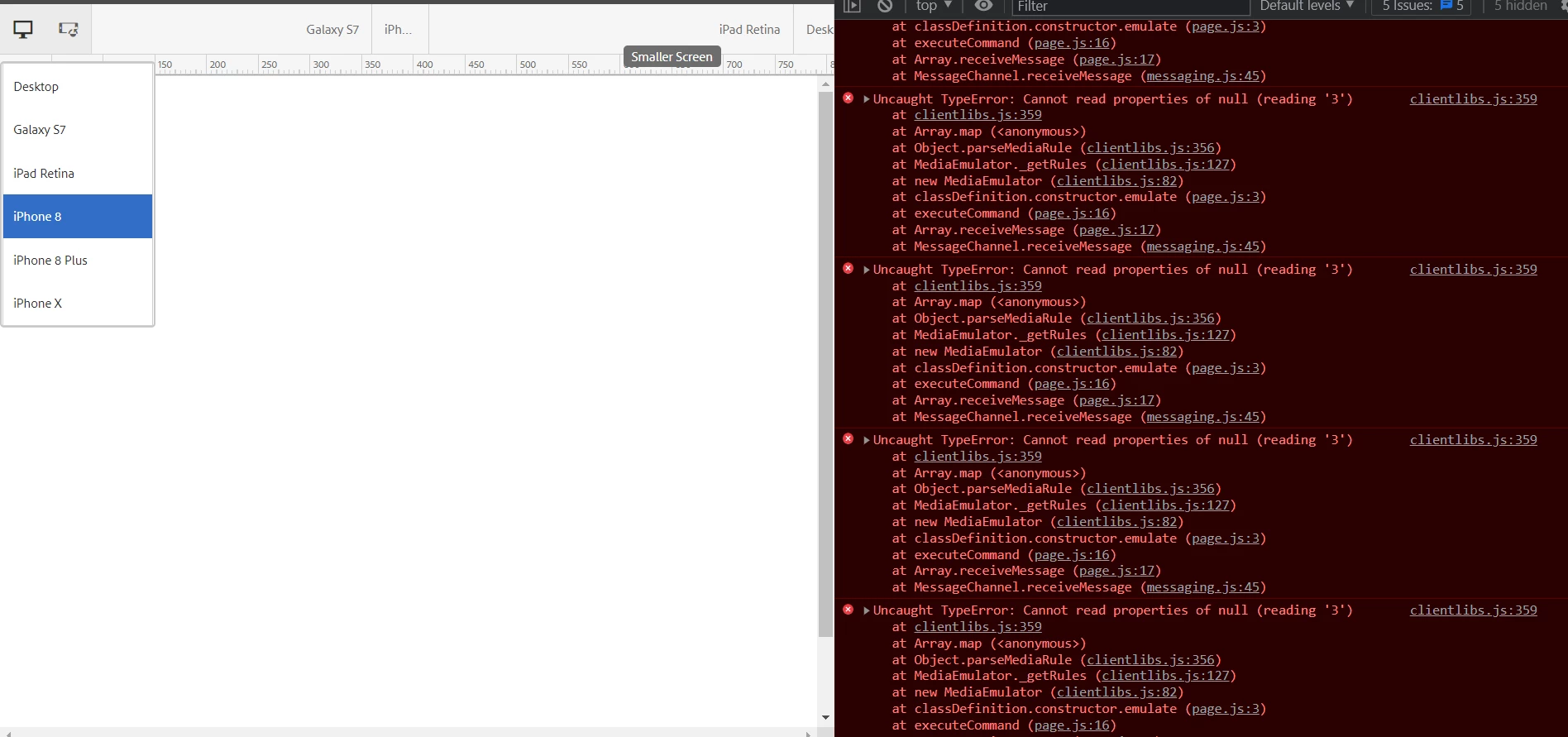
 

I've tried using no jquery in the embed to check it has got anything with the jquery, but it appears not. 


This post is no longer active and is closed to new replies. Need help? Start a new post to ask your question.
Best answer by BrianKasingli

If this is not working for you, what you can do is edit the Sightly for your component, and only render the scripts and formstack injects when ${wcmmode.disabled}. Only in disabled mode. When ${!wcmmode.disabled}, you can display a text to the content author's that the formstack form will only be loaded in "publish view".

1 reply

BrianKasingli
BrianKasingliAccepted solution
New Participant
July 12, 2023

If this is not working for you, what you can do is edit the Sightly for your component, and only render the scripts and formstack injects when ${wcmmode.disabled}. Only in disabled mode. When ${!wcmmode.disabled}, you can display a text to the content author's that the formstack form will only be loaded in "publish view".