Google map integration using API | Community
Skip to main content
New Participant
August 11, 2022
Solved

Google map integration using API

  • August 11, 2022
  • 3 replies
  • 1170 views

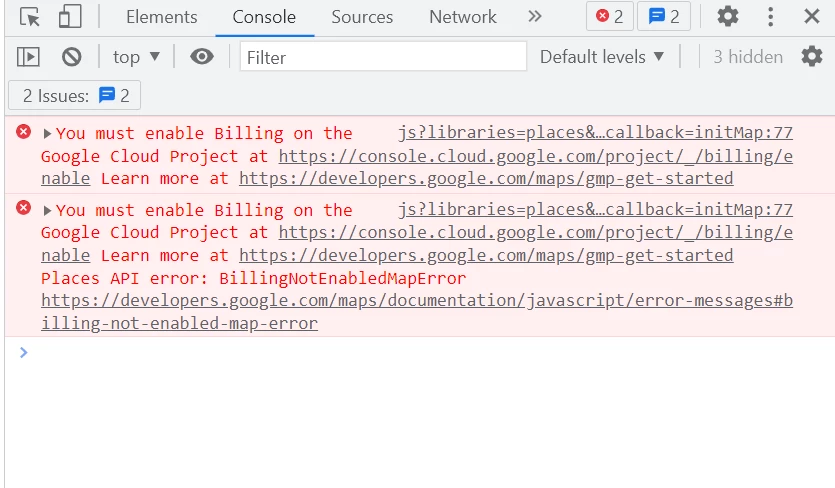
When using API key it is throwing an error showing the key must be billable. What is the solution for that?
 

This post is no longer active and is closed to new replies. Need help? Start a new post to ask your question.
Best answer by HeenaMadan

You need to enable billing on your project first. Google doc says:

You have not enabled billing on your project which is causing this error. You must enable Billing on the Google Cloud Project.

Login with your account and check here to create billing account.

For billing refer here

3 replies

HeenaMadan
HeenaMadanAccepted solution
New Participant
August 12, 2022

You need to enable billing on your project first. Google doc says:

You have not enabled billing on your project which is causing this error. You must enable Billing on the Google Cloud Project.

Login with your account and check here to create billing account.

For billing refer here

lukasz-m
New Participant
August 11, 2022

Hi @np1-1,

This is how Google documentation describes this error, and solution:

You have not enabled billing on your project which is causing this error. You must enable Billing on the Google Cloud Project


Here is detailed instruction how to create billing account: