Hiding a coral tab | Community
Skip to main content
Karl515
New Participant
February 13, 2019
Solved

Hiding a coral tab

  • February 13, 2019
  • 6 replies
  • 3755 views

I'm trying to hide a tab using javascript.

I've tried

.hide();

addClass("hidden");

addClass("hide");

all just hide the tab content but not the tab itself.
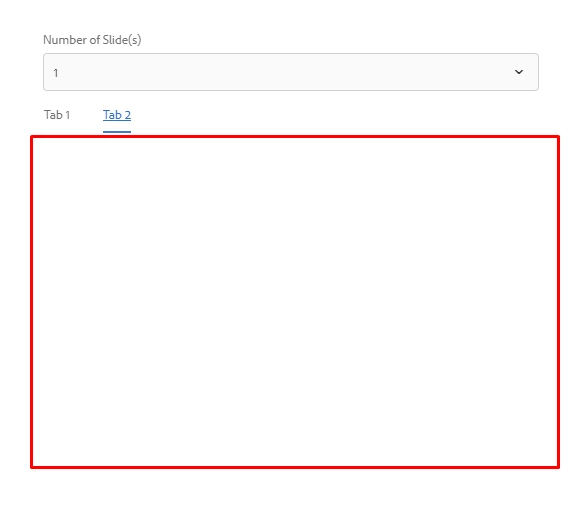
I can achieve hiding the tab by adding "sling:hideResource" in tab 2 properties. How can I do this using javascript?

Thanks!

This post is no longer active and is closed to new replies. Need help? Start a new post to ask your question.
Best answer by antoniom5495929

Hi,

you could try to override the dropdownshowhide.js in order to manage also the attribute value in your components.

I think that you just only need to add the following line:

$target.not(".hide").attr("hidden", "hidden");

Inside the showHide function.

Thanks,

Antonio

6 replies

antoniom5495929
antoniom5495929Accepted solution
New Participant
February 14, 2019

Hi,

you could try to override the dropdownshowhide.js in order to manage also the attribute value in your components.

I think that you just only need to add the following line:

$target.not(".hide").attr("hidden", "hidden");

Inside the showHide function.

Thanks,

Antonio

Karl515
Karl515Author
New Participant
February 14, 2019

Thanks for taking your time.

But unfortunately, that code only accomplishes what .class("hide") and .class("hidden") can accomplish and that is it only hides the content.

here's how I did it.

and the javascript that I am using is a modified version of this

I'm trying Java approach now as I'm starting to think javascript and gonna suffice. but still very much open for javascript solutions.

@antoniom54959291

antoniom5495929
New Participant
February 13, 2019

Hi,

are you using a javascript in order to change the dialog content?

In the coral API [0]  it's indicated that if you want to hide all the tab you need to apply an HTML attribute "hidden".

If you are using js, you need to run a command like the following:

$('mytab'). attr("hidden", "");

So the result is like the following:

<coral-tab hidden="" ...}" class="coral-Tab" role="tab" id="coral-id-499" aria-controls="coral-id-526" aria-invalid="false" aria-disabled="false" aria-selected="false" tabindex="-1"><coral-tab-label>Item Settings</coral-tab-label></coral-tab>

Let me know if this could help you.

[0] CoralUI

Thanks,

Antonio

Karl515
Karl515Author
New Participant
February 13, 2019

I've applied my hide class to my tab container. but only contents get's hidden

edubey
New Participant
February 13, 2019

Tab element and its content are two different DOM element, you have to hide and show them separately.

Karl515
Karl515Author
New Participant
February 13, 2019