How can I have .pdf open inline in the author/view as published stage? | Community
Skip to main content
Level 3
Dec 15, 2022 10:37 PM UTC
Solved

How can I have .pdf open inline in the author/view as published stage?

Hi All,

Just a quick question. 

Is there a way I can have PDFs open inline instead of as a download inside the author/view as published section of aem. 

I have these opening inline in our live site via a dispatcher rule, not sure where to apply this for the author itself 😞 

Any help would be appreciated.

This post is no longer active and is closed to new replies. Need help? Start a new post to ask your question.
SantoshSai
SantoshSaiAccepted solution
New Participant
Dec 16, 2022 1:02 AM UTC

Hi @roorue,

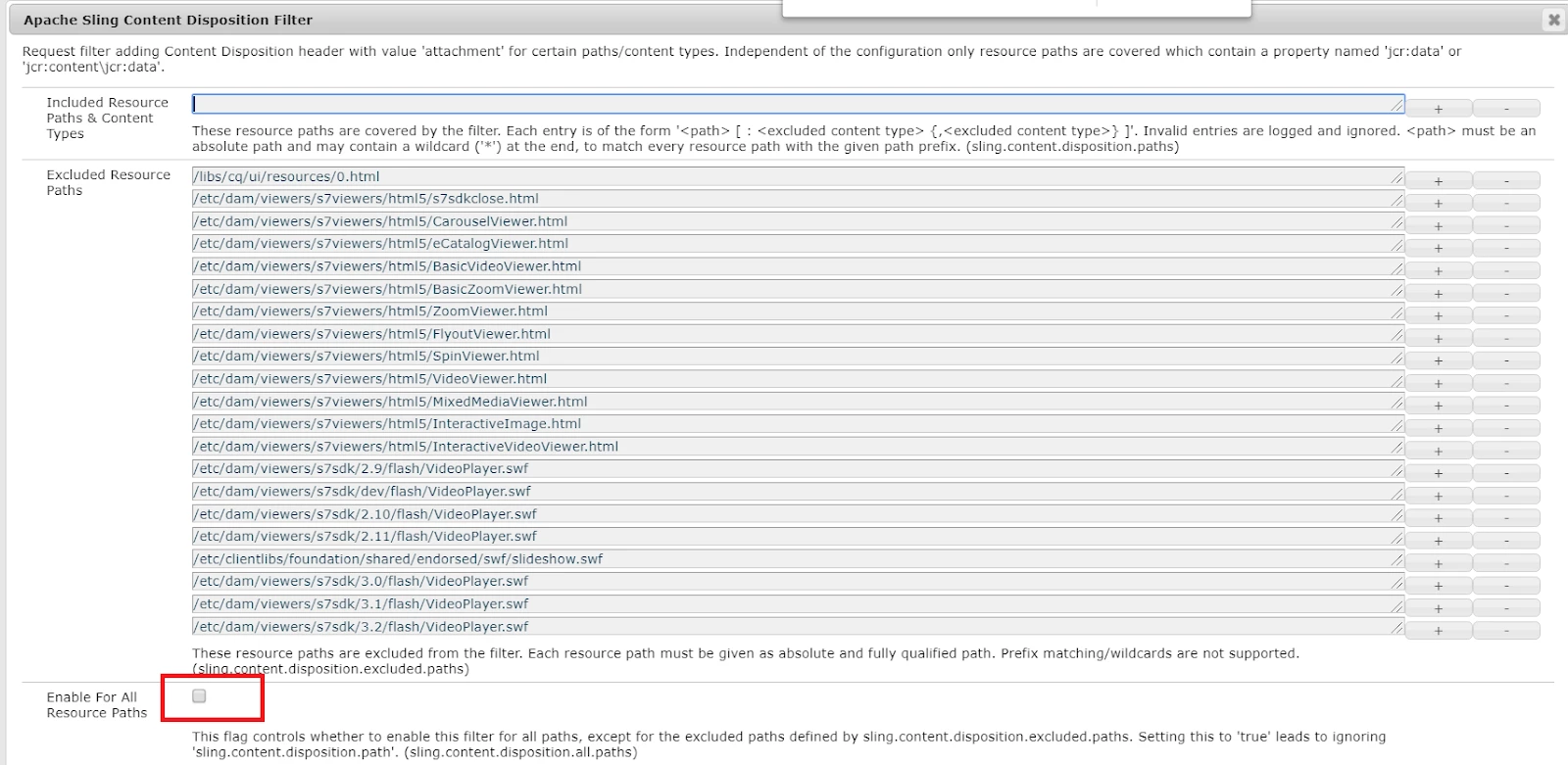
There is an OSGi Configuration in Felix console named "Apache Sling Content
Disposition Filter" which controls Content Disposition for different mime types based on the path


For more details please refer:http://www.sgaemsolutions.com/2019/10/aempdf-is-getting-downloded-instead-of.html


Dispatcher Configuration:

<LocationMatch "\.(?i:pdf)$">
  ForceType application/pdf
  Header set Content-Disposition inline
</LocationMatch>

Please refer: https://experienceleaguecommunities.adobe.com/t5/adobe-experience-manager/pdf-from-dispatchers-should-open-in-browser-without-direct/m-p/301074

Hope that helps!

Regards,

Santosh

Santosh Sai

2 replies

SantoshSai
SantoshSaiAccepted solution
New Participant
Dec 16, 2022 1:02 AM UTC

Hi @roorue,

There is an OSGi Configuration in Felix console named "Apache Sling Content
Disposition Filter" which controls Content Disposition for different mime types based on the path


For more details please refer:http://www.sgaemsolutions.com/2019/10/aempdf-is-getting-downloded-instead-of.html


Dispatcher Configuration:

<LocationMatch "\.(?i:pdf)$">
  ForceType application/pdf
  Header set Content-Disposition inline
</LocationMatch>

Please refer: https://experienceleaguecommunities.adobe.com/t5/adobe-experience-manager/pdf-from-dispatchers-should-open-in-browser-without-direct/m-p/301074

Hope that helps!

Regards,

Santosh

Translate
Santosh Sai
Avinash_Gupta_
New Participant
Dec 15, 2022 11:31 PM UTC

Hi @roorue 


PDF viewer in core components library allows for the inclusion of a PDF document on a page. The Customize Tab in this component allows the author to define the options available in the viewer to the reader and how the viewer should be presented.


https://experienceleague.adobe.com/docs/experience-manager-core-components/using/wcm-components/pdf-viewer.html?lang=en 


Hope this helps.


Translate